


Change Models
On this page
In this lesson, you will learn:
- What a change model is
- The baseline models
- When to make a new one
- How to create SNWR Firewall rule change
🔁 Quick look back: Last time: Normal, Standard and Emergency Changes at SNWR. You learned the three change types and how Mei picked the type for three SNWR changes.
1 “Firewall changes are different”
Network Support makes about 20 firewall rule changes a month.
- Each one needs a security review before approval.
- They’re not risky enough for CAB, but not safe enough to be standard.
- Squeezing them into Normal means extra steps nobody needs.
👉 The fix: use a change model: a named path of states, with its own rules.
2 What is a change model?
Key term: Change model
A named path for a kind of change. It sets the states, which moves are allowed, and what’s required.
Key term: State transition
A move from one state to another, like Assess to Authorize, with conditions.
The baseline has models for Normal, Standard and Emergency. Each one is a record you can open and read.
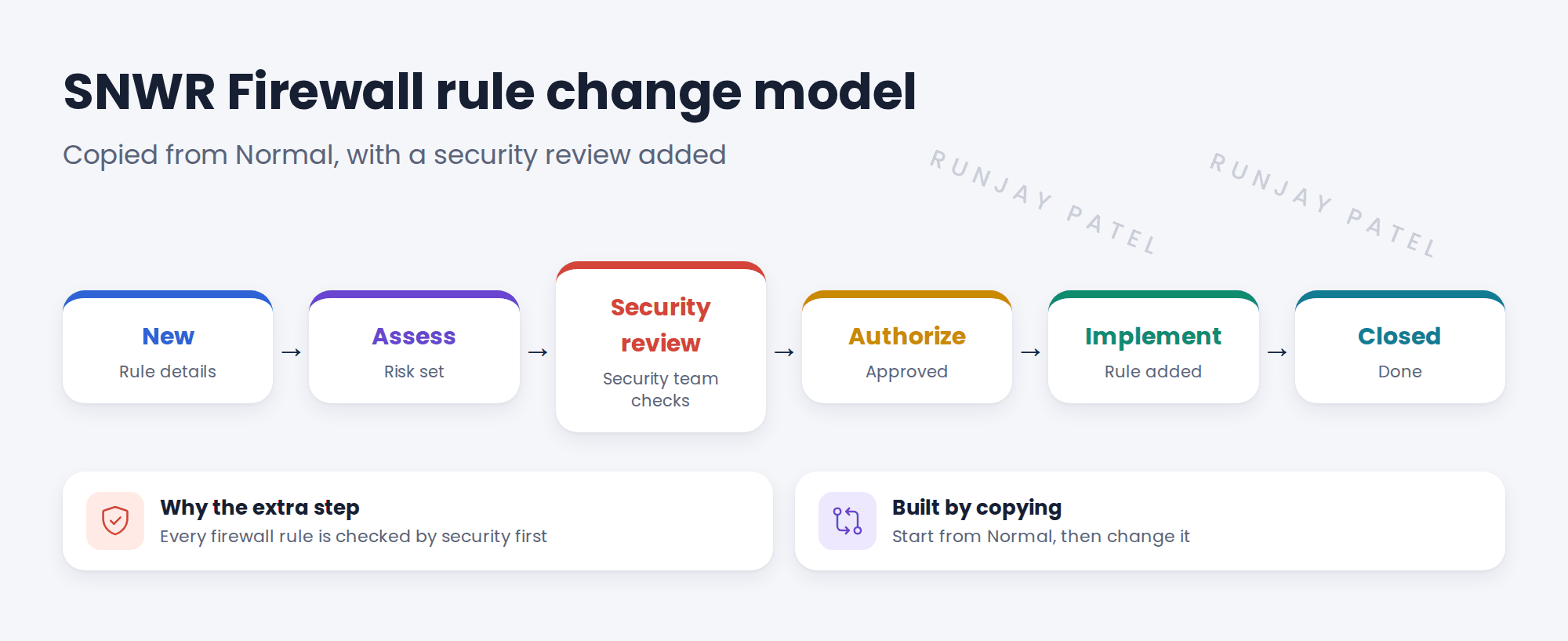
3 When to make a new model
| Make a new model when… | Don’t when… |
|---|---|
| A kind of change needs a different path | You just want a different approver |
| It happens often enough to be worth it | It happens twice a year |
| The steps are agreed by the change owner | Someone just prefers it |
💡 Good to know: Start by copying a baseline model. It’s faster, and safer than building from nothing.
📝 Note: Mei agreed this model as decision DD-022.
4 Let’s try it: create the Firewall rule change model
- In the All menu, search Change Models and open the list.
- Open the Normal model. Look at its states and transitions.
- Copy it (use Insert and Stay, or the copy option) and name the copy SNWR Firewall rule change.
- Look at the state transitions. Note where a Security review step would go.
- Create a new change and check SNWR Firewall rule change can be picked as its model.
5 Quick recap
- A change model is a named path of states and rules
- The baseline has Normal, Standard and Emergency models
- Make a new model only when a kind of change needs a different path
- Start by copying a baseline model
- SNWR added a Security review step for firewall rules
6 Check yourself
Think of your answer first. Then tap to check.
1 What does a change model set? Show answer
The states, which moves are allowed, and what’s required.
2 How do you start a new model? Show answer
Copy a baseline model, like Normal.
3 Is a different approver a good reason for a new model? Show answer
No. Change the approval rules instead.
4 What extra step does SNWR’s firewall model have? Show answer
Security review.
Nice work! SNWR’s firewall changes have their own path. 🎉
Next up: The Standard Change Catalog and Templates
Was this lesson helpful?
Please log in to share lesson feedback.
Have a question or doubt?
Ask here and get help from instructors and fellow learners.
Only logged-in learners can post.





