


Service Operations Workspace Tour
On this page
In this lesson, you will learn:
- What Service Operations Workspace is
- Its main parts
- How an agent moves around it
- Why SNWR agents use it instead of the classic screens
🔁 Quick look back: Last time: ITSM Guided Setup. You learned how ITSM Guided Setup lists the setup steps in order and tracks what’s done or skipped.
1 “Too many tabs!”
In the old tool, Abel worked with lots of windows open.
- One tab for the ticket, one for the user, one for the knowledge base.
- He copied text from one tab to another all day.
- New agents took weeks to learn where everything was.
👉 The fix: give agents one workspace, with everything for a ticket on one page.
2 What is Service Operations Workspace?
Key term: Service Operations Workspace
ServiceNow’s modern agent screen for ITSM. Agents work incidents, requests, problems and changes in one place.
Key term: Workspace
A screen built for one kind of worker, with lists, records and help side by side.
SNWR agents open it at /now/sow/home on the instance, or from the Workspaces menu.
💡 Good to know: Need a refresher? See Fundamentals › User Interfaces › Workspaces.
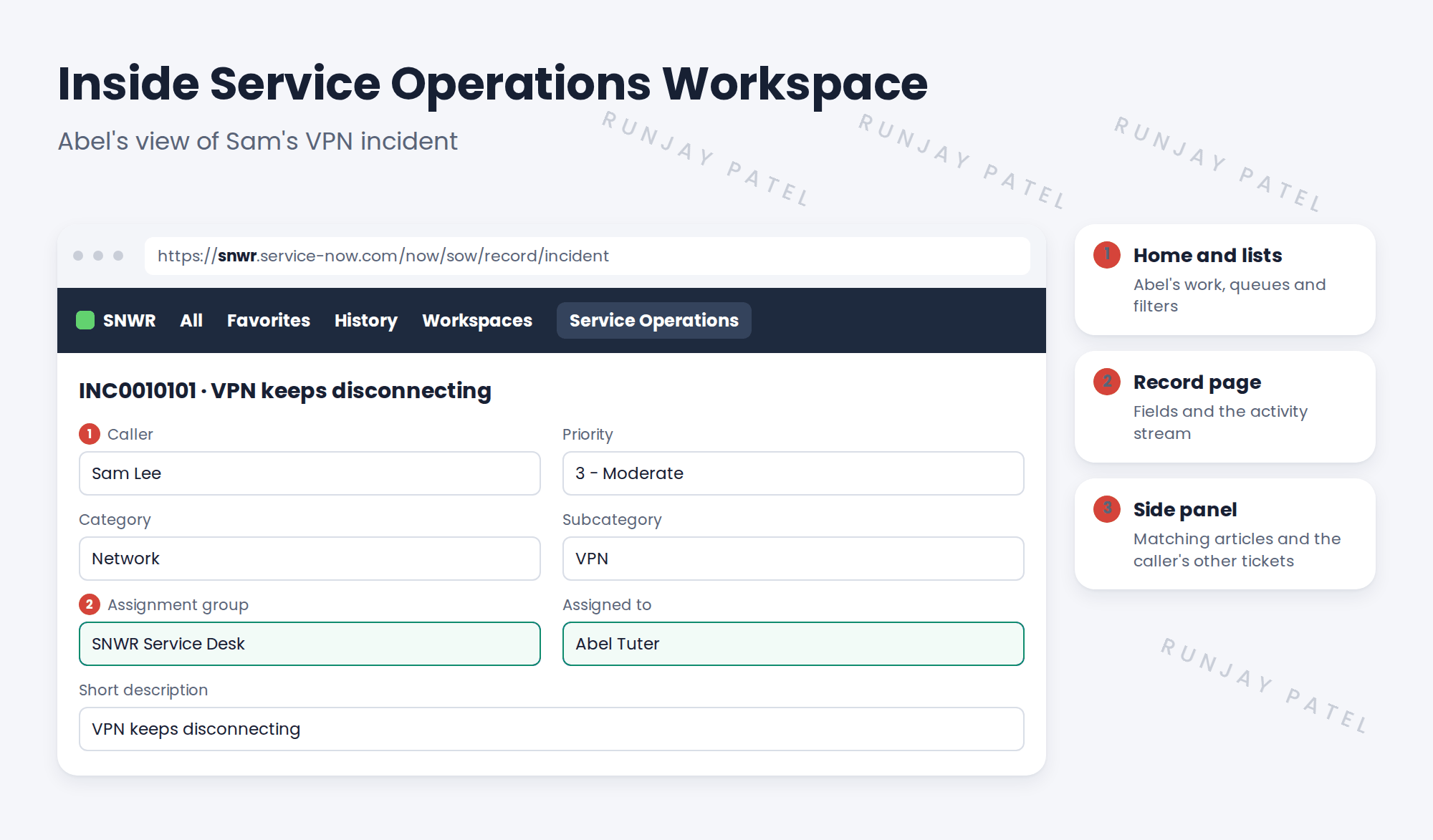
3 The main parts
4 How Abel moves around
| Part | What Abel does there |
|---|---|
| Home (landing page) | Sees his open work and his group’s queue |
| Lists | Filters tickets, like “Unassigned incidents for my groups” |
| Record page | Updates fields, writes work notes, resolves |
| Side panel | Finds articles and similar tickets, without leaving the page |
💡 Good to know: Records open in tabs inside the workspace. Abel can have several tickets open at once, without extra browser windows.
📝 Note: Admins still use the classic screens for setup. Agents use the workspace for daily work.
5 Quick recap
- Service Operations Workspace is ServiceNow’s modern agent screen for ITSM
- Home and lists show the agent’s work
- The record page has the fields and activity stream
- The side panel shows help for the current ticket
- Agents use the workspace; admins set things up in the classic screens
6 Check yourself
Think of your answer first. Then tap to check.
1 What is Service Operations Workspace for? Show answer
It’s where agents work incidents, requests, problems and changes in one place.
2 Where does Abel find matching knowledge articles while working a ticket? Show answer
In the side panel.
3 Can Abel open several tickets at once? Show answer
Yes. Records open as tabs inside the workspace.
4 Who uses the classic screens after go-live? Show answer
Mainly admins, for setup.
Nice work! You know your way around Service Operations Workspace. 🎉
Next up: How Employees Ask for Help: Channels
Was this lesson helpful?
Please log in to share lesson feedback.
Have a question or doubt?
Ask here and get help from instructors and fellow learners.
Only logged-in learners can post.





