


Employee Center as the SNWR Front Door
On this page
In this lesson, you will learn:
- What Employee Center is for
- What topics are
- How content links to a topic
- How to set up IT › Hardware
🔁 Quick look back: Last time: Legacy Catalog Tools. You learned how to recognize older catalog tools and what replaces each.
1 “Where do I go for IT?”
SNWR staff have three places to look.
- The old intranet has IT forms.
- The shared mailbox still gets emails.
- The new catalog is a link nobody knows.
👉 The fix: make Employee Center the one front door, organized by topics people understand.
2 Employee Center and topics
Key term: Employee Center
The employee portal where staff ask for help, order things and track their requests.
Key term: Topic
A subject in Employee Center, like IT › Hardware, that groups items and articles together.
Key term: Connected content
Catalog items and articles linked to a topic.
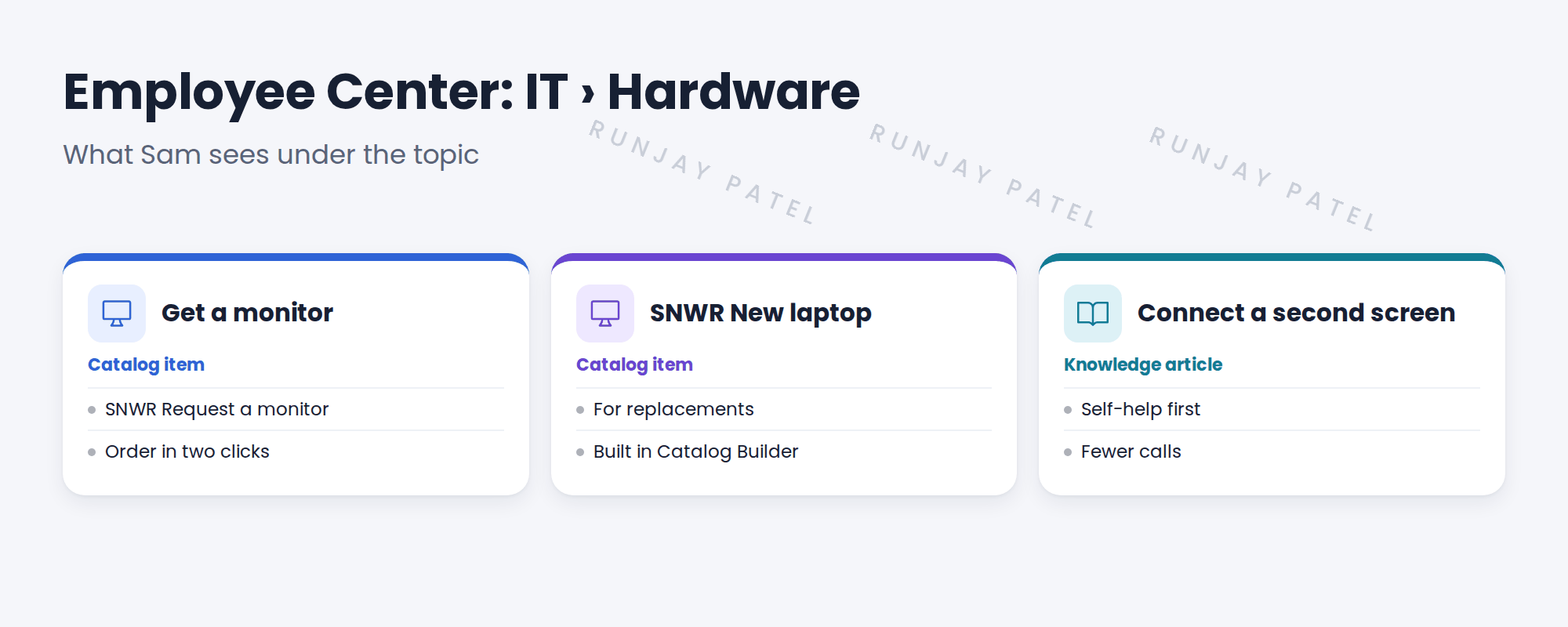
3 How it fits together
- Topics are for finding things. Catalog categories are for managing items.
- One item can show under more than one topic.
- Sam’s open requests and incidents show under My requests.
📦 Entitlement check: Employee Center comes with ITSM. Employee Center Pro adds more, like campaigns, and is sold separately. Check what SNWR has.
💡 Good to know: Need a refresher? See Fundamentals › User Interfaces › Service Portal & Employee Center.
4 Let’s try it: set up the Hardware topic
- Open Employee Center › Taxonomy (search “Taxonomy”). Open the taxonomy used by Employee Center.
- Add a topic IT, with child topics Hardware, Software, Access and Workplace.
- Open IT › Hardware. Add connected content: SNWR Request a monitor (with the label “Get a monitor”) and one hardware article.
- Impersonate Sam. Open Employee Center and browse to IT › Hardware.
- Check he can order a monitor and see his requests under My requests.
5 Quick recap
- Employee Center is SNWR’s one front door
- Topics group items and articles by subject
- Connected content links items to topics
- Topics are for finding; categories are for managing
- Employee Center Pro is sold separately
6 Check yourself
Think of your answer first. Then tap to check.
1 What is a topic in Employee Center? Show answer
A subject, like IT › Hardware, that groups items and articles.
2 Can one item show under two topics? Show answer
Yes.
3 Where does Sam track his orders? Show answer
Under My requests in Employee Center.
4 Topics or categories: which is for finding things? Show answer
Topics.
Nice work! SNWR now has one front door. 🎉
Next up: Fulfilling Catalog Tasks in the Workspace
Was this lesson helpful?
Please log in to share lesson feedback.
Have a question or doubt?
Ask here and get help from instructors and fellow learners.
Only logged-in learners can post.





