


CIs on Incidents, Problems and Changes
On this page
In this lesson, you will learn:
- The CI field
- Affected CIs
- Impacted services
- How SNWR uses them on each record
🔁 Quick look back: Last time: What CSDM Data Does SNWR’s Go-Live Need?. You learned which CSDM records SNWR needs on day one, and what can wait.
1 “Which server was it?”
Grace studies the VPN problem.
- Half the incidents say “VPN” in the text.
- The rest name no CI at all.
- She can’t tell if one gateway is the cause.
👉 The fix: put the CI on every record, and list affected CIs and services.
2 Three ways records point to the CMDB
Key term: Configuration item (CI) field
The main CI a record is about, like snwr-vpn-gw-01.
Key term: Affected CIs
A list of every CI the record touches, for records that hit more than one.
Key term: Impacted services
The services affected, worked out from the CIs.
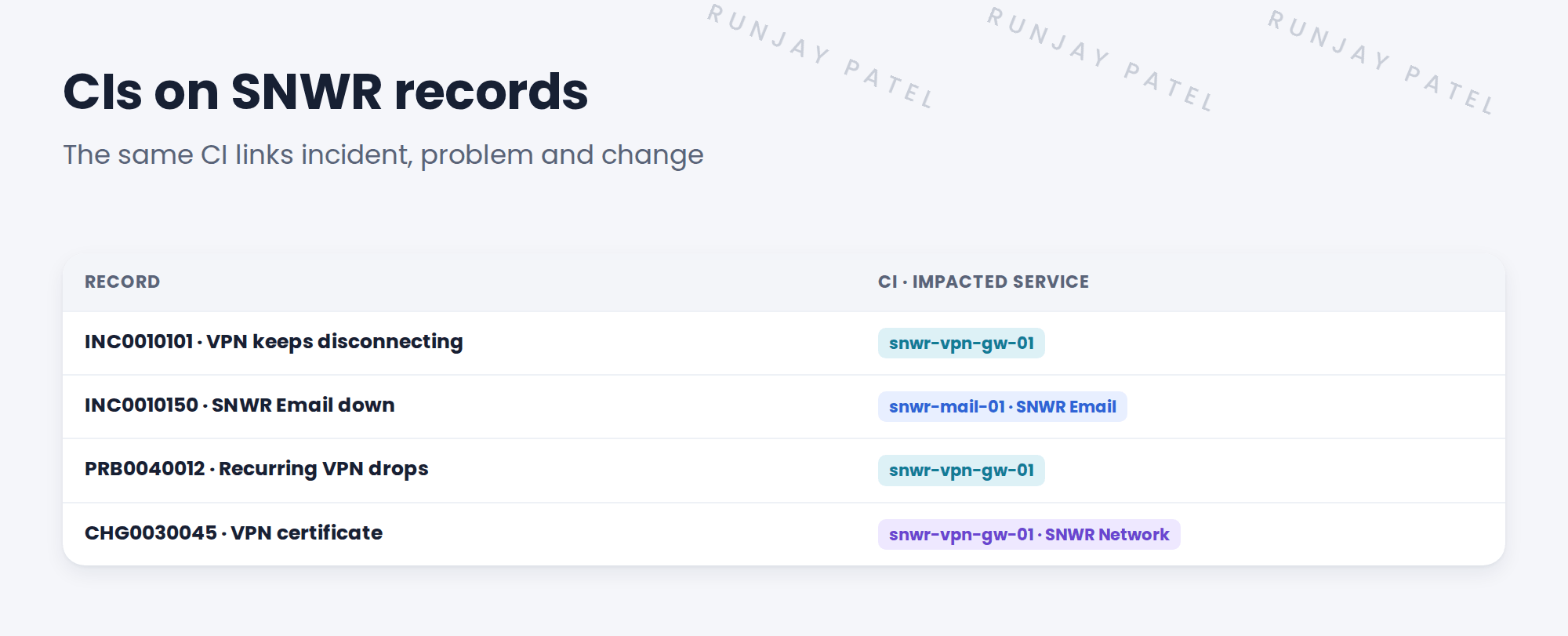
3 SNWR’s rules
- Incidents: set the CI when known. Required at Resolve.
- Problems: always set the CI.
- Changes: always set the CI, and list every affected CI.
💡 Good to know: When the same CI shows on incident, problem and change, you can follow the whole story in one click.
4 Let’s try it: put CIs on records
- Open INC0010101 (or your copy). Set the CI to snwr-vpn-gw-01.
- Open PRB0040012 and set the same CI.
- Open CHG0030045. Set the CI, then open the Affected CIs list and check it’s there.
- Open the CI snwr-vpn-gw-01. Look at its related lists: can you see all three records?
- Write SNWR’s CI rules into the design decisions log.
5 Quick recap
- The CI field names the main CI
- Affected CIs lists every CI touched
- Impacted services come from the CIs
- SNWR: CIs always on problems and changes
- The same CI links the whole story
6 Check yourself
Think of your answer first. Then tap to check.
1 Which CI is on Sam’s VPN incident? Show answer
snwr-vpn-gw-01.
2 A change touches three servers. Where do you list them? Show answer
In Affected CIs.
3 Where do impacted services come from? Show answer
From the CIs on the record.
4 How can Grace see all records for one CI? Show answer
Open the CI and look at its related lists.
Nice work! SNWR’s records now point to their CIs. 🎉
Next up: Support Groups and CI Ownership
Was this lesson helpful?
Please log in to share lesson feedback.
Have a question or doubt?
Ask here and get help from instructors and fellow learners.
Only logged-in learners can post.





