


Legacy Agent Experiences: UI16 and Agent Workspace
On this page
In this lesson, you will learn:
- What the classic incident form is
- What the older Agent Workspace was
- How to tell them apart from Service Operations Workspace
- What to do when you meet them on a project
🔁 Quick look back: Last time: Incident SLA Design for SNWR. You learned how SNWR’s incident SLAs use the 24×7 schedule for P1 and business hours for the rest.
1 “Our agents use a different screen”
Your next project isn’t SNWR. It’s Company C, and they’ve used ServiceNow for years.
- Their agents work in the classic form.
- Some teams use an older workspace.
- They ask: “Should we switch?”
👉 The fix: know the older agent screens, and why new setups use Service Operations Workspace.
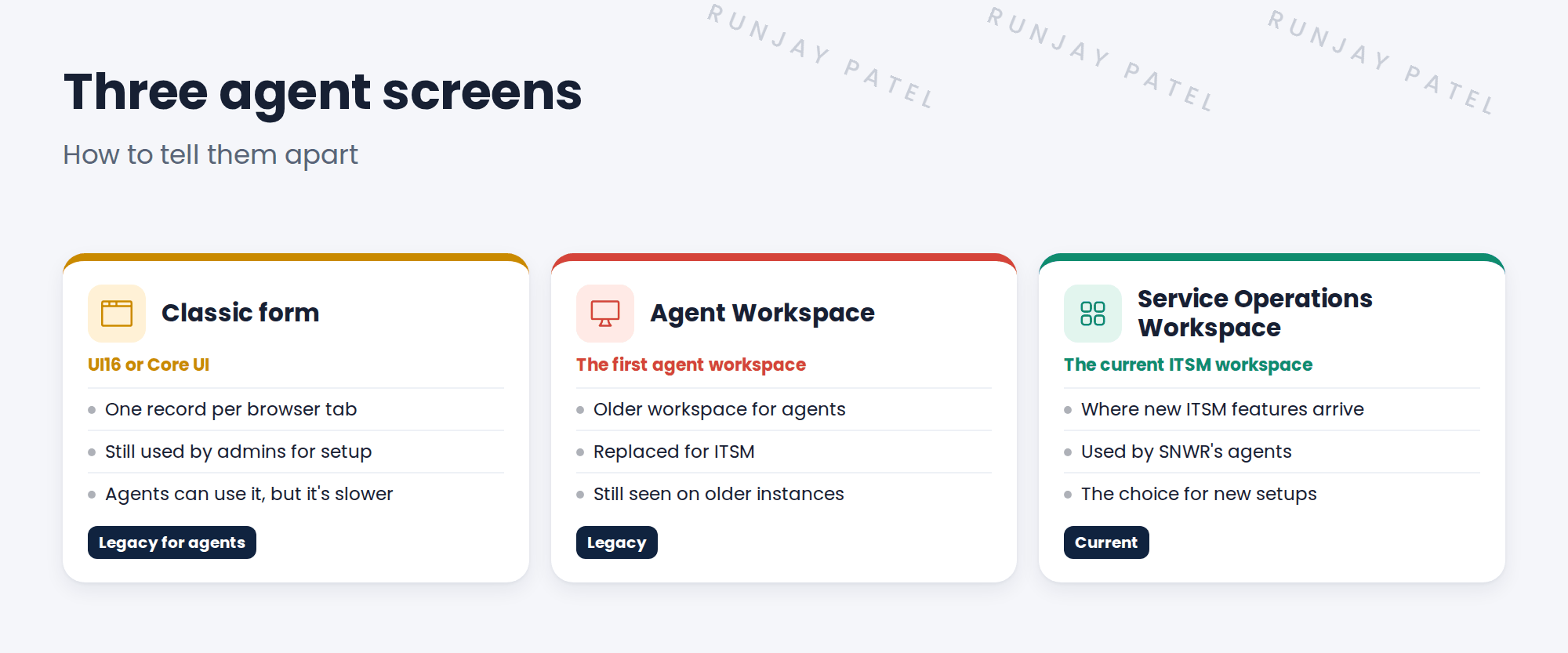
2 Three agent screens
3 How to tell them apart
| Screen | Clue |
|---|---|
| Classic form | The All menu on the left, and a form with buttons at the top |
| Agent Workspace | An older workspace address with “agent” in it |
| Service Operations Workspace | The address includes /now/sow |
💡 Good to know: New ITSM features, like newer AI helpers, arrive in Service Operations Workspace first.
4 When you meet them
- Don’t force a switch on day one. Plan it, like any change.
- Check which features the teams use every day.
- Train agents before they move.
⭐ Remember: Recognize the old screens. Build new setups in Service Operations Workspace.
5 Quick recap
- The classic form (UI16) is still used by admins
- Agent Workspace was the first agent workspace, now replaced for ITSM
- Service Operations Workspace is the current ITSM agent screen
- Look at the address to tell them apart
- Plan and train before moving teams
6 Check yourself
Think of your answer first. Then tap to check.
1 Which screen should a new ITSM setup use? Show answer
Service Operations Workspace.
2 Who still uses the classic form every day? Show answer
Admins, for setup.
3 What’s in the address of Service Operations Workspace? Show answer
/now/sow
4 Company C wants to switch screens. What do you do first? Show answer
Plan it: check what teams use every day, and train agents before they move.
Nice work! You can spot the older agent screens. 🎉
Next up: What Makes an Incident Major at SNWR
Was this lesson helpful?
Please log in to share lesson feedback.
Have a question or doubt?
Ask here and get help from instructors and fellow learners.
Only logged-in learners can post.





