


Satisfaction Surveys on Incident Close
On this page
In this lesson, you will learn:
- Why ask callers
- What makes a good survey
- How the survey is triggered
- How to read the results
🔁 Quick look back: Last time: ITSM Dashboards. You learned how to build the SNWR Service Desk Overview dashboard from reports and indicators.
1 “The numbers look good, but people are unhappy”
Daniel’s KPIs are green.
- But Anita hears complaints in meetings.
- Callers say agents close tickets too fast.
- Nobody asked the callers.
👉 The fix: ask callers a short question when their incident is resolved.
2 SNWR’s survey
Key term: Survey
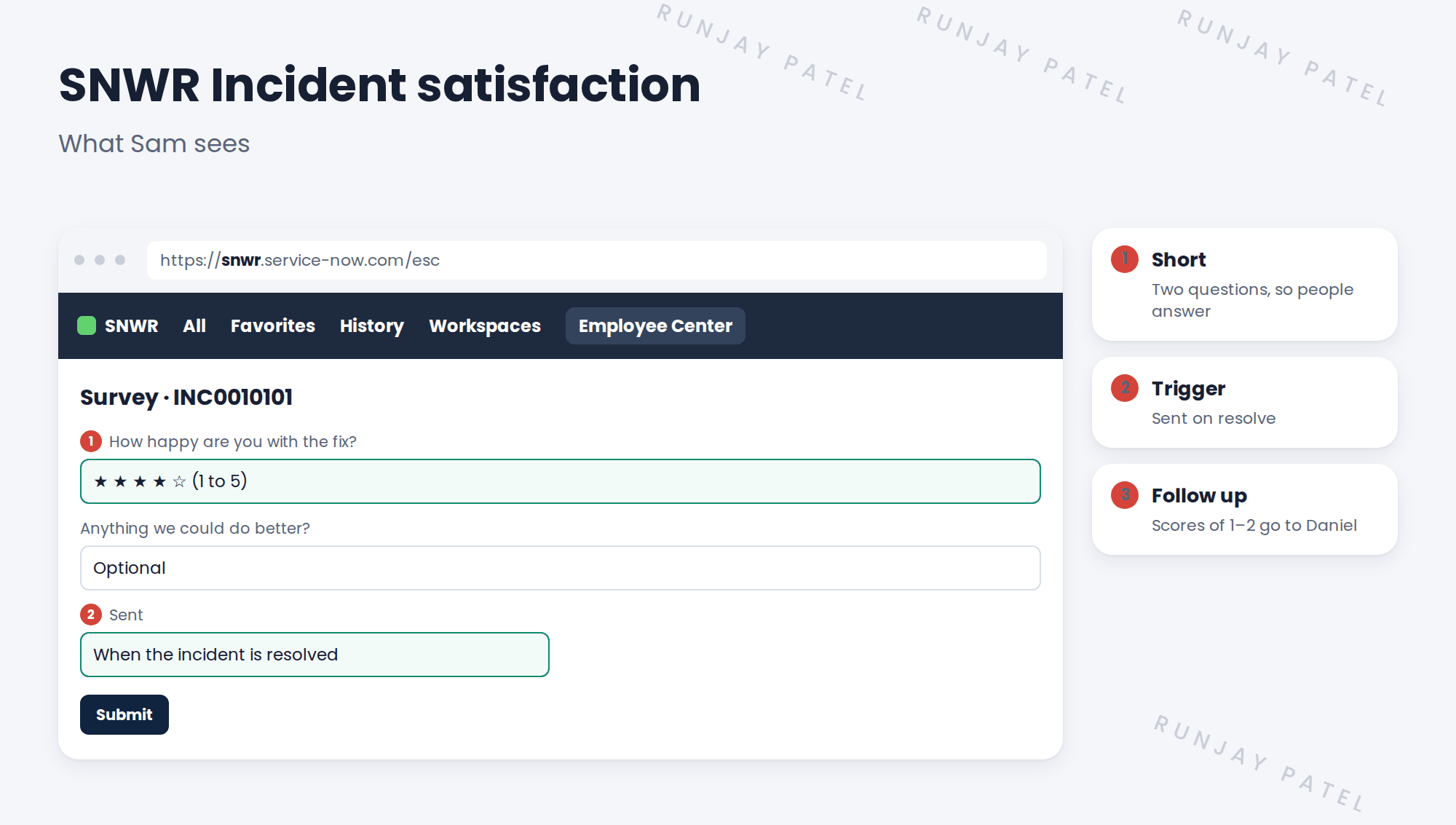
A short set of questions sent to people, like callers.
Key term: Trigger condition
The rule that decides when a survey is sent, like when an incident is resolved.
3 Good survey rules
- Two or three questions at most.
- Don’t send more than one survey a month to the same person.
- Act on low scores, and tell people what changed.
💡 Good to know: A score of 1 or 2 should create a follow-up for Daniel. That’s where you learn most.
4 Let’s try it: send the survey
- Open Survey › Survey Designer. Create SNWR Incident satisfaction with the two questions.
- Add a trigger condition: table Incident, when state changes to Resolved, send to the caller.
- Limit it to one survey per caller in 30 days.
- Resolve an incident for Sam. Impersonate Sam and answer the survey.
- Open the survey results and find Sam’s answer.
5 Quick recap
- KPIs show speed; surveys show how people feel
- Keep it to two or three questions
- A trigger condition sends it on resolve
- Limit how often one person gets it
- Follow up on low scores
6 Check yourself
Think of your answer first. Then tap to check.
1 When is SNWR’s survey sent? Show answer
When the incident is resolved.
2 How many questions should it have? Show answer
Two or three at most.
3 Sam gives a score of 1. What happens? Show answer
A follow-up goes to Daniel.
4 Why limit surveys per person? Show answer
Too many surveys annoy people, and they stop answering.
Nice work! SNWR now hears from its callers. 🎉
Next up: The Continual Improvement Cycle
Was this lesson helpful?
Please log in to share lesson feedback.
Have a question or doubt?
Ask here and get help from instructors and fellow learners.
Only logged-in learners can post.





