


Impact Analysis for Changes
On this page
In this lesson, you will learn:
- What impact analysis is
- How a dependency map shows impact
- How to fill impacted services
- How to test it on CHG0030045
🔁 Quick look back: Last time: Support Groups and CI Ownership. You learned how a CI’s support group routes incidents and who owns the CI’s data.
1 “Nobody told us!”
Last year, a network change broke email for London.
- The change named one router.
- Nobody knew email ran through it.
- Arjun found out from angry users.
👉 The fix: check the CI’s dependency map, and list impacted services before CAB.
2 The dependency map
Key term: Dependency map
A picture of a CI and everything connected to it, upstream and downstream.
Key term: Impact analysis
Working out what a change could affect, before you make it.
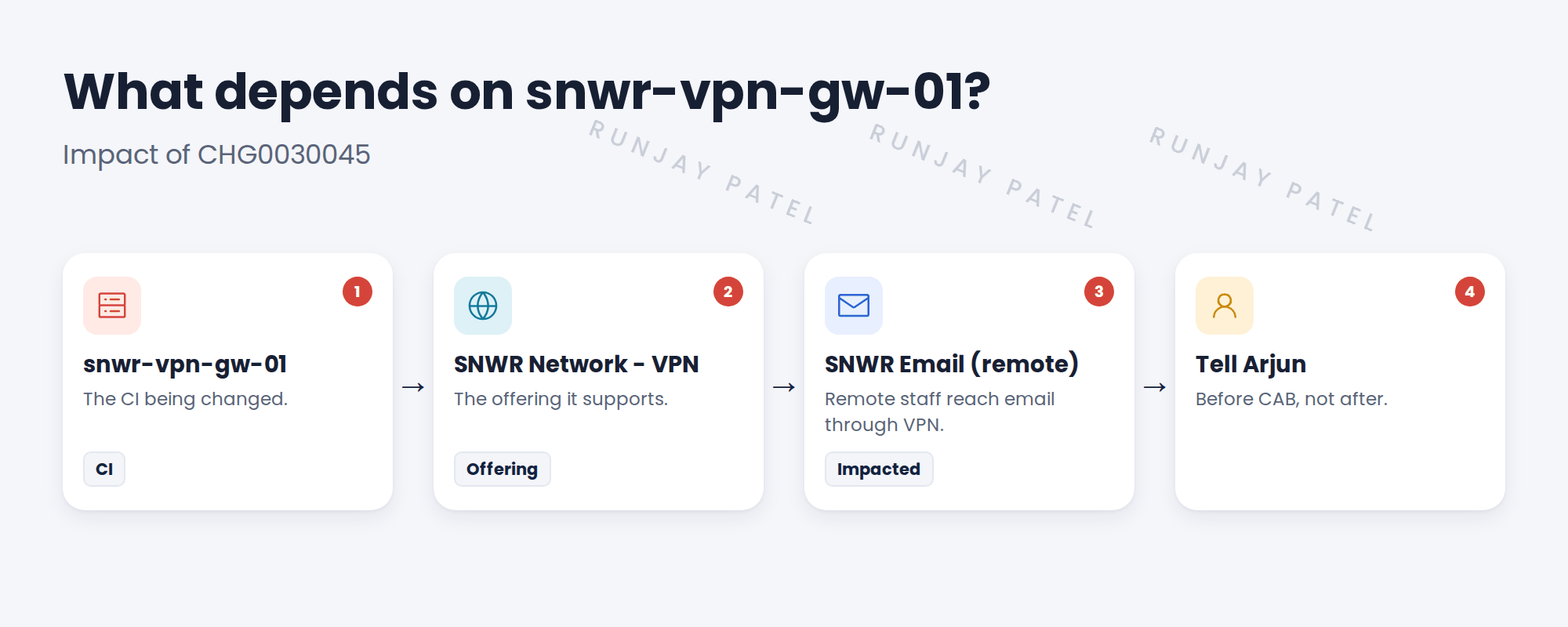
3 How impact reaches the change
- Set the CI on the change.
- Use Refresh Impacted Services on the change.
- Check the list. Add anything missing.
- Tell each service owner before CAB.
⚠️ Heads up: The map is only as good as the relationships in the CMDB. If a link is missing, the impact will be missed too.
💡 Good to know: Need a refresher? See Fundamentals › CMDB Essentials › CI Classes & Relationships.
4 Let’s try it: test impact on CHG0030045
- Open CI snwr-vpn-gw-01. Open its dependency view (the map icon or Dependency Views).
- Check what it connects to. Add a relationship to SNWR Network – VPN if it’s missing.
- Open CHG0030045. Make sure the CI is snwr-vpn-gw-01.
- Use Refresh Impacted Services. Check SNWR Network shows in Impacted Services.
- Add a work note: “Arjun told about VPN impact on remote email”.
5 Quick recap
- Impact analysis finds what a change could affect
- The dependency map shows what’s connected to a CI
- Refresh Impacted Services fills the list on the change
- Missing relationships mean missed impact
- Tell service owners before CAB
6 Check yourself
Think of your answer first. Then tap to check.
1 What does a dependency map show? Show answer
A CI and everything connected to it.
2 How do impacted services get onto the change? Show answer
Use Refresh Impacted Services, then check the list.
3 Why might the map miss a service? Show answer
A relationship is missing in the CMDB.
4 When should Arjun hear about the VPN change? Show answer
Before CAB.
Nice work! You tested impact analysis on a real change. 🎉
Next up: Predictive Intelligence for Categorization and Assignment
Was this lesson helpful?
Please log in to share lesson feedback.
Have a question or doubt?
Ask here and get help from instructors and fellow learners.
Only logged-in learners can post.





