


Fulfilling Catalog Tasks in the Workspace
On this page
In this lesson, you will learn:
- Where fulfillers find their tasks
- What they see on a task
- Work notes versus comments
- How to test the task end to end
🔁 Quick look back: Last time: Employee Center as the SNWR Front Door. You learned how Employee Center topics put SNWR’s catalog items and articles where employees look.
1 “What size did he order?”
Desktop Support opens their first catalog task.
- They can’t see which monitor Sam chose.
- They email Sam to ask.
- Sam doesn’t know anyone is working on it.
👉 The fix: work tasks in the workspace, where the order’s answers and the comments are in one place.
2 A task in the workspace
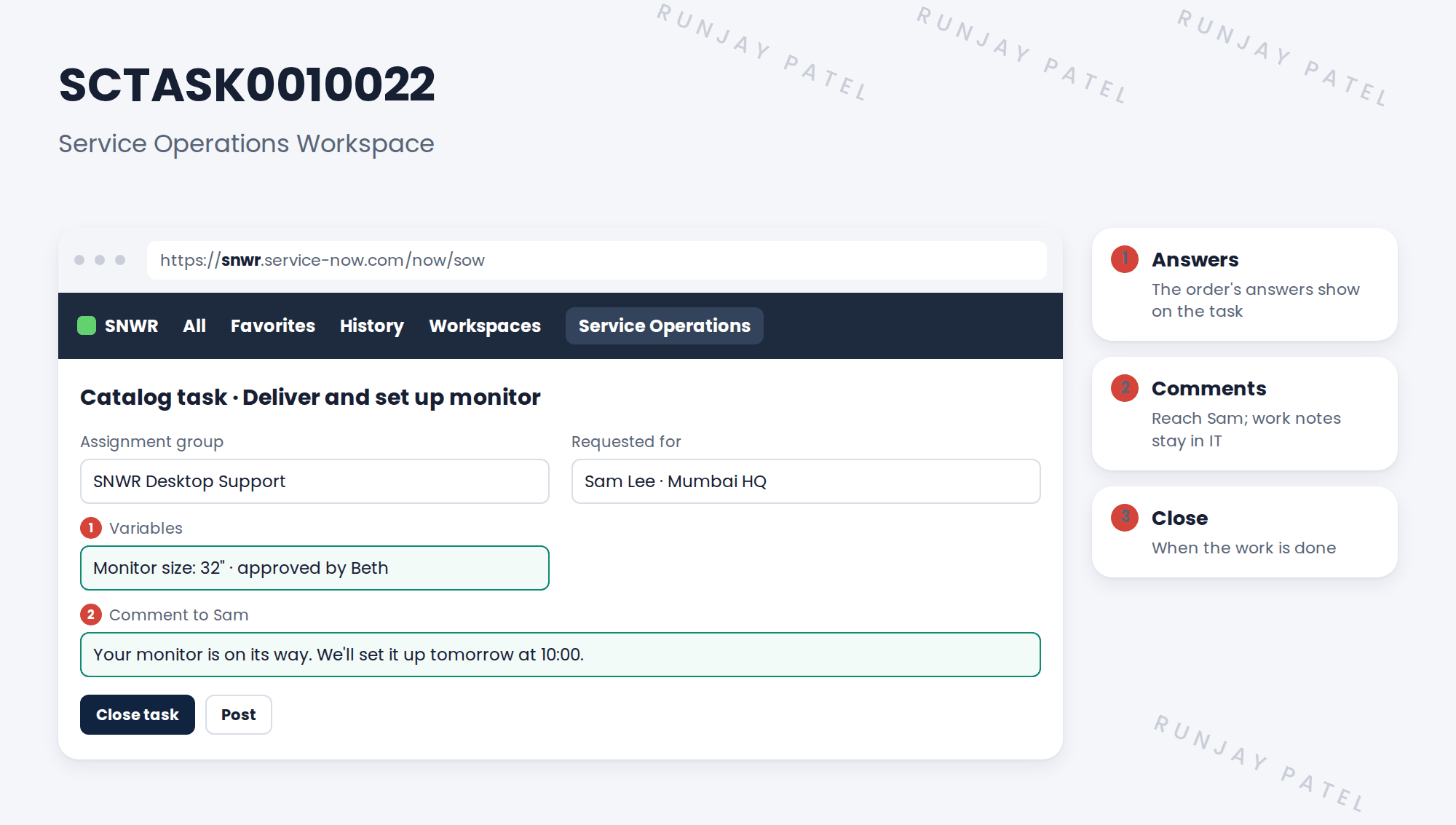
3 Talking to the requester
| Field | Who sees it |
|---|---|
| Additional comments | Sam, on his request in Employee Center |
| Work notes | Only IT |
💡 Good to know: Every comment should tell Sam what happens next, and when.
📝 Note: Check how comments on a task reach the requester on your instance. If they don’t show, the team comments on the RITM instead.
4 Let’s try it: work the task end to end
- Order a monitor as Sam, and approve it as Beth, so a catalog task like SCTASK0010022 is created.
- Impersonate a Desktop Support member. Open Service Operations Workspace and find the task in the list.
- Check the order’s answers show. Add a work note, then a comment to Sam.
- Impersonate Sam. Open his request in Employee Center and check he sees the comment, not the work note.
- Back as Desktop Support, close the task. Check the RITM and REQ close.
5 Quick recap
- Fulfillers work catalog tasks in Service Operations Workspace
- The order’s answers show on the task
- Comments reach the requester; work notes stay in IT
- Every comment says what’s next and when
- Closing the task closes the RITM and REQ
6 Check yourself
Think of your answer first. Then tap to check.
1 Where does Desktop Support see which monitor Sam chose? Show answer
In the variables on the catalog task.
2 Comment or work note: which does Sam see? Show answer
The comment.
3 What should every comment to Sam say? Show answer
What happens next, and when.
4 The task closes. What happens next? Show answer
The RITM closes, then the REQ.
Nice work! You tested a task from order to close. 🎉
Next up: The Service Catalog API
Was this lesson helpful?
Please log in to share lesson feedback.
Have a question or doubt?
Ask here and get help from instructors and fellow learners.
Only logged-in learners can post.





