


Contextual Search and Agent Assist
On this page
In this lesson, you will learn:
- What contextual search is
- Where agents see results
- What sources it can search
- How to check and tune it for incidents
🔁 Quick look back: Last time: Configuring Workspace Lists and the Record Page. You learned how to add columns to workspace lists and tidy the record page without UI Builder.
1 “Didn’t we fix this last month?”
Sam’s VPN shows error 809. Abel doesn’t know it.
- He spends 20 minutes searching.
- Ravi fixed the same error last month, and wrote a knowledge article.
- Abel never found it.
👉 The fix: show matching answers automatically, while the agent types.
2 What is contextual search?
Key term: Contextual search
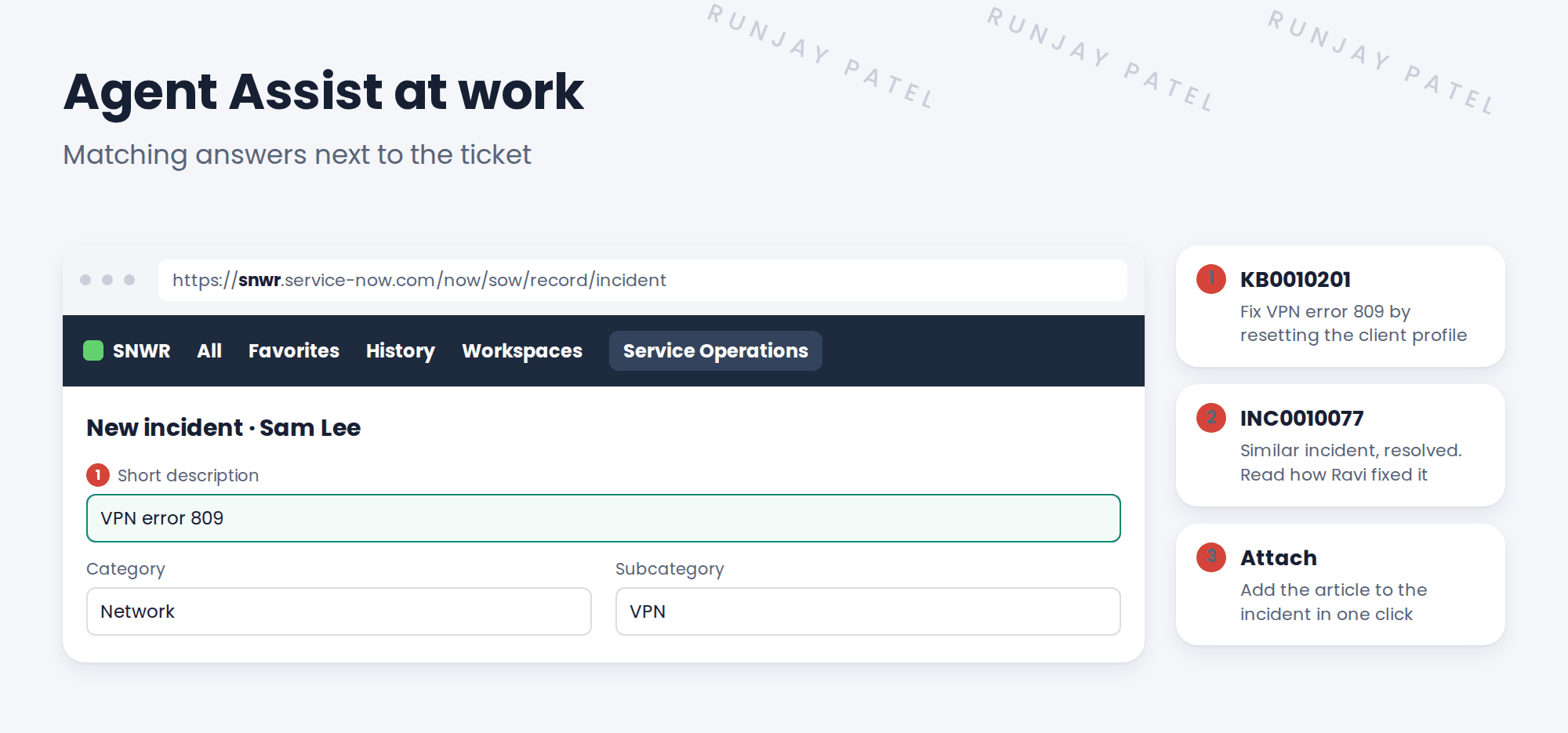
ServiceNow searches for you, using what’s typed on the record, like the short description.
Key term: Agent Assist
The panel in Service Operations Workspace that shows these results next to the ticket.
3 What it searches
| Source | Helps with |
|---|---|
| Knowledge articles | Step-by-step fixes |
| Similar incidents | How someone solved it before |
| Open problems and known errors | “This is a known issue, here’s the workaround” |
Admins control what’s searched, and which field triggers it, in the contextual search settings for the incident table.
💡 Good to know: Good results need good articles. That’s why the next lesson turns fixes into knowledge.
4 Let’s try it: check contextual search for incidents
- In the All menu, search Contextual Search and open the table configuration list.
- Open the configuration for the Incident table. Note which field triggers the search.
- Look at the search sources. Is knowledge included? Are similar incidents included?
- In Service Operations Workspace, start a new incident and type a few words that match an article.
- Check that results appear in the side panel.
5 Quick recap
- Contextual search searches for you, from what’s typed
- Results show in Agent Assist, in the workspace side panel
- It can search articles, similar incidents and known errors
- Admins set the trigger field and sources per table
- Good results need good articles
6 Check yourself
Think of your answer first. Then tap to check.
1 What starts a contextual search on an incident? Show answer
What’s typed in a field, like the short description.
2 Where does Abel see the results? Show answer
In Agent Assist, in the workspace side panel.
3 Name two sources it can search. Show answer
Knowledge articles and similar incidents (also known errors).
4 Why might results be poor? Show answer
There aren’t enough good articles to find.
Nice work! Abel now sees answers while he types. 🎉
Next up: Creating Knowledge from Incidents
Was this lesson helpful?
Please log in to share lesson feedback.
Have a question or doubt?
Ask here and get help from instructors and fellow learners.
Only logged-in learners can post.





