


Service Portfolios and the Service Lifecycle
On this page
In this lesson, you will learn:
- What a service portfolio is
- The three portfolio states
- Why every service needs an owner
- How to build the SNWR IT portfolio
🔁 Quick look back: Last time: Services and Service Offerings. You learned the difference between a business service, a technology management service and a service offering.
1 “Do we still run that?”
Anita asks for a list of IT’s services.
- Riya finds an old spreadsheet with 60 rows.
- Some services were switched off years ago.
- New ones being planned aren’t on it.
👉 The fix: keep a service portfolio in ServiceNow, with each service’s state and owner.
2 The portfolio
Key term: Service portfolio
The full list of services: being planned, running now, and retired.
Key term: Service owner
The person who answers for a service, like Arjun for SNWR Email.
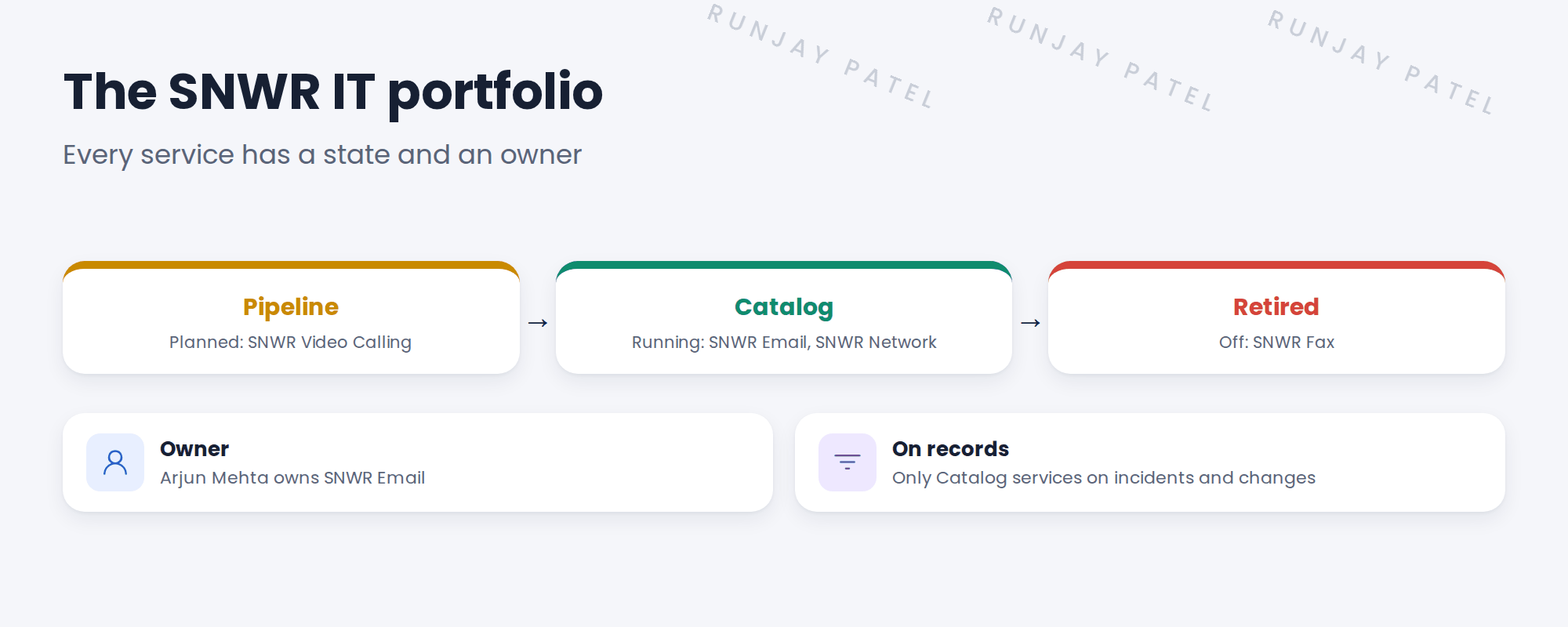
3 The three states
| State | Means |
|---|---|
| Pipeline | Being planned or built. Not ready for users. |
| Catalog | Live and supported. Use it on records. |
| Retired | Switched off. Kept for history. |
💡 Good to know: Review the portfolio every quarter with service owners. Move services between states as they change.
📝 Note: Newer CSDM versions also track life cycle stage fields. Use the one your release and your CMDB team agree on.
4 Let’s try it: build the SNWR IT portfolio
- Open Service Portfolio Management and create a portfolio named SNWR IT.
- Add SNWR Email and SNWR Network. Set their portfolio status to Catalog.
- Set Owned by on SNWR Email to Arjun Mehta.
- Add SNWR Video Calling in Pipeline and SNWR Fax in Retired.
- Check that only Catalog services show when you pick a service on an incident. If not, note it for the next lessons.
5 Quick recap
- A service portfolio lists every service
- States: Pipeline, Catalog, Retired
- Every service has an owner
- Only Catalog services go on records
- Review the portfolio every quarter
6 Check yourself
Think of your answer first. Then tap to check.
1 SNWR Video Calling is being planned. Which state? Show answer
Pipeline.
2 Who owns SNWR Email? Show answer
Arjun Mehta.
3 Which services should agents pick on incidents? Show answer
Only services in Catalog.
4 SNWR Fax was switched off. Delete it? Show answer
No. Move it to Retired, to keep history.
Nice work! SNWR now has one list of its services. 🎉
Next up: Service Offerings and Service Commitments
Was this lesson helpful?
Please log in to share lesson feedback.
Have a question or doubt?
Ask here and get help from instructors and fellow learners.
Only logged-in learners can post.





