


Catalog Builder for Catalog Managers
On this page
In this lesson, you will learn:
- What Catalog Builder is
- Why templates matter
- How Lucas builds an item
- Where admins still help
🔁 Quick look back: Last time: Catalog Item or Record Producer?. You learned when to use a record producer, and how SNWR Report a VPN problem creates an incident.
1 “Can’t I just build it myself?”
Lucas needs a new laptop item.
- He writes it up and sends it to Riya.
- Riya is busy with an upgrade.
- The item waits three weeks.
👉 The fix: let Lucas build items himself in Catalog Builder, from templates the admin set up.
2 What Catalog Builder is
Key term: Catalog Builder
A guided tool for building catalog items, step by step, without admin rights.
Key term: Template
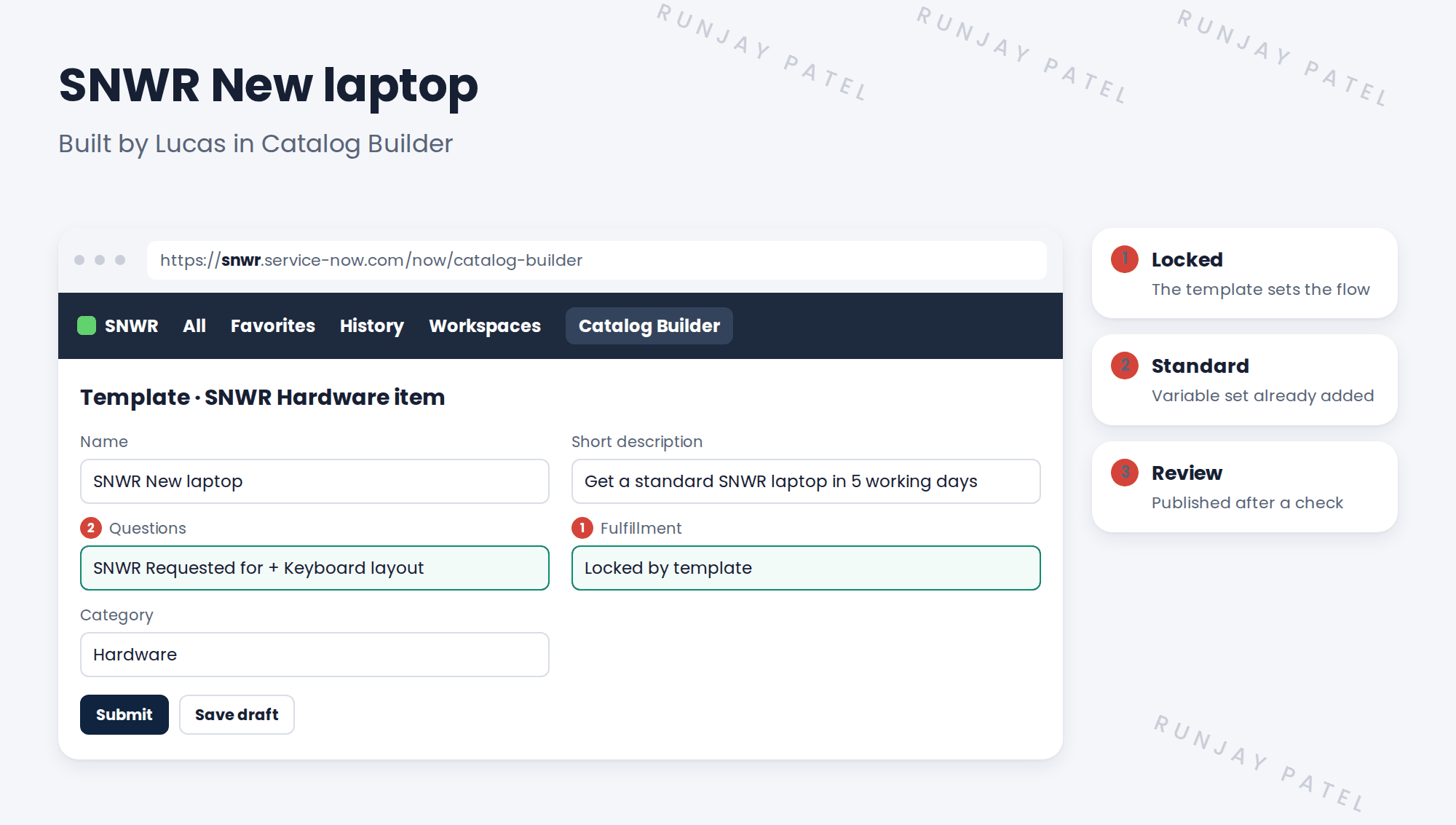
A starting point for new items, with some settings locked, like the fulfillment flow.
3 Who does what
| Person | Job |
|---|---|
| Riya (admin) | Builds the templates and flows |
| Lucas | Builds items from templates |
| Riya or Lucas | Reviews before publishing |
📦 Entitlement check: Catalog Builder is part of the platform’s Service Catalog. The role to use it is usually catalog_builder_editor. Check the name on your release.
4 Let’s try it: build an item in Catalog Builder
- As admin, open Catalog Builder and create a template named SNWR Hardware item. Add the SNWR Requested for variable set and lock the fulfillment step.
- Give Lucas Ferreira the Catalog Builder editor role.
- Impersonate Lucas. Open Catalog Builder and start a new item from the template.
- Name it SNWR New laptop, add a Keyboard layout question, and put it in Hardware.
- Submit it. As admin, publish it and find it in Employee Center.
5 Quick recap
- Catalog Builder lets catalog managers build items without admin rights
- Templates lock the risky parts, like fulfillment
- Riya builds templates; Lucas builds items
- Items are reviewed before publishing
- SNWR New laptop was built by Lucas
6 Check yourself
Think of your answer first. Then tap to check.
1 Why use Catalog Builder at SNWR? Show answer
So Lucas can build items without waiting for an admin.
2 What does a template lock? Show answer
Settings like the fulfillment flow, so they can’t be broken.
3 Who builds the templates? Show answer
Riya, the admin.
4 Is Lucas’s item live as soon as he submits it? Show answer
No. It’s reviewed, then published.
Nice work! Lucas can now build his own items. 🎉
Next up: Multi-Row Variable Sets
Was this lesson helpful?
Please log in to share lesson feedback.
Have a question or doubt?
Ask here and get help from instructors and fellow learners.
Only logged-in learners can post.





