


Outages and Service Status for Employees
On this page
In this lesson, you will learn:
- What an outage record is
- How outages show up for employees
- The outage types
- How to record SNWR’s email outage
🔁 Quick look back: Last time: Closing and Reviewing a Major Incident. You learned how to resolve a major incident, write a post-incident review and open a problem for the root cause.
1 “Is email down, or just me?”
During the email outage, the phones don’t stop.
- Every Mumbai employee wants to know if it’s just them.
- Abel spends the hour saying “we know, we’re on it”.
- Forty duplicate incidents are logged.
👉 The fix: record the outage, so employees can see it themselves.
2 What is an outage record?
Key term: Outage
A record that says a service or CI is down or slowed, from when to when.
Key term: Service status
A page in the portal that shows employees which services have a known issue.
| Outage type | Means, with an SNWR example |
|---|---|
| Outage | The service is down SNWR Email down at Mumbai HQ |
| Degradation | It works, but badly VPN slow in London |
| Planned | Down for planned work Email maintenance on Sunday |
3 How it helps
- Employees see “SNWR Email: known issue” in Employee Center.
- Fewer calls, fewer duplicate incidents.
- Reports show how long each service was down this year.
💡 Good to know: Add the outage as soon as the major incident is accepted. Then set the end time when it’s fixed.
📝 Note: Outages link to services and CIs. You’ll set those up in the Service Portfolio and CMDB Usage chapters.
4 Let’s try it: record an outage
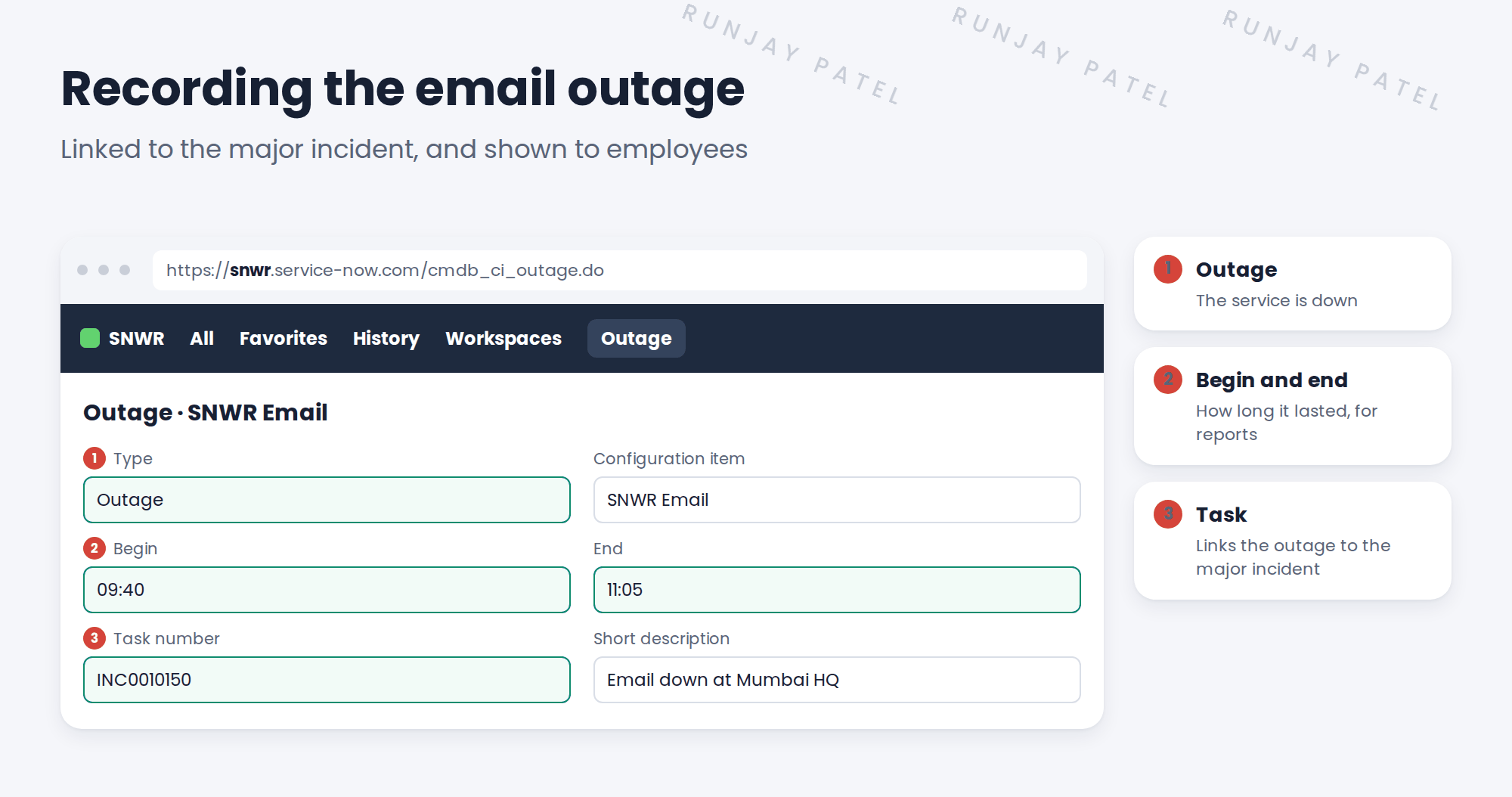
- Open your test major incident. Use the option to create an outage from it, or go to the outage list and click New.
- Type: Outage. Configuration item: a business service (use any on your PDI if SNWR Email doesn’t exist yet).
- Set the begin time, and link the incident.
- Later, set the end time.
- Look at the outage list and check the duration.
5 Quick recap
- An outage record says a service is down, and for how long
- Types: outage, degradation and planned
- Employees see known issues on the service status page
- Fewer calls and duplicate incidents
- Add it when the major incident starts; end it when fixed
6 Check yourself
Think of your answer first. Then tap to check.
1 The VPN is slow but working. Which outage type? Show answer
Degradation.
2 How does an outage record help the Service Desk? Show answer
Employees see the known issue, so they call and log fewer duplicate incidents.
3 When should the outage be added? Show answer
As soon as the major incident is accepted.
4 What do the begin and end times give you? Show answer
How long the service was down, for reports.
Nice work! SNWR employees can now see known issues themselves. 🎉
Next up: Problem Architecture and Lifecycle in Practice
Was this lesson helpful?
Please log in to share lesson feedback.
Have a question or doubt?
Ask here and get help from instructors and fellow learners.
Only logged-in learners can post.





