


Multi-Row Variable Sets
On this page
In this lesson, you will learn:
- What a multi-row variable set is
- When to use one
- How SNWR Software request uses it
- How to build it
🔁 Quick look back: Last time: Catalog Builder for Catalog Managers. You learned how Lucas builds SNWR New laptop in Catalog Builder from a template, without admin rights.
1 “I need five apps”
Sam joins a new project and needs five apps.
- The software item lets him pick one app.
- He orders five times.
- Lucas gets five approvals for one person.
👉 The fix: let Sam add a row for each app, in one order.
2 What it is
Key term: Multi-row variable set
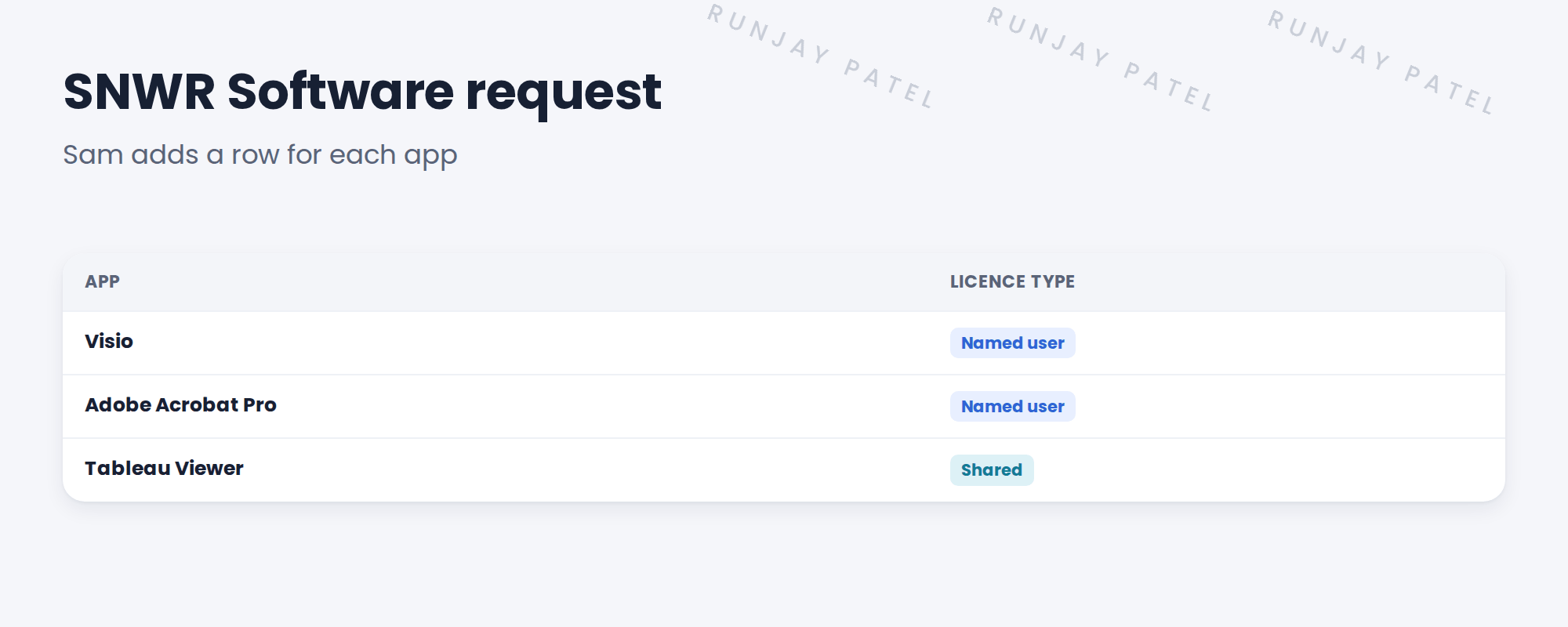
A set of questions shown as a table, where the requester can add as many rows as they need.
3 When to use one
- Use it when people need many of the same thing, each with its own details.
- Don’t use it for one thing with many questions. Use normal variables.
💡 Good to know: Set a row limit, like 10, so orders stay sensible. You do this with the max_rows attribute on the set.
📝 Note: The rows are saved together on the RITM. A flow can read each row, for example to create one task per app.
4 Let’s try it: build the multi-row set
- Open SNWR Software request. In the Variable Sets list, create a new set. Type: Multi Row. Name: SNWR Apps.
- Add two variables: App (a reference or select box) and Licence type (Named user or Shared).
- Set a row limit of 10 on the set.
- Impersonate Sam, order three apps in one go, and submit.
- Open the RITM and check all three rows are there.
5 Quick recap
- A multi-row variable set shows questions as a table
- Requesters add as many rows as they need
- Use it for many of the same thing
- Set a row limit
- SNWR Software request: one row per app
6 Check yourself
Think of your answer first. Then tap to check.
1 Sam needs five apps. How many orders with a multi-row set? Show answer
One.
2 What questions does each row ask? Show answer
App and Licence type.
3 One laptop with 8 questions. Use a multi-row set? Show answer
No. Use normal variables.
4 Where are the rows saved? Show answer
Together on the RITM.
Nice work! Sam can order all his apps at once. 🎉
Next up: Catalog Audience: User Criteria and Visibility
Was this lesson helpful?
Please log in to share lesson feedback.
Have a question or doubt?
Ask here and get help from instructors and fellow learners.
Only logged-in learners can post.





