


Migrating Open Tickets at Cutover
On this page
In this lesson, you will learn:
- Which tickets to move
- How the import works
- How old numbers are kept
- How to stop emails during the load
🔁 Quick look back: Last time: Moving ITSM Configuration Between Instances. You learned how update sets move configuration, and why data like groups and schedules moves another way.
1 “What about the 300 open tickets?”
On go-live day, the old tool has 300 open tickets.
- Closed tickets can stay in the old tool.
- But open ones need to keep being worked.
- Callers only know their old ticket numbers.
👉 The fix: load them as incidents, keep the old number in its own field, and build a mapping.
2 How the load works
Key term: Import set
A holding table where a file is loaded before it goes into ServiceNow records.
Key term: Transform map
The rules that copy each column into the right field.
Key term: Coalesce
Match on a field, so a second load updates records instead of making duplicates.
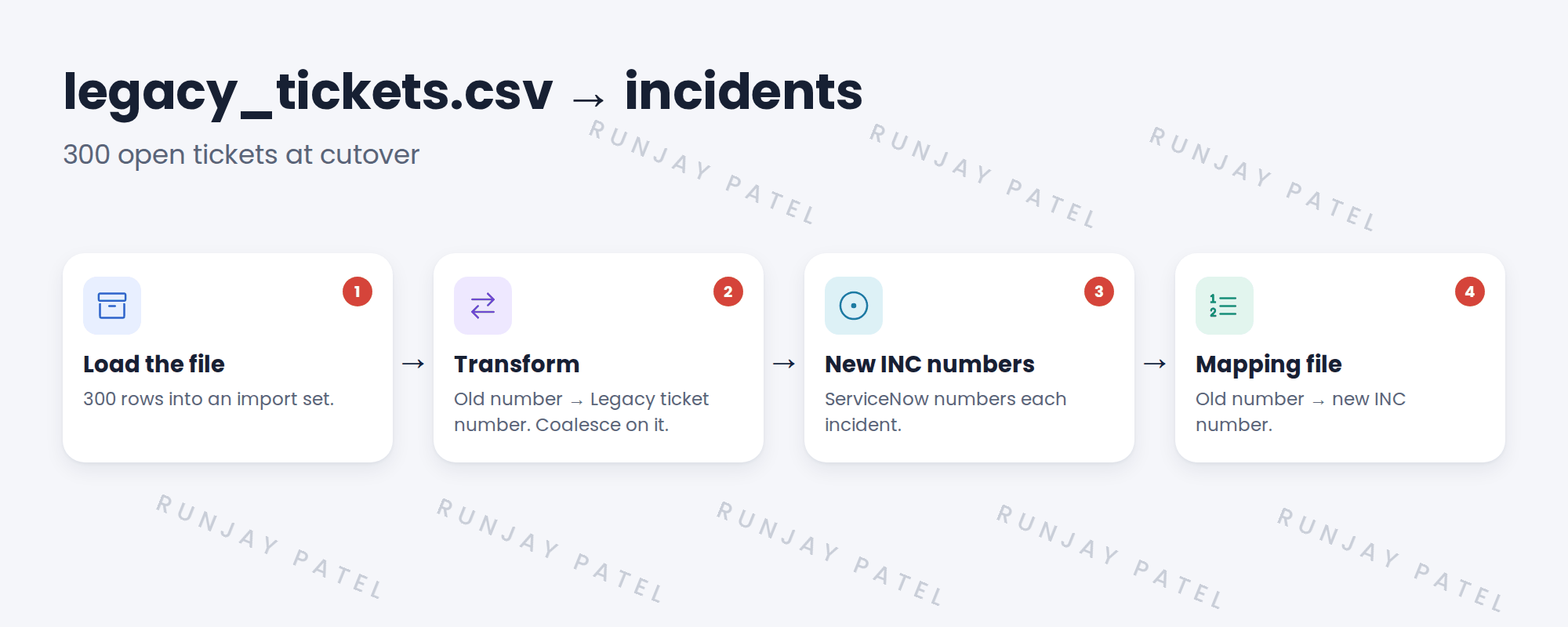
3 SNWR’s rules
| Rule | Why |
|---|---|
| Never overwrite the INC number | ServiceNow’s numbering must stay clean |
| Old number in Legacy ticket number | Agents and callers can search by it |
| Coalesce on Legacy ticket number | A second run won’t make duplicates |
| Stop emails during the load | 300 callers shouldn’t get surprise emails |
⚠️ Heads up: Test the load on snwrtest first. Check a sample of 20 tickets by hand.
💡 Good to know: Need a refresher? See Fundamentals › Data Import.
4 Let’s try it: load a sample of tickets
- Add a string field Legacy ticket number to the Incident table.
- Make a small CSV with 5 rows: old number, title, caller email, category.
- Load it with Load Data into a new import set. Create a transform map to Incident. Coalesce on Legacy ticket number.
- Before running, stop emails. For example, turn off the incident emails for the load, and turn them back on after.
- Run the transform twice. Check you have 5 incidents, not 10, each with a new INC number and its old number.
5 Quick recap
- Move only open tickets
- Load with an import set and transform map
- Keep the old number in Legacy ticket number
- Coalesce on it, so reruns don’t duplicate
- Export an old-to-new mapping file
6 Check yourself
Think of your answer first. Then tap to check.
1 Should you copy the old number into the INC number field? Show answer
No. Keep it in Legacy ticket number.
2 You run the load twice. Why no duplicates? Show answer
It coalesces on Legacy ticket number.
3 A caller gives his old number. How does Abel find the incident? Show answer
Search by Legacy ticket number.
4 Why stop emails during the load? Show answer
So 300 callers don’t get surprise emails.
Nice work! SNWR’s open tickets are ready to move. 🎉
Next up: Operational Readiness
Was this lesson helpful?
Please log in to share lesson feedback.
Have a question or doubt?
Ask here and get help from instructors and fellow learners.
Only logged-in learners can post.





