


Proposing and Promoting a Major Incident
On this page
In this lesson, you will learn:
- How an agent proposes a major incident
- What a major incident candidate is
- How the manager accepts or rejects it
- How to test the whole flow
🔁 Quick look back: Last time: What Makes an Incident Major at SNWR. You learned SNWR’s major incident criteria, and why priority and major status are separate decisions.
1 “Who’s in charge?”
At 9:45, Abel is sure the email outage is big.
- He can’t make it major on his own.
- Daniel is in a meeting and doesn’t know yet.
- Every minute, more incidents arrive.
👉 The fix: let agents propose a major incident, and let the manager quickly accept or reject it.
2 Propose, then accept
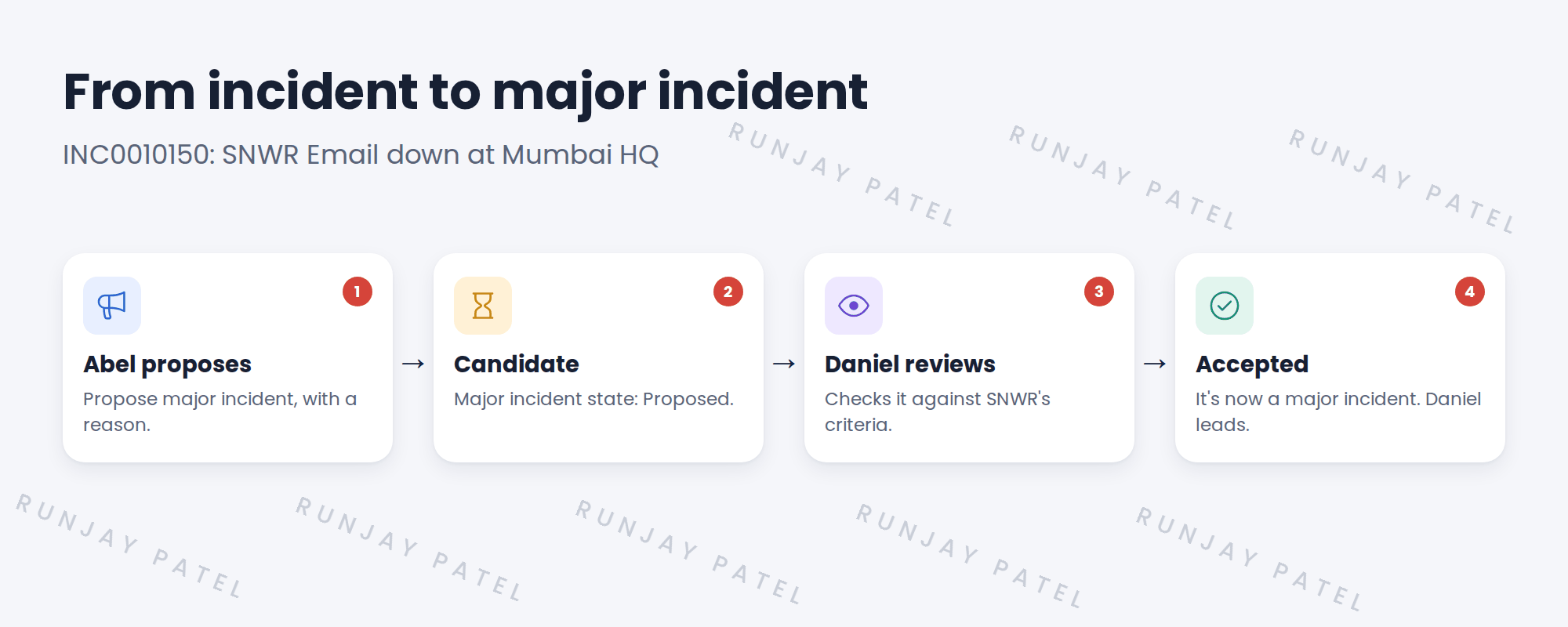
Key term: Major incident candidate
An incident that someone has proposed as major, but that isn’t accepted yet.
Key term: Major incident state
A field that shows Proposed, Accepted, Rejected or Canceled.
📦 Entitlement check: Major Incident Management is part of ITSM Advanced, which SNWR has.
3 What Daniel checks
- Does it meet SNWR’s criteria?
- Is there already a major incident for this? If so, link it as a child instead.
- Who needs to join the team?
💡 Good to know: Speed matters. SNWR’s goal: Daniel accepts or rejects a candidate within 10 minutes.
📝 Note: Only people with the major_incident_manager role can accept or reject a candidate. You set this up in the ITSM roles lesson.
4 Let’s try it: propose and accept a major incident
- Impersonate Abel. Create incident SNWR Email down at Mumbai HQ, impact 1, urgency 1.
- Use Propose major incident (in the workspace or the form menu). Give a reason.
- Impersonate Daniel. Open the list of major incident candidates.
- Open the candidate and accept it.
- Check the major incident state is Accepted. End impersonation.
5 Quick recap
- Agents propose a major incident, with a reason
- A proposed incident is a candidate, state Proposed
- The major incident manager accepts or rejects it
- Only the major_incident_manager role can accept
- SNWR aims to decide within 10 minutes
6 Check yourself
Think of your answer first. Then tap to check.
1 Can Abel make an incident major on his own? Show answer
No. He proposes it. Daniel accepts or rejects it.
2 What’s the major incident state right after Abel proposes? Show answer
Proposed.
3 There’s already a major incident for this outage. What should Daniel do with a new candidate? Show answer
Reject it, and link the incident as a child of the existing major incident.
4 Which role can accept a candidate? Show answer
major_incident_manager.
Nice work! You tested how a major incident starts. 🎉
Next up: Running a Major Incident in the Workspace
Was this lesson helpful?
Please log in to share lesson feedback.
Have a question or doubt?
Ask here and get help from instructors and fellow learners.
Only logged-in learners can post.





