


Change Properties and Closure Rules
On this page
In this lesson, you will learn:
- Where change settings live
- The close codes
- Why every failed change is reviewed
- How to set SNWR’s rules
🔁 Quick look back: Last time: Running a CAB Meeting in CAB Workbench. You learned how the chair runs a CAB meeting in CAB Workbench, change by change.
1 “Did it work?”
Mei looks at last month’s changes.
- Most are Closed, with no notes.
- Two caused incidents, but nobody linked them.
- She can’t tell which teams’ changes succeed.
👉 The fix: require a close code and notes on every change, and review every failed one.
2 Close codes
| Close code | Means | Then |
|---|---|---|
| Successful | It worked as planned | Close |
| Successful with issues | It worked, but something went wrong on the way | Add notes; Mei may review |
| Unsuccessful | It failed, or was backed out | Always reviewed |
Key term: Close notes
A short note on what happened, especially if anything went wrong.
Key term: Post-implementation review
A check after the change: did it work, and what can we learn?
3 SNWR’s closure rules
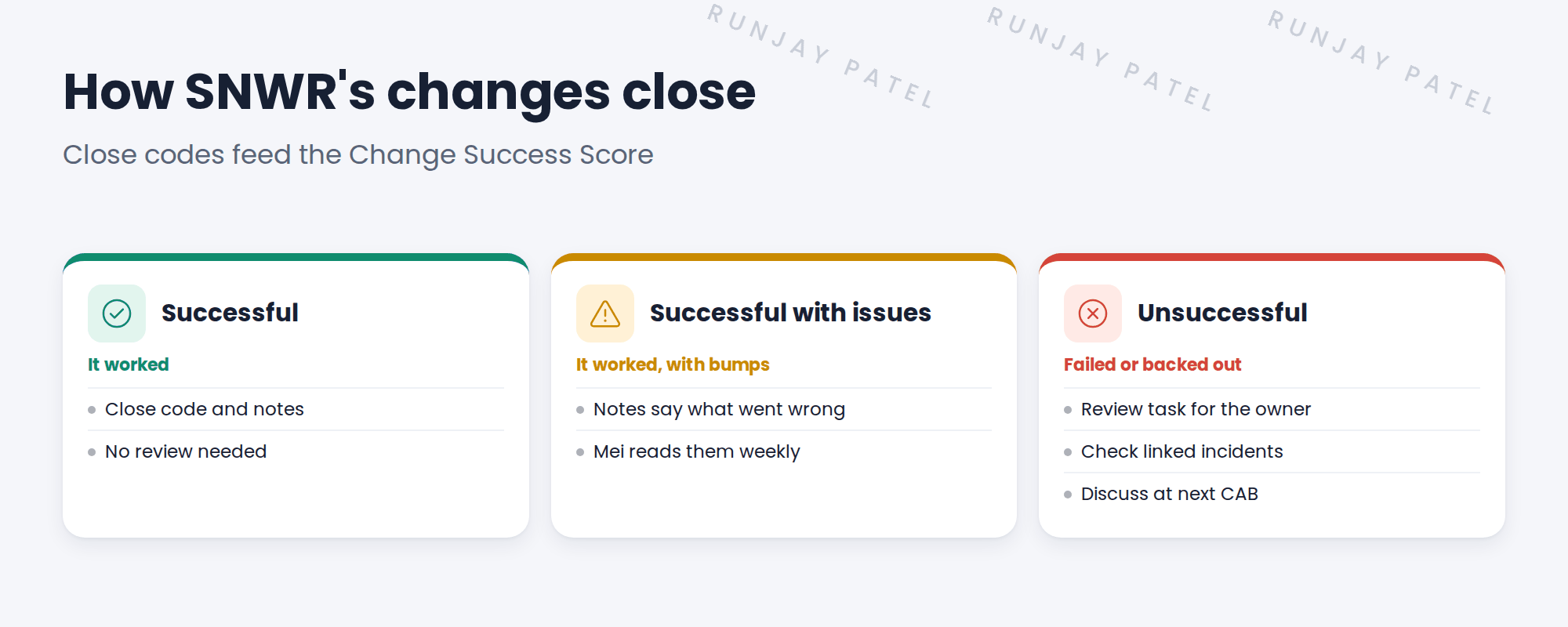
📝 Note: Change settings live in All › Change › Administration (search “Change Properties”). Check what’s already required before adding rules.
4 Let’s try it: close changes the SNWR way
- Open a change in Review. Try to close it without a close code. What happens?
- Close it with Successful and short notes.
- Open another change and close it with Unsuccessful. Add a change task named Post-implementation review for the owner.
- Search Change Properties and read the settings.
- Note any setting you’d change for SNWR in your decisions log.
5 Quick recap
- Every change needs a close code and close notes
- Codes: Successful, Successful with issues, Unsuccessful
- Every unsuccessful change is reviewed
- Close codes feed the Change Success Score
- Check baseline settings before adding rules
6 Check yourself
Think of your answer first. Then tap to check.
1 A change was backed out. Which close code? Show answer
Unsuccessful.
2 What happens after an unsuccessful change at SNWR? Show answer
A review task for the owner, a check of linked incidents, and a discussion at the next CAB.
3 Why do close codes matter for Change Success Score? Show answer
The score is based on how many changes succeed.
4 It worked, but took twice as long. Which code? Show answer
Successful with issues.
Nice work! SNWR learns from every failed change. 🎉
Next up: Modern Change: DevOps Change Velocity
Was this lesson helpful?
Please log in to share lesson feedback.
Have a question or doubt?
Ask here and get help from instructors and fellow learners.
Only logged-in learners can post.





