


The Service Catalog API
On this page
In this lesson, you will learn:
- Why systems order from the catalog
- The order_now call
- Who the API runs as
- How to test it in REST API Explorer
🔁 Quick look back: Last time: Fulfilling Catalog Tasks in the Workspace. You learned how Desktop Support works a catalog task in the workspace and keeps the requester updated.
1 “HR already knows who’s joining”
SNWR’s HR system has every new joiner’s details.
- Managers type the same details into SNWR New joiner.
- Sometimes they forget to order at all.
- The new joiner arrives with no laptop.
👉 The fix: let the HR system place the order itself, through the Service Catalog API.
2 How the API works
Key term: API
A way for one system to ask another to do something, without a person clicking.
Key term: Service Catalog API
ServiceNow’s API for ordering catalog items, just like a person would.
Key term: Integration user
A user account for a system, not a person. It can only use the API.
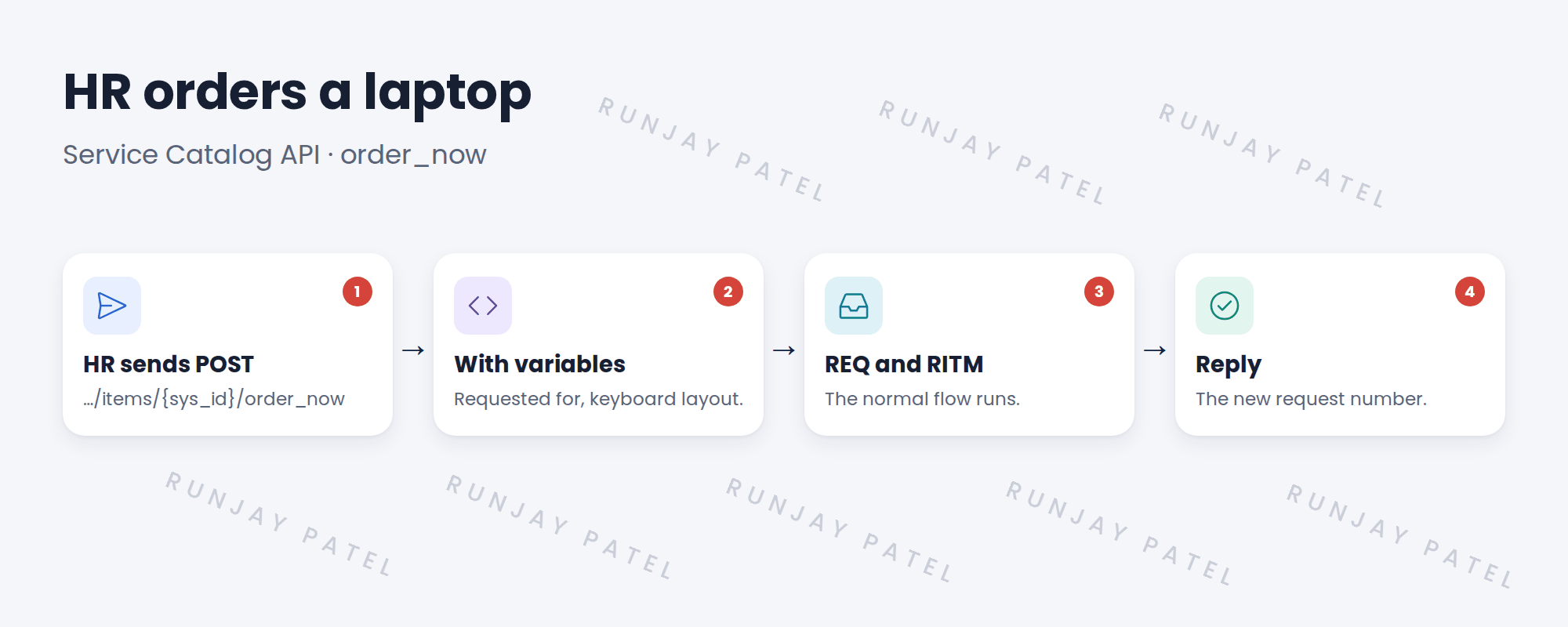
3 Safe setup
- Create an integration user, snwr.hr.integration, with web service access only ticked.
- Give it only the roles it needs.
- The API follows user criteria, so this user must be able to see the item.
📝 Note: For an order guide like SNWR New joiner, the API has a separate call named submit_guide. Test the single item first.
💡 Good to know: Need a refresher? See Fundamentals › Integration Basics › REST API Explorer.
4 Let’s try it: order through the API
- Find the sys_id of SNWR New laptop (right-click the item’s header and copy sys_id).
- Open System Web Services › REST › REST API Explorer. Namespace sn_sc, API Service Catalog API.
- Pick Order Now. Paste the sys_id. In the body, set
sysparm_quantityto 1 and add the variables, like requested_for. - Send it. Read the reply and find the new request number.
- Open the request. Check the RITM and its flow are running like a normal order.
5 Quick recap
- An API lets systems order without a person
- The call is order_now on the item’s sys_id
- Run it as an integration user with web service access only
- The normal flow, approvals and tasks still run
- Test in REST API Explorer first
6 Check yourself
Think of your answer first. Then tap to check.
1 Which call orders a single item? Show answer
POST …/servicecatalog/items/{sys_id}/order_now.
2 Who does the HR system run as? Show answer
An integration user, snwr.hr.integration.
3 Does the normal flow run for an API order? Show answer
Yes. It’s just like a person ordering.
4 The integration user can’t see the item. Why? Show answer
User criteria hide it from that user.
Nice work! SNWR’s HR system can now order for new joiners. 🎉
Next up: Integrating Fulfillment with Other Systems
Was this lesson helpful?
Please log in to share lesson feedback.
Have a question or doubt?
Ask here and get help from instructors and fellow learners.
Only logged-in learners can post.





