


Scoping and Requirements Workshops
On this page
In this lesson, you will learn:
- What scope and requirements are
- How to run a workshop step by step
- How to sort needs with MoSCoW
- How to agree what goes live on day one
🔁 Quick look back: Last time: Who’s Who on an ITSM Project. You learned who plays which role on One Front Door, and who makes each decision.
1 “Can it also do this?”
Your first Incident workshop has 12 people in the room. After two hours:
- There are 64 sticky notes on the wall.
- Half of them describe the old spreadsheet, not what SNWR really needs.
- Someone asks for a chatbot, a mobile app and a new report, all for day one.
👉 The fix: show what ServiceNow already does, capture real needs, sort them by priority, and agree clearly what goes live first.
2 Words to know
Key term: Scope
What the project will deliver, and what it won’t.
Key term: Requirement
Something the business needs the system to do, like ‘P1 incidents page the on-call engineer’.
Key term: Phase 2
Work that is agreed, but planned for after go-live.
3 How to run a workshop
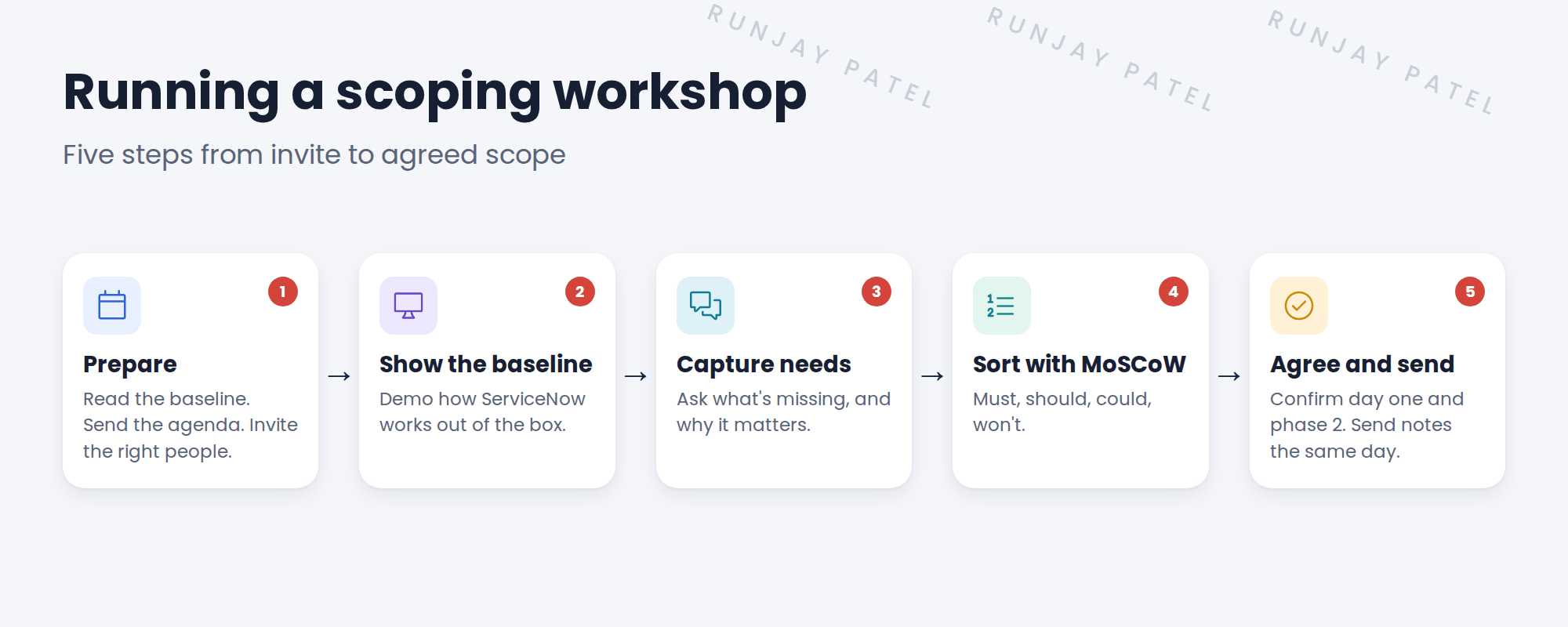
- Prepare. Know the baseline process before you walk in. Keep the group small: the process owner and a few SMEs.
- Show the baseline. Demo the incident form and lifecycle on your PDI. People react better to a real screen than a blank wall.
- Capture needs. For each gap, ask “Why does this matter?” Real needs have a clear reason.
- Sort with MoSCoW. Mark each need as must, should, could or won’t (for now).
- Agree and send. Read back the list. Send the notes the same day, and ask the owner to confirm.
💡 Good to know: This is called fit-to-standard: start from what ServiceNow already does, and only change what truly doesn’t fit.
4 Sort needs with MoSCoW
Key term: MoSCoW
A simple way to sort needs: Must have, Should have, Could have, Won’t have for now.
| SNWR incident need | MoSCoW | When |
|---|---|---|
| Every email to IT becomes an incident | Must | Day one |
| P1 incidents page the on-call engineer | Must | Day one |
| Agents see the caller’s open incidents | Should | Day one |
| A chatbot to log incidents | Could | Phase 2 |
| A custom mobile app | Won’t | Not planned |
📝 Note: Musts go live on day one. Coulds and won’ts wait. That’s how the project stays on time.
5 What you take away
- A signed-off list of needs for each process
- A clear line between day one and phase 2
- Open questions, each with an owner and a date
⭐ Remember: Show the baseline, ask why, sort with MoSCoW, and get the owner to confirm.
6 Quick recap
- Scope says what the project will and won’t deliver
- Show the baseline first, then ask what’s missing
- Ask why for every need
- Sort needs with MoSCoW: must, should, could, won’t
- Send the notes the same day, and get the process owner to confirm
7 Check yourself
Think of your answer first. Then tap to check.
1 Why do you demo the baseline before asking for needs? Show answer
People react better to a real screen, and it keeps the design close to how ServiceNow works.
2 What does MoSCoW stand for? Show answer
Must have, Should have, Could have, Won’t have (for now).
3 Someone asks for a custom mobile app on day one. What do you do? Show answer
Capture it, ask why, and sort it. At SNWR it’s a Won’t for now.
4 Who confirms the workshop notes? Show answer
The process owner, for example Daniel for Incident.
Nice work! You can run a scoping workshop. 🎉
Next up: User Stories and the Design Decisions Log
Was this lesson helpful?
Please log in to share lesson feedback.
Have a question or doubt?
Ask here and get help from instructors and fellow learners.
Only logged-in learners can post.





