


The Standard Change Catalog and Templates
On this page
In this lesson, you will learn:
- What a standard change template is
- Where the standard change catalog is
- What makes a change safe to be standard
- How to raise a standard change
🔁 Quick look back: Last time: Change Models. You learned what a change model is, and how SNWR made a Firewall rule change model.
1 “Same change, same forms, every week”
Arjun’s team restarts the mail service about once a week.
- Each time, they fill in a full normal change.
- Each time, Beth approves the same thing.
- It takes two days for a five-minute job.
👉 The fix: make it a standard change: pre-approved, filled in from a template, raised in a minute.
2 Templates and the catalog
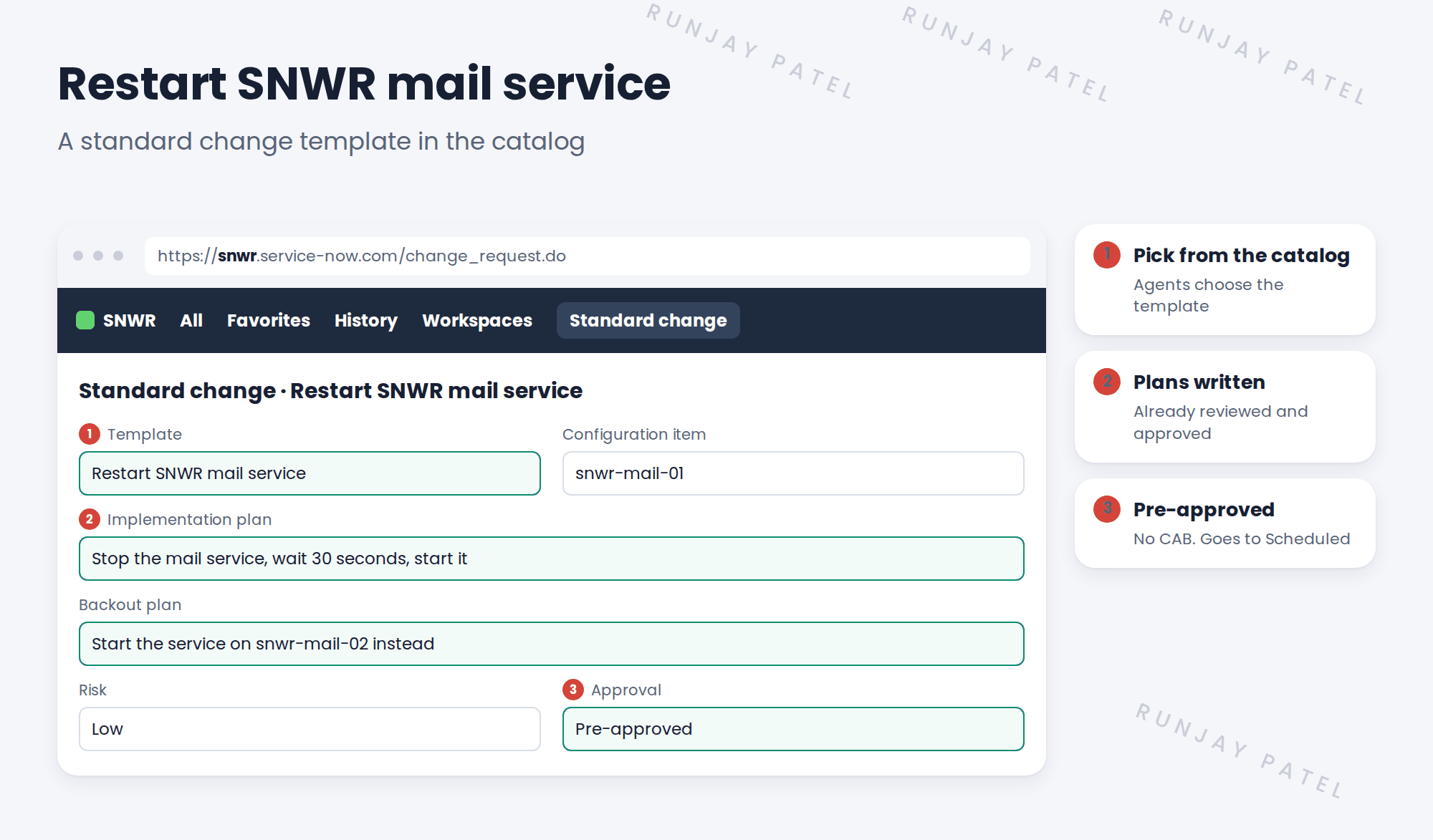
Key term: Standard change template
A pre-filled, pre-approved change for a safe, repeated job.
Key term: Standard change catalog
The place where agents pick a template to raise a standard change.
3 Is it safe to be standard?
| Question | Restart mail service |
|---|---|
| Done many times before? | Yes, weekly |
| Low risk, known steps? | Yes |
| Easy to undo? | Yes, start it on snwr-mail-02 |
| Failed before? | Never |
💡 Good to know: If a standard change ever causes an incident, Mei reviews the template. It may need to go back to normal.
4 Let’s try it: raise a standard change
- Go to All › Change › Create New and open the standard change catalog (or search “Standard Change Catalog”).
- Browse the baseline templates. Open one and look at its pre-filled fields.
- Raise a standard change from a template. Check which fields are already filled in.
- Look at the new change’s state and approval. Did it skip Authorize?
- Write down which SNWR job you’d propose as the first template. You’ll propose it in the next lesson.
5 Quick recap
- A standard change template is pre-filled and pre-approved
- Agents raise standard changes from the standard change catalog
- Only safe, repeated, easy-to-undo jobs become standard
- Standard changes skip approval and CAB
- Review the template if one ever causes an incident
6 Check yourself
Think of your answer first. Then tap to check.
1 Why make the mail restart standard? Show answer
It’s safe, repeated and easy to undo, so a full normal change wastes time.
2 Where do agents pick a template? Show answer
In the standard change catalog.
3 Does a standard change go to CAB? Show answer
No. It’s pre-approved.
4 A standard change caused an incident. What happens? Show answer
Mei reviews the template, and it may go back to normal.
Nice work! SNWR’s safe changes are now quick to raise. 🎉
Next up: Standard Change Proposals and Template Versions
Was this lesson helpful?
Please log in to share lesson feedback.
Have a question or doubt?
Ask here and get help from instructors and fellow learners.
Only logged-in learners can post.





