


Moving ITSM Configuration Between Instances
On this page
In this lesson, you will learn:
- What update sets carry
- What they don’t carry
- How SNWR names and orders them
- How to move them safely
🔁 Quick look back: Last time: An ITSM Regression Pack with ATF. You learned how the SNWR ITSM regression pack uses ATF to re-test key journeys automatically.
1 “It worked on dev!”
The incident setup moves to snwrtest.
- Routing fails: the assignment groups aren’t there.
- SLAs fail: the schedules are missing.
- The update set looked complete.
👉 The fix: plan update sets for configuration, and a separate load for data.
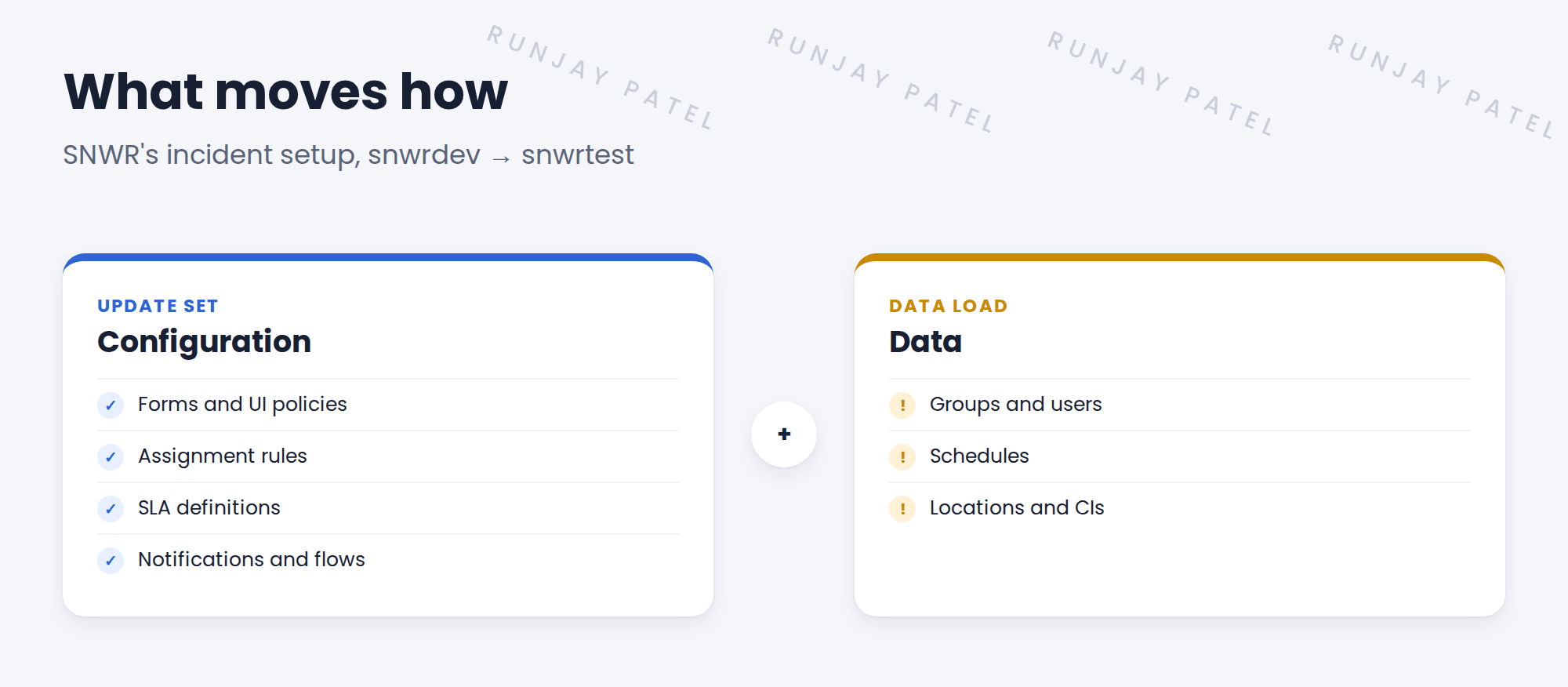
2 Configuration or data?
Key term: Update set
A bundle of configuration changes, moved from one instance to another.
Key term: Configuration
How the system works: forms, rules, flows, SLA definitions.
Key term: Data
Records the system uses: users, groups, schedules, locations.
3 SNWR’s rules
- One update set per story, named like SNWR-INC-012 Priority descriptions.
- Load data first. Then commit update sets, in order.
- Preview every update set. Fix every problem before you commit.
- Riya moves them. Nobody edits on snwrtest.
💡 Good to know: Need a refresher? See Fundamentals › Update Sets.
4 Let’s try it: plan the incident move
- List every story in the Incident setup, and its update set.
- Mark each record in them as configuration or data.
- For data, like SNWR Service Desk and SNWR India business hours, plan an import set or XML load.
- Retrieve the update sets on snwrtest (or a second PDI). Preview, fix problems, then commit.
- Run the SNWR Incident priority ATF test to check it worked.
5 Quick recap
- Update sets carry configuration
- Data, like groups and schedules, moves another way
- Load data first, then commit update sets
- Preview and fix every problem before committing
- One update set per story, clearly named
6 Check yourself
Think of your answer first. Then tap to check.
1 Does an update set carry assignment groups? Show answer
No. Groups are data.
2 What goes first: the data load or the update set? Show answer
The data load.
3 An SLA fails on snwrtest. What might be missing? Show answer
The schedule it uses, which is data.
4 What do you do before committing? Show answer
Preview it, and fix every problem.
Nice work! You can move SNWR’s setup between instances. 🎉
Next up: Migrating Open Tickets at Cutover
Was this lesson helpful?
Please log in to share lesson feedback.
Have a question or doubt?
Ask here and get help from instructors and fellow learners.
Only logged-in learners can post.





