


Catalog Taxonomy for SNWR
On this page
In this lesson, you will learn:
- What a catalog taxonomy is
- SNWR’s four categories
- Rules for good category names
- How to build them
🔁 Quick look back: Last time: Request Architecture: REQ, RITM and SCTASK. You learned how an order is split into a request, a requested item and a catalog task, and who works on each.
1 “Where do I find a monitor?”
The old intranet had 14 IT categories.
- Monitors were under “Peripherals”.
- Laptops were under “End-user computing”.
- Sam searched both and gave up.
👉 The fix: use a few categories named the way employees talk.
2 SNWR’s taxonomy
Key term: Taxonomy
How items are grouped into categories, so people can find them.
Key term: Category
A folder in the catalog, like Hardware.
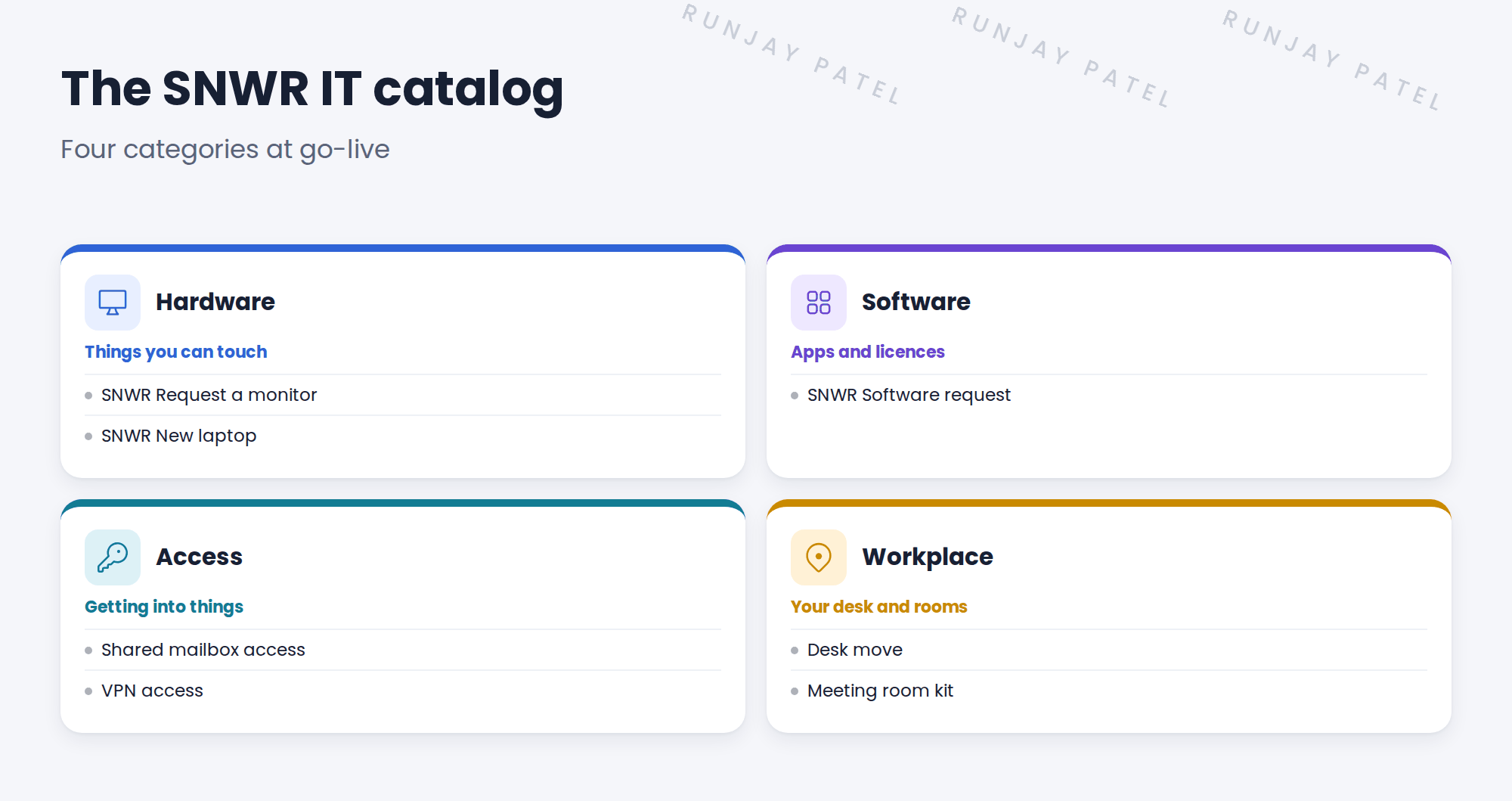
3 Rules for categories
- Use words employees use: “Hardware”, not “End-user computing”.
- Keep it to one level where you can.
- An item can sit in more than one category if people look in both places.
- Every category needs at least a few items.
💡 Good to know: Need a refresher? See Fundamentals › Service Catalog › Catalogs & Categories.
4 Let’s try it: build the categories
- Open Service Catalog › Catalogs and create a catalog named SNWR IT. Make Lucas Ferreira its manager.
- Add four categories: Hardware, Software, Access and Workplace. Give each a short description and an icon.
- Open SNWR Request a monitor and add it to the SNWR IT catalog, category Hardware.
- Open Employee Center and check the four categories show.
- Find the monitor in two clicks. If it takes more, rethink the names.
5 Quick recap
- A taxonomy groups items so people can find them
- SNWR uses four: Hardware, Software, Access, Workplace
- Use employees’ words, not IT words
- Keep it to one level where you can
- Test by finding an item in two clicks
6 Check yourself
Think of your answer first. Then tap to check.
1 Name SNWR’s four categories. Show answer
Hardware, Software, Access and Workplace.
2 “End-user computing” or “Hardware”? Show answer
Hardware. Use the words employees use.
3 Can one item sit in two categories? Show answer
Yes, if people look for it in both.
4 Where does SNWR Request a monitor sit? Show answer
SNWR IT catalog, Hardware category.
Nice work! SNWR’s catalog now has a clear shape. 🎉
Next up: Catalog Item Design Standards
Was this lesson helpful?
Please log in to share lesson feedback.
Have a question or doubt?
Ask here and get help from instructors and fellow learners.
Only logged-in learners can post.





