


Order Guides for New Joiners
On this page
In this lesson, you will learn:
- What an order guide is
- SNWR’s new joiner rules
- How answers pass to each item
- How to build it
🔁 Quick look back: Last time: Request SLAs and Fulfillment Targets. You learned how a request SLA on the RITM and an OLA on the task set SNWR’s delivery targets.
1 “A new joiner needs six orders”
A manager hires someone new.
- She orders a laptop, a monitor, email and VPN, one by one.
- She forgets VPN.
- The new joiner can’t work from home in week one.
👉 The fix: one form asks a few questions, then orders the right items together.
2 How an order guide works
Key term: Order guide
A form that asks a few questions, then orders several catalog items at once.
Key term: Rule base
The rules that decide which items are added, based on the answers.
Key term: Cascade
Passing an answer, like the start date, to every item, so it isn’t asked twice.
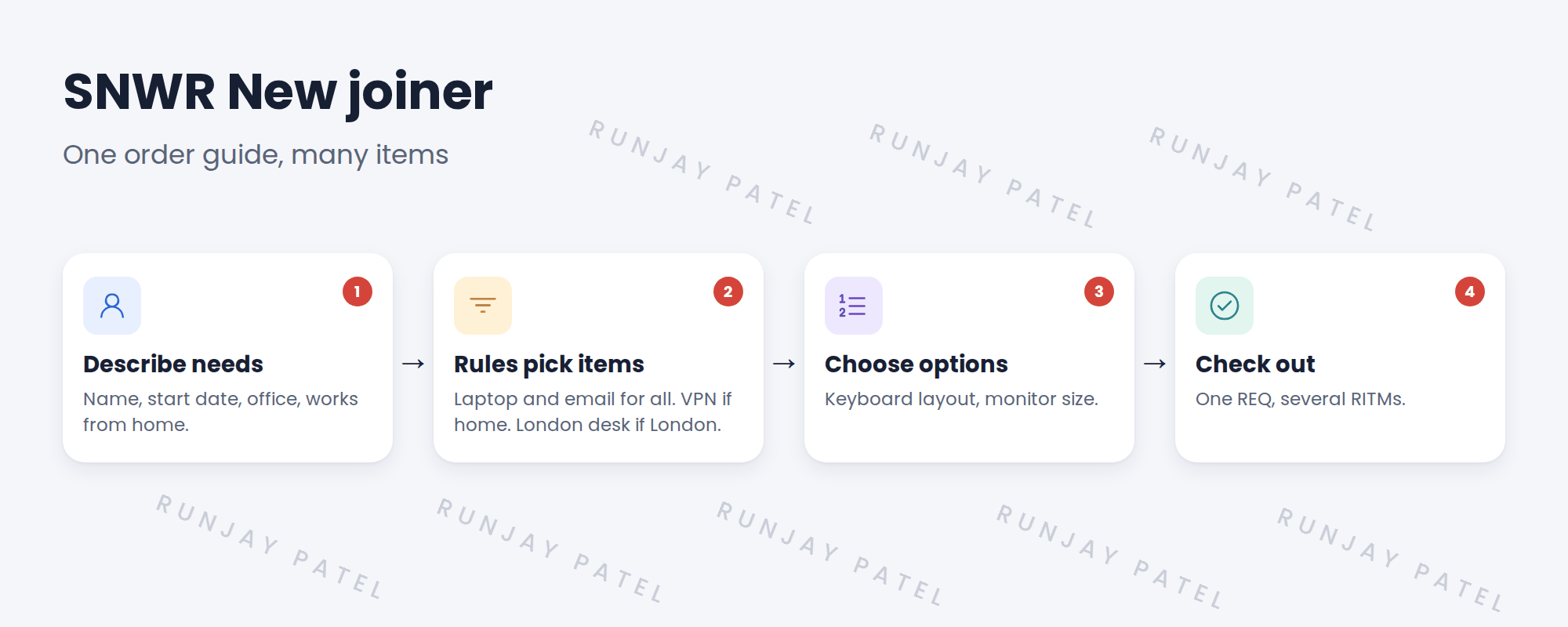
3 SNWR’s rules
| If the answer is… | Add |
|---|---|
| Any new joiner | SNWR New laptop, email access |
| Works from home: yes | VPN access |
| Office: London | London desk booking |
| Role: designer | SNWR Request a monitor (32″) |
💡 Good to know: Cascade the start date and new joiner name, so they’re asked only once.
💡 Good to know: Need a refresher? See Fundamentals › Record Producers › Order Guides.
4 Let’s try it: build the order guide
- Open Service Catalog › Maintain Order Guides and create SNWR New joiner in the SNWR IT catalog.
- Add variables: New joiner, Start date, Office and Works from home. Tick Cascade variables.
- Add rule base lines: always add SNWR New laptop; add VPN access when Works from home is yes.
- Impersonate a manager. Order for a new joiner who works from home.
- Check one REQ is created, with a RITM for each item, including VPN access.
5 Quick recap
- An order guide orders several items at once
- The rule base picks items from the answers
- Cascade passes answers to every item
- One REQ, with a RITM for each item
- SNWR New joiner never forgets VPN
6 Check yourself
Think of your answer first. Then tap to check.
1 What does an order guide create? Show answer
One REQ, with a RITM for each item.
2 A new joiner works from home. What’s added? Show answer
VPN access.
3 Why cascade the start date? Show answer
So it’s asked once, not on every item.
4 What decides which items are added? Show answer
The rule base.
Nice work! New joiners get everything in one order. 🎉
Next up: Legacy Catalog Tools
Was this lesson helpful?
Please log in to share lesson feedback.
Have a question or doubt?
Ask here and get help from instructors and fellow learners.
Only logged-in learners can post.





