


Change Review
On this page
In this lesson, you will learn:
- The three change types
- How risk is worked out
- How approvals and CAB work
- Where to go back if you’re unsure
🔁 Quick look back: Last time: Incident and Problem Review. You learned the key incident and problem facts, through Sam’s VPN story.
1 “Standard, normal, emergency… which is which?”
Change is 30 of the 118 practice test questions.
- There are three types.
- Risk has two parts.
- Approval rules depend on both.
👉 The fix: review them through SNWR’s three real changes.
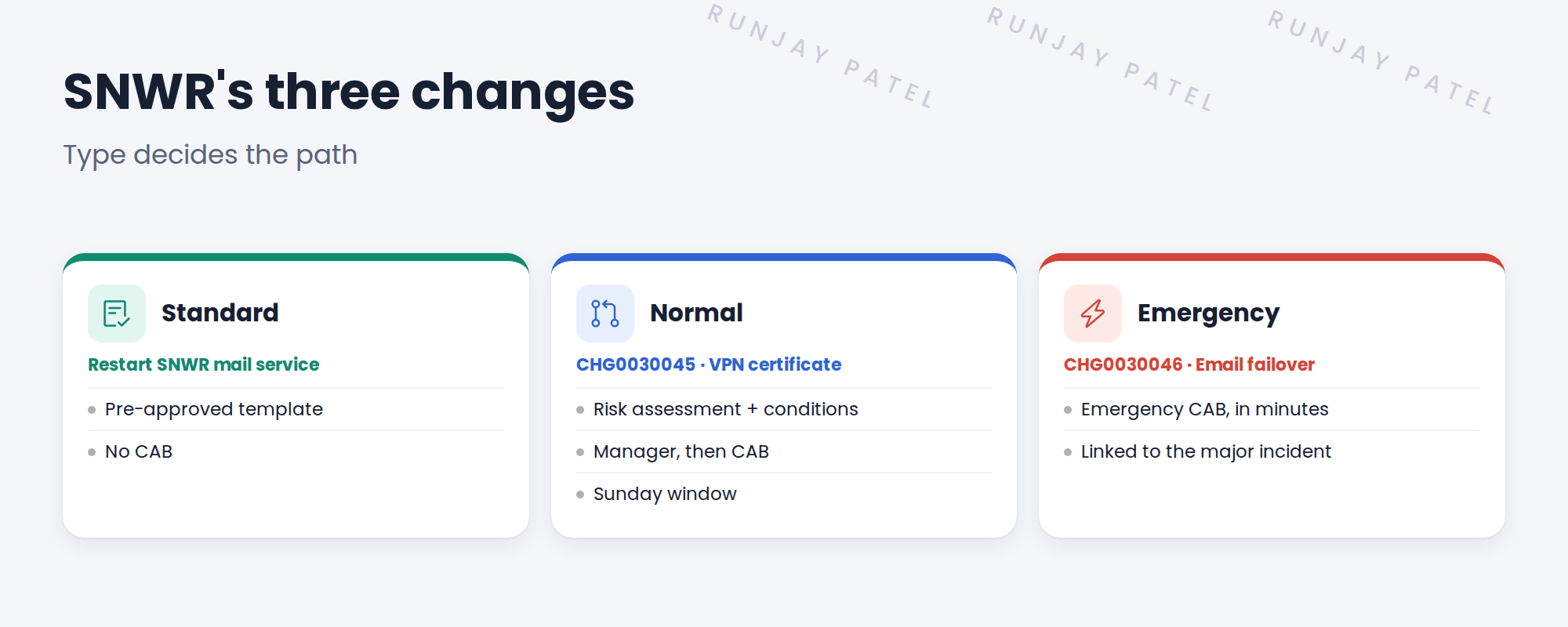
2 SNWR’s three changes
3 Key facts to know
| Topic | Remember |
|---|---|
| Normal states | New, Assess, Authorize, Scheduled, Implement, Review, Closed |
| Risk | Risk assessment answers plus risk conditions |
| Blackout vs window | A blackout blocks changes; a maintenance window welcomes them |
| Conflicts | Blackout, outside window, same CI at the same time |
| Approval policy | Type and risk pick the approvers |
| CAB | A CAB definition builds meetings and agendas; run them in CAB Workbench |
| Close codes | Successful, Successful with issues, Unsuccessful |
💡 Good to know: Standard changes are pre-approved because the template was approved once, through a proposal.
4 Quick recap
- Standard: pre-approved template
- Normal: risk, approvals, maybe CAB
- Emergency: emergency CAB, linked to a major incident
- Risk = assessment + conditions
- Type and risk pick approvers
5 Check yourself
Think of your answer first. Then tap to check.
1 Who approves a new standard change template? Show answer
The change manager, through a proposal. See Change Types › Standard Change Proposals and Template Versions.
2 A change is planned during the quarter-end freeze. What conflict is it? Show answer
A blackout conflict. See Change Risk › Conflict Detection.
3 What two things make up a change’s risk? Show answer
The risk assessment and risk conditions. See Change Risk › How ServiceNow Works Out Change Risk.
4 Which tool does the CAB chair run meetings in? Show answer
CAB Workbench. See Change Approvals › Running a CAB Meeting in CAB Workbench.
Nice work! Change is fresh again. 🎉
Next up: Service Catalog and Request Review
Was this lesson helpful?
Please log in to share lesson feedback.
Have a question or doubt?
Ask here and get help from instructors and fellow learners.
Only logged-in learners can post.





