


Standard Change Proposals and Template Versions
On this page
In this lesson, you will learn:
- Why templates need approval
- How to propose a new template
- How updates and versions work
- How to retire a template
🔁 Quick look back: Last time: The Standard Change Catalog and Templates. You learned how standard change templates work, and how SNWR created one for restarting the mail service.
1 “Who said this was safe?”
Anyone could make a template in the old tool.
- Someone made “Update firewall” a standard change.
- It skipped every check.
- It caused an outage.
👉 The fix: require a proposal for every new, changed or retired template, approved by the change manager.
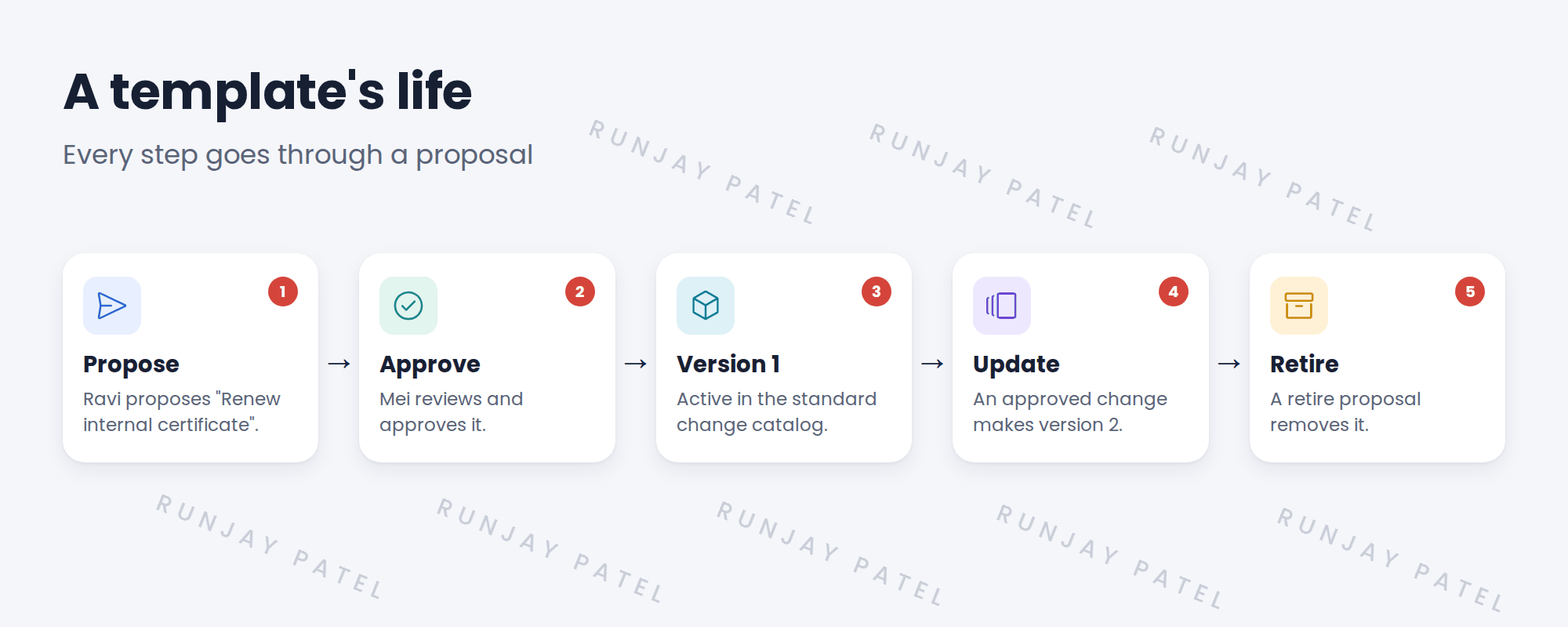
2 The proposal flow
Key term: Standard change proposal
A request to create, change or retire a standard change template.
Key term: Template version
Each approved update to a template becomes a new version. Old versions are kept for history.
3 Three kinds of proposal
| Proposal | Use it to | SNWR example |
|---|---|---|
| New | Add a new template | Renew internal certificate |
| Modify | Change an existing template | Add a check step to Restart SNWR mail service |
| Retire | Remove a template | An old server is switched off |
💡 Good to know: Ask for a history before approving: “How many times has this been done as a normal change, and did any fail?”
📝 Note: Remember the VPN problem: certificate renewals became a tracked, safe job. That’s why Ravi proposes this template.
4 Let’s try it: propose a template
- Open the standard change catalog and choose the option to propose a new template.
- Name it Renew internal certificate. Fill in the plans and the reason.
- Submit the proposal.
- As an admin or change manager, find the proposal and approve it.
- Check the new template now appears in the catalog.
5 Quick recap
- New, changed and retired templates need a proposal
- The change manager approves proposals
- Each approved update makes a new version
- Retire templates that are no longer needed
- Ask for a safe history before approving
6 Check yourself
Think of your answer first. Then tap to check.
1 Who approves new templates at SNWR? Show answer
Mei, the change manager.
2 What happens when a template is updated? Show answer
A new version is created; the old one is kept for history.
3 An old server is switched off. What do you do with its template? Show answer
Raise a retire proposal.
4 What should Mei ask before approving? Show answer
How often it’s been done, and whether any attempts failed.
Nice work! SNWR’s templates stay safe over time. 🎉
Next up: Emergency Changes
Was this lesson helpful?
Please log in to share lesson feedback.
Have a question or doubt?
Ask here and get help from instructors and fellow learners.
Only logged-in learners can post.





