


What Are Views?
On this page
In this lesson, you will learn:
- What a view is
- Why one table can have many views
- Some views that come with ServiceNow
1 Same record, different layout
An IT agent and a manager both open the same incident. The agent needs all the technical fields. The manager only needs a short summary. Can one form work for both? Yes, with views! 👀
Key term: View
A saved layout of a form or list. It decides which fields show, and in which order. One table can have many views.
Think of a map app. 🗺️ The same city can be shown as a street map, a satellite photo, or a traffic map. It’s the same place, just shown in different ways for different needs.
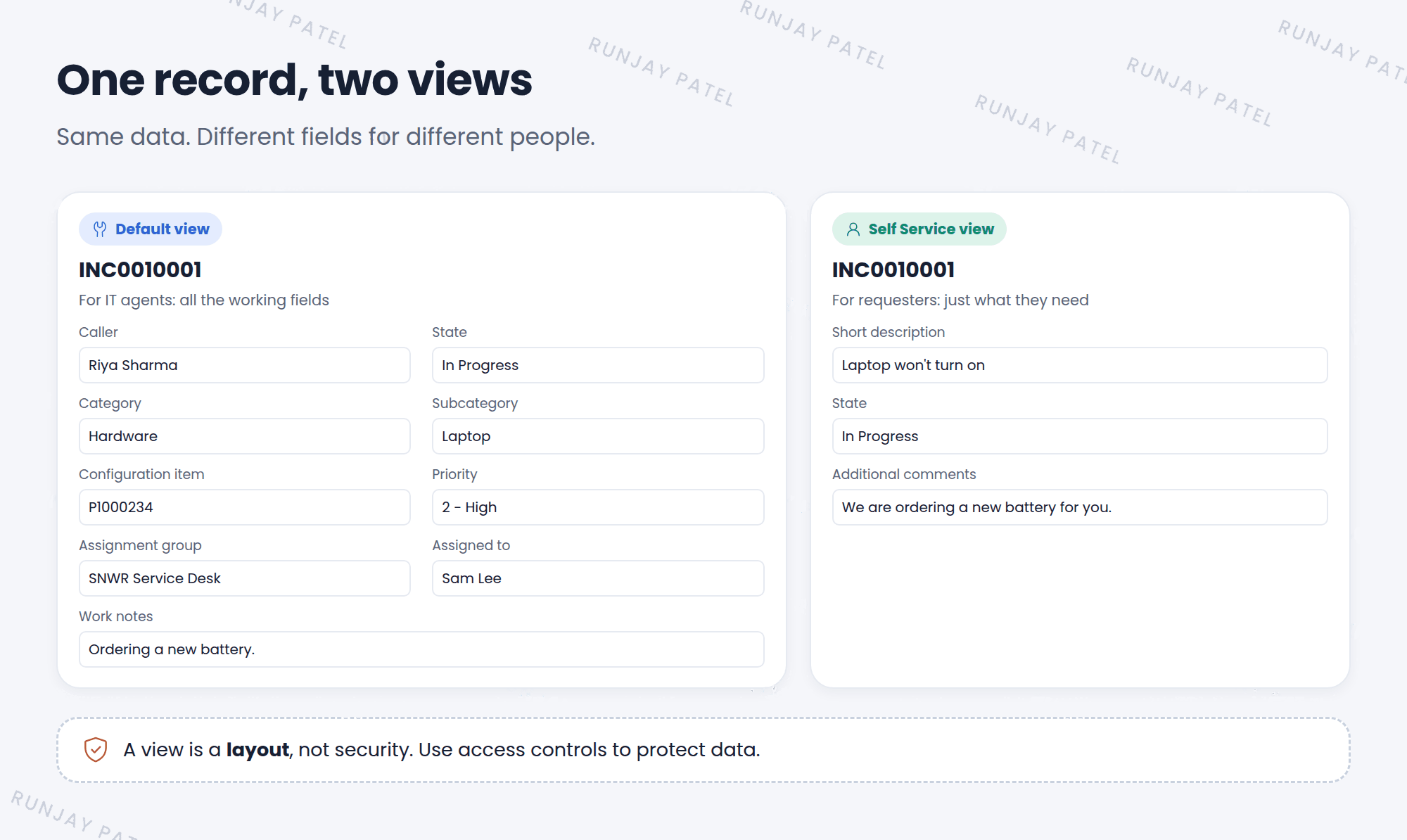
2 Views are layouts, not data
- A view changes which fields you see. It doesn’t change the record’s data.
- The same field in two views holds the same value.
- Form layouts and list layouts are saved per view (remember Lesson 12.3 and 14.1).
⚠️ Heads up: A view is not security. Hiding a field in a view doesn’t stop people from seeing it another way, like in a list or a report. To protect data, admins use access controls (Chapter 42).
3 Views that come with ServiceNow
| View | Used for |
|---|---|
| Default view | The normal view most people see |
| Self Service | A simple view for requesters |
| Mobile | Layouts for phones and tablets |
📝 Note: Different apps add their own views too. Admins can also create new views (Lesson 15.2).
⭐ Remember: A view = a layout. Same record, same data, different fields shown.
4 Let’s try it: spot the view
- Open any incident.
- Open the form’s context menu (☰) and hover over View. Which views are listed? Which one has a check mark?
- Choose Self Service. How is the form different?
- Switch back to Default view.
5 Quick recap
- A view is a saved layout of a form or list
- One table can have many views for different people
- Views change what you see, not the data
- Views are not security
- Common views: Default, Self Service, and Mobile
6 Check yourself
Think of your answer first. Then tap to check.
1 Does switching views change a record’s data? Show answer
No. It only changes which fields you see.
2 Can you hide a secret field from everyone just by removing it from a view? Show answer
No. Views aren’t security. Use access controls to protect data.
3 Which view is the normal one most people see? Show answer
The Default view.
Nice work! You finished this lesson. 🎉
Was this lesson helpful?
Please log in to share lesson feedback.
Have a question or doubt?
Ask here and get help from instructors and fellow learners.
Only logged-in learners can post.





