


Article Lifecycle & Workflows
On this page
In this lesson, you will learn:
- The states a knowledge article moves through
- How publish and retire workflows work
- Why articles need to be reviewed over time
1 Articles have a life too
An article isn’t finished when it’s written. It needs to be checked, published, kept up to date, and one day, retired. That’s the article lifecycle. 🔄
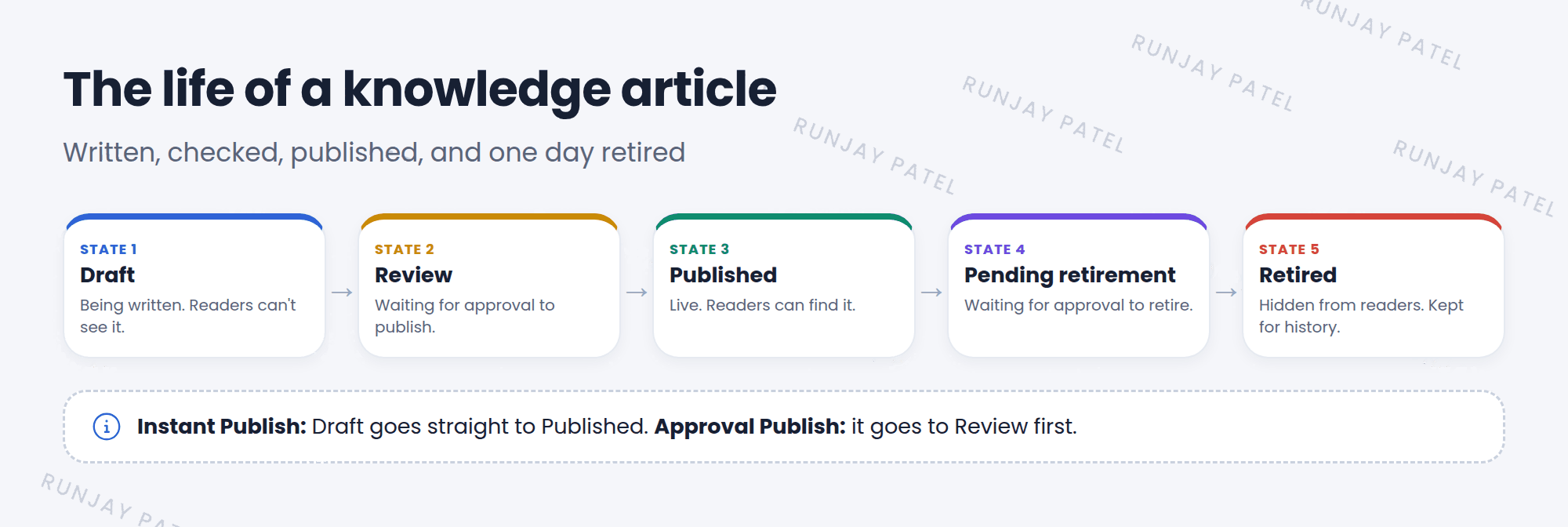
| State | What it means |
|---|---|
| Draft | Being written. Readers can’t see it |
| Review | Waiting for approval to publish |
| Published | Live. Readers can search and read it |
| Pending retirement | Waiting for approval to retire |
| Retired | No longer shown to readers, but kept for history |
2 Publish and retire workflows
Each knowledge base picks how articles are published and retired:
| Workflow | What happens |
|---|---|
| Instant Publish | Click Publish, and it’s live right away |
| Approval Publish | Click Publish, and it goes to Review. A manager must approve it |
| Instant Retire | Click Retire, and it’s retired right away |
| Approval Retire | Click Retire, and a manager must approve it |
💡 Good to know: Use Approval Publish for knowledge bases that customers or all employees read. A second pair of eyes catches mistakes before everyone sees them.
3 Keeping articles fresh
- The Valid to date reminds owners to check the article.
- To change a published article, you check it out as a new version, edit it, and publish again. Readers keep seeing the old version until then.
- Retire articles about systems SNWR no longer uses.
⚠️ Heads up: Old, wrong articles are worse than no articles. People follow them and get stuck. Review your knowledge base regularly.
⭐ Remember: Draft → Review → Published → Retired. The knowledge base decides if approval is needed.
4 Let’s try it: publish your article
- Open your SNWR IT knowledge base. Check which publish workflow it uses.
- Open your draft article from Lesson 25.2 and click Publish. Which state is it in now?
- If it’s in Review, approve it from My Approvals.
- Search for it in the portal (
/sp). Can you find it?
5 Quick recap
- Article states: Draft, Review, Published, Pending retirement, Retired
- Knowledge bases choose Instant or Approval workflows for publishing and retiring
- Change published articles by checking out a new version
- Review and retire old articles
6 Check yourself
Think of your answer first. Then tap to check.
1 You click Publish, but the article goes to Review. Why? Show answer
The knowledge base uses an Approval Publish workflow. A manager must approve it.
2 Can readers see a Retired article? Show answer
No. It’s kept for history, but not shown to readers.
3 Which field reminds owners to review an article? Show answer
Valid to.
Nice work! You finished this lesson. 🎉
Was this lesson helpful?
Please log in to share lesson feedback.
Have a question or doubt?
Ask here and get help from instructors and fellow learners.
Only logged-in learners can post.





