


Service Portal & Employee Center
On this page
In this lesson, you will learn:
- What a portal is and who uses it
- What the Service Portal is
- What Employee Center is
- How portals connect to the rest of ServiceNow
1 A simple front door
Most people at a company are requesters. They just want to ask for help, order something, or find an answer. They don’t need the All menu, lists, or forms.
So ServiceNow gives them a simple website called a portal. 🚪 Think of it like a shop’s front counter. Customers come to the counter. They never go into the storeroom.
Key term: Portal
A simple, friendly website on top of ServiceNow, made for requesters. It shows only what they need.
2 Service Portal
Key term: Service Portal
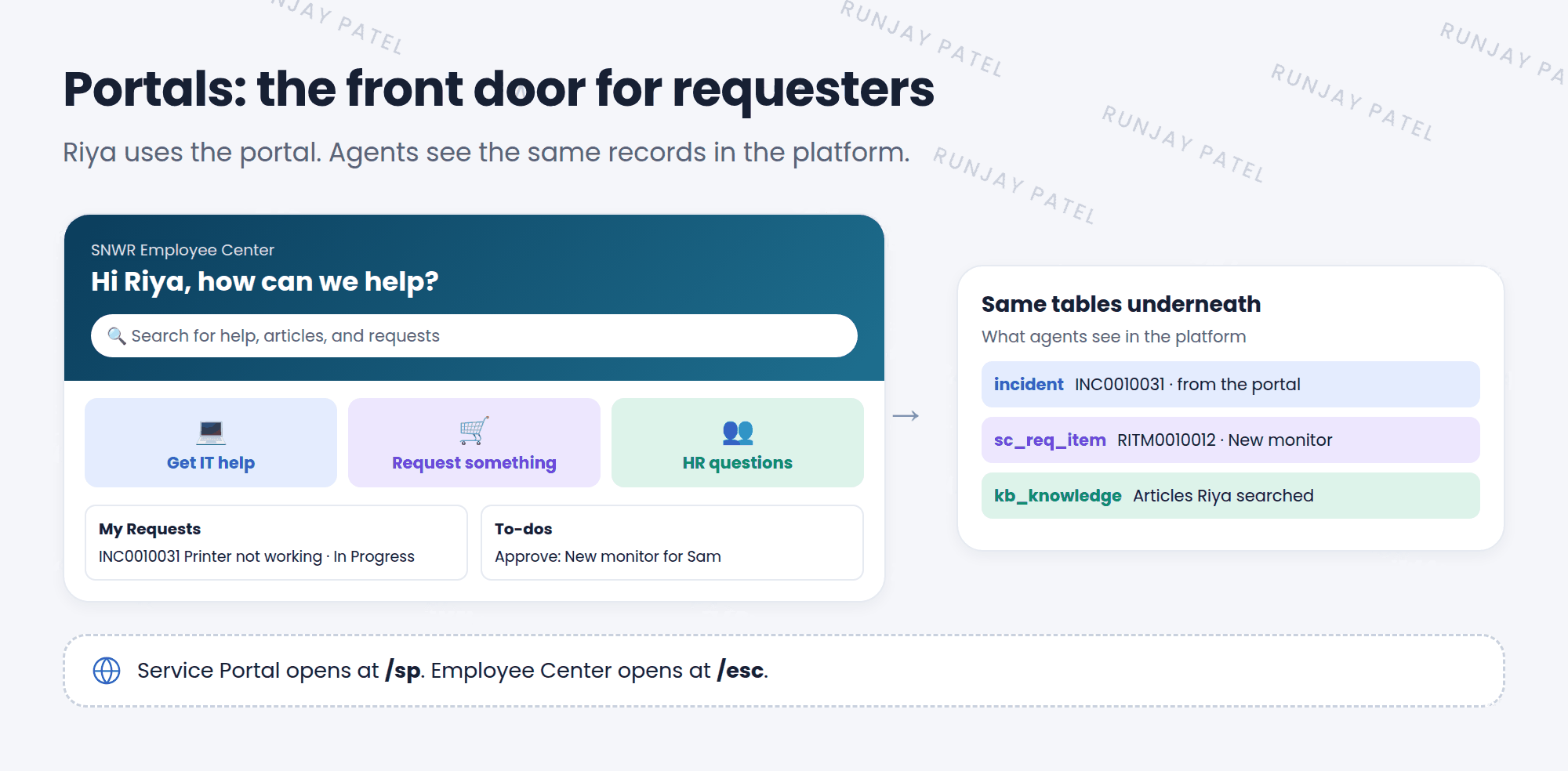
ServiceNow’s tool for building portals. The standard one opens at /sp, like https://snwr.service-now.com/sp.
On the Service Portal, a requester can:
- 🔍 Searchfor answers
- 🛒 Orderfrom the catalog
- 🙋 Get helpreport an issue
- 📚 Readhelp articles
- 📋 Tracktheir requests
- ✅ Approveif they’re a manager
📝 Note: Portals are built from pages and small blocks called widgets. Admins and developers can change them. That’s an advanced topic for later.
3 Employee Center
Employee Center is a newer, modern portal for employees. It puts help from every team in one place: IT, HR, Facilities, and more.
| Service Portal | Employee Center | |
|---|---|---|
| Address | /sp |
/esc |
| Best for | A simple self-service portal | One modern place for all employee help |
| Extras | Catalog, knowledge, requests | Plus to-dos, campaigns, and help from many teams |
⭐ Remember: The portal is just a different window into the same data. When Riya reports an issue on the portal, an agent sees a real incident in the platform.
💡 Good to know: There are other portals too, like the Customer Service Portal for a company’s customers. They all use the same portal technology.
4 Let’s try it: visit the portal
- In your browser, go to
https://your-instance.service-now.com/sp. - Search for
email. What results do you see? - Open the catalog (Request something) and look at the items.
- Impersonate Riya Sharma (Lesson 6.4), open
/spagain, and report an issue. - End impersonation. Find Riya’s new incident in Incident > All. It’s the same record! 🎉
- If Employee Center is installed, try
/esctoo.
5 Quick recap
- A portal is a simple website for requesters
- Service Portal opens at
/sp - Employee Center opens at
/escand brings all employee help together - Portals are built from pages and widgets
- Portal requests become real records that agents work on
6 Check yourself
Think of your answer first. Then tap to check.
1 Who mainly uses a portal: requesters or admins? Show answer
Requesters.
2 What do you add to your instance address to open the Service Portal? Show answer
/sp
3 Riya reports an issue on the portal. Where does it end up? Show answer
As a real record, like an incident, in the same tables that agents work in.
Nice work! You finished this lesson. 🎉
Was this lesson helpful?
Please log in to share lesson feedback.
Have a question or doubt?
Ask here and get help from instructors and fellow learners.
Only logged-in learners can post.





