


Creating & Switching Views
On this page
In this lesson, you will learn:
- How to switch between views on a form or list
- How ServiceNow remembers your last view
- How to create a new view as an admin
1 Switching views
You saw in Lesson 15.1 that a form can have several views. Switching is easy:
- On a form: open the context menu (☰) > View > pick a view.
- On a list: open the list title menu (☰) > View > pick a view.
- In a URL: add
sysparm_view=and the view’s name, likeincident.do?sysparm_view=ess.
📝 Note: When you pick a view, ServiceNow remembers it as your preference. The next time you open that form, you’ll see the same view. If a form looks “wrong”, check which view you’re in!
2 Creating a new view
SNWR’s managers want a short “Manager” view of incidents. Let’s build it.
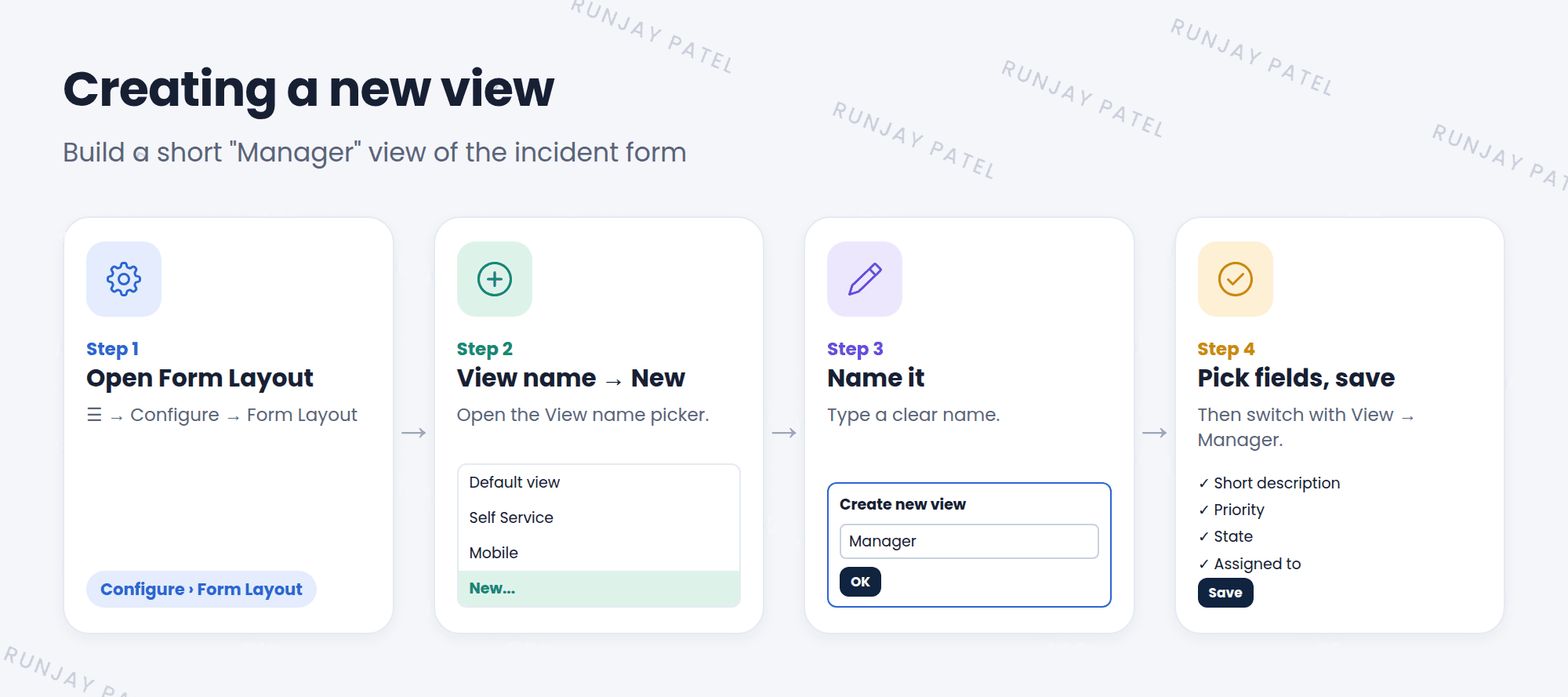
- Open any incident. Choose ☰ > Configure > Form Layout.
- Open the View name picker at the top and choose New.
- Type a name, like Manager, and click OK.
- You’re now editing the Manager view. Pick its fields and their order.
- Click Save.
- Switch to it with ☰ > View > Manager. ✅
💡 Good to know: Always check the View name at the top of Form Layout before you save. It’s easy to change the Default view by mistake when you meant to change another one.
⭐ Remember: Create a view in Form Layout (View name > New). Switch views with ☰ > View.
3 Let’s try it: build a Manager view
- Open any incident and choose Configure > Form Layout.
- Create a new view called SNWR Manager.
- Keep only: Number, Short description, Priority, State, Assignment group, and Assigned to. Save.
- Switch to the SNWR Manager view. Then open another incident. Is it still in SNWR Manager view?
- Switch back to Default view when you’re done.
4 Quick recap
- Switch views with ☰ > View on forms and lists
- URLs can pick a view with
sysparm_view= - ServiceNow remembers the last view you picked
- Create a view in Form Layout: View name > New
- Always check which view you’re editing before you save
5 Check yourself
Think of your answer first. Then tap to check.
1 How do you switch a form to another view? Show answer
Open the form’s context menu (☰), choose View, and pick the view.
2 Where do you create a new view? Show answer
In Form Layout, from the View name picker, by choosing New.
3 A user says their incident form suddenly has fewer fields. What’s a likely reason? Show answer
They switched to another view, and ServiceNow remembered it. Switch back to Default view.
Nice work! You finished this lesson. 🎉
Was this lesson helpful?
Please log in to share lesson feedback.
Have a question or doubt?
Ask here and get help from instructors and fellow learners.
Only logged-in learners can post.





