


Request Fulfillment (REQ, RITM, Task)
On this page
In this lesson, you will learn:
- What happens after someone clicks Order
- The difference between a request (REQ), a requested item (RITM), and a catalog task (SCTASK)
- How they link together
1 After “Order Now”
Sam orders a monitor and a keyboard in one go. Behind the scenes, ServiceNow creates three kinds of records. It’s just like an online shop: one order, with items in it, and jobs for the warehouse. 📦
2 REQ, RITM, and SCTASK
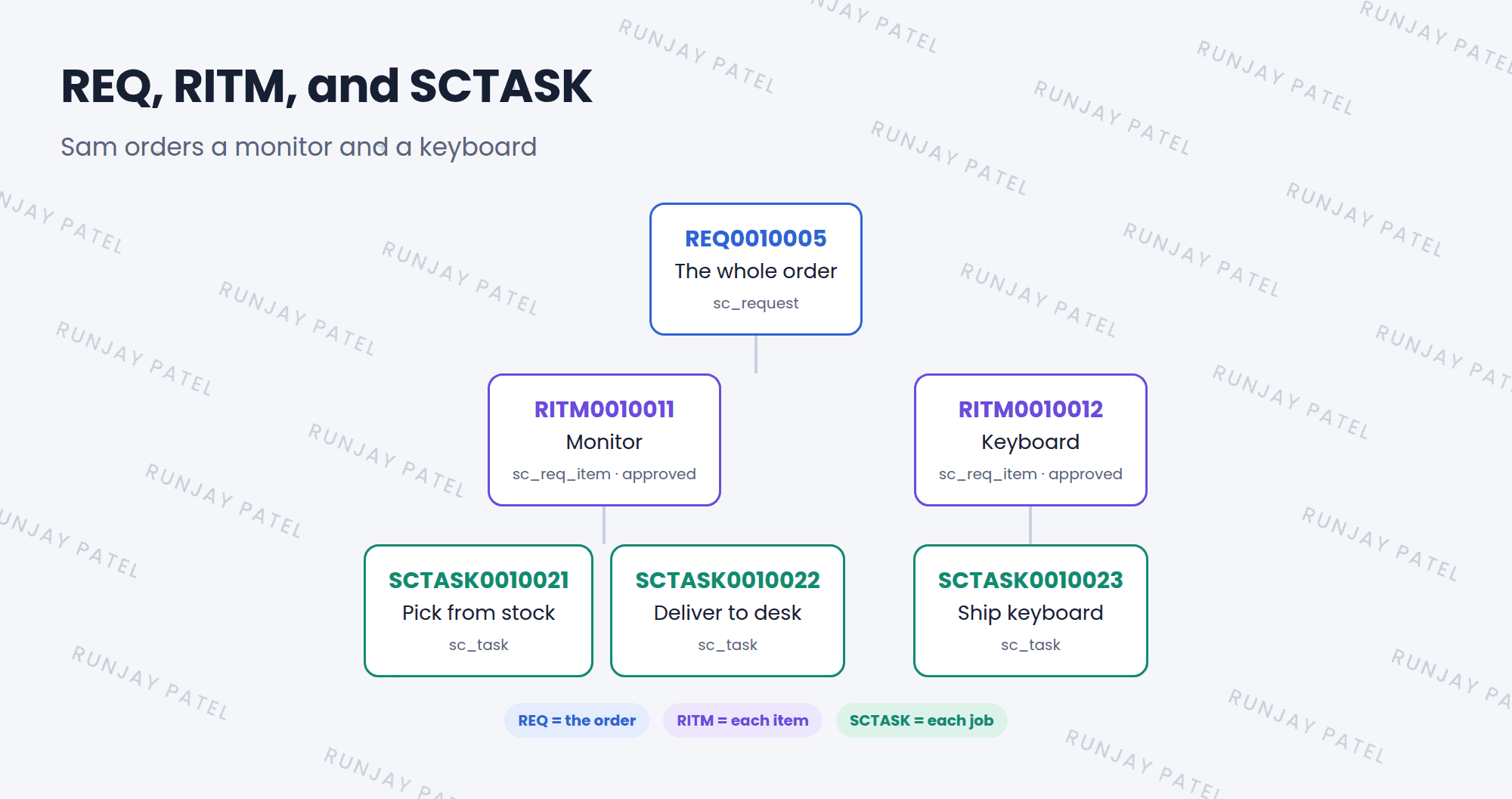
| Record | Prefix | Table | What it is |
|---|---|---|---|
| Request | REQ | sc_request |
The whole order, like a shopping cart |
| Requested Item | RITM | sc_req_item |
One thing that was ordered |
| Catalog Task | SCTASK | sc_task |
One job someone must do to deliver it |
⭐ Remember: REQ = the order. RITM = each item. SCTASK = each job.
3 How fulfillment works
- Sam orders. ServiceNow creates one REQ and one RITM per item.
- The item’s flow starts on each RITM (Chapter 28).
- The flow may ask for an approval, like from Sam’s manager (Lesson 19.3).
- The flow creates SCTASKs for the teams who do the work.
- When all tasks are done, the RITM closes. When all RITMs close, the REQ closes. ✅
📝 Note: The answers to the variables (Lesson 26.3) are stored on the RITM. Fulfillers see them on the RITM and its tasks.
💡 Good to know: All three are tasks (Lesson 19.1), so they have assignment groups, states, and work notes.
4 Let’s try it: follow an order
- Order an item from the catalog, like a standard laptop.
- Open Service Catalog > Open Records > Requests and find your REQ.
- Open it. Find the Requested Items related list, and open the RITM.
- On the RITM, find the variable answers and the Catalog Tasks related list.
5 Quick recap
- REQ (
sc_request) = the whole order - RITM (
sc_req_item) = one per item ordered - SCTASK (
sc_task) = jobs to deliver it - A flow on each RITM handles approvals and tasks
- Variable answers live on the RITM
6 Check yourself
Think of your answer first. Then tap to check.
1 Sam orders 3 different items at once. How many REQs and RITMs are created? Show answer
One REQ and three RITMs.
2 Where are the answers to the order form’s questions stored? Show answer
On the RITM (requested item).
3 What does SCTASK stand for? Show answer
Service Catalog task, a job someone must do to deliver the item.
Nice work! You finished this lesson. 🎉
Was this lesson helpful?
Please log in to share lesson feedback.
Have a question or doubt?
Ask here and get help from instructors and fellow learners.
Only logged-in learners can post.





