


Knowledge Bases & Categories
On this page
In this lesson, you will learn:
- What knowledge management is
- What a knowledge base and a category are
- How to create a knowledge base
1 Write it down once
SNWR’s service desk answers “How do I reset my password?” 50 times a week. What if the answer was written down, so people could find it themselves? That’s knowledge management. 📚
It helps two groups: users fix things themselves, and agents find proven answers fast.
2 Knowledge bases and categories
Key term: Knowledge base
A collection of articles for one audience, like “IT” or “HR”. Stored in kb_knowledge_base.
Key term: Category
A folder inside a knowledge base, like “Email” or “Laptops”. Categories can have sub-categories.
Key term: Article
One help page, like “How to reset your password”. Stored in kb_knowledge.
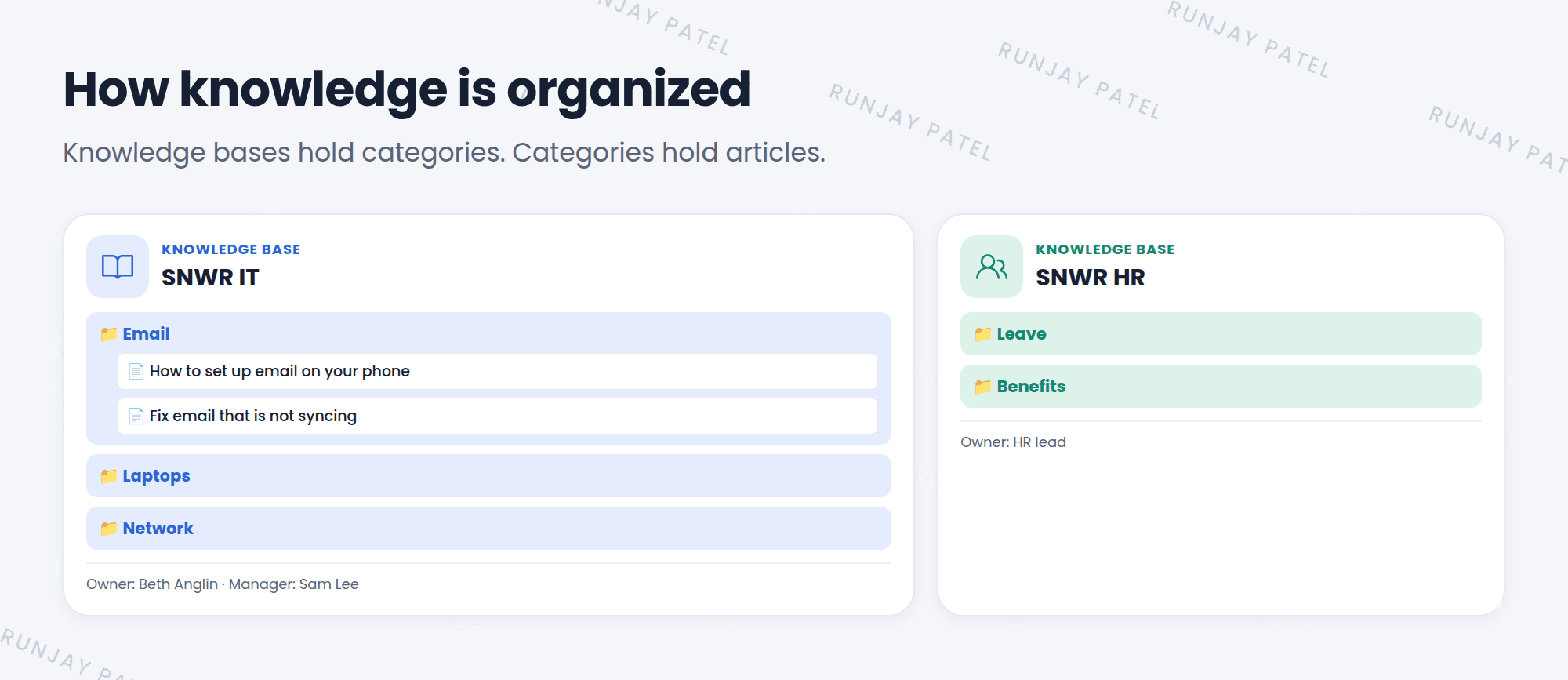
Think of a library. 🏛️ Each knowledge base is a room, each category is a shelf, and each article is a book.
3 Create a knowledge base
- Go to Knowledge > Administration > Knowledge Bases and click New.
- Give it a Title, like “SNWR IT”.
- Set the Owner and add Managers, the people who look after it.
- Choose the workflows for publishing and retiring articles (Lesson 25.3).
- Submit. Then add categories with the category editor. ✅
💡 Good to know: Build knowledge bases around audiences (IT, HR, customers), not around every small topic. Use categories for topics.
⭐ Remember: Knowledge base = room. Category = shelf. Article = book.
4 Let’s try it: build SNWR IT
- Open Knowledge > Overview (or the Knowledge homepage). Look at the demo knowledge bases.
- Create a knowledge base SNWR IT. Make yourself the owner.
- Add the categories Email, Laptops, and Network.
5 Quick recap
- Knowledge management captures answers so people can help themselves
- A knowledge base is a collection for one audience
- Categories organize articles inside a knowledge base
- Knowledge bases have owners, managers, and workflows
6 Check yourself
Think of your answer first. Then tap to check.
1 Which table stores knowledge articles? Show answer
kb_knowledge.
2 SNWR wants separate articles for IT and HR. What should it create? Show answer
Two knowledge bases: one for IT and one for HR.
3 In the library example, what is a category? Show answer
A shelf.
Nice work! You finished this lesson. 🎉
Was this lesson helpful?
Please log in to share lesson feedback.
Have a question or doubt?
Ask here and get help from instructors and fellow learners.
Only logged-in learners can post.





