


Global Search Basics
On this page
In this lesson, you will learn:
- What global search is and where to find it
- How to run a search and use the suggestions
- What global search can and can’t find
- How it’s different from the All menu filter
1 What is global search?
In Chapter 3, you learned to find pages with the All menu. But what if you want to find information, like a user’s name, an incident about Wi-Fi, or a help article?
That’s what global search is for. It’s the search box in the top bar. 🔍
Key term: Global search
The search box in the top bar. It looks for words across many tables in the instance at once.
Key term: Search source
One place that global search looks in, like Incidents, Knowledge articles, or People.
2 All menu filter vs global search
These two are easy to mix up. Here’s the difference:
| All menu filter | Global search | |
|---|---|---|
| Finds | Menus and modules (pages) | Records and articles (data) |
| Example | Type “users” to find the Users module | Type “Beth” to find a person called Beth |
| Where | Inside the All menu | Search box in the top bar |
⭐ Remember: All menu = find a page. Global search = find a record.
3 Running a search
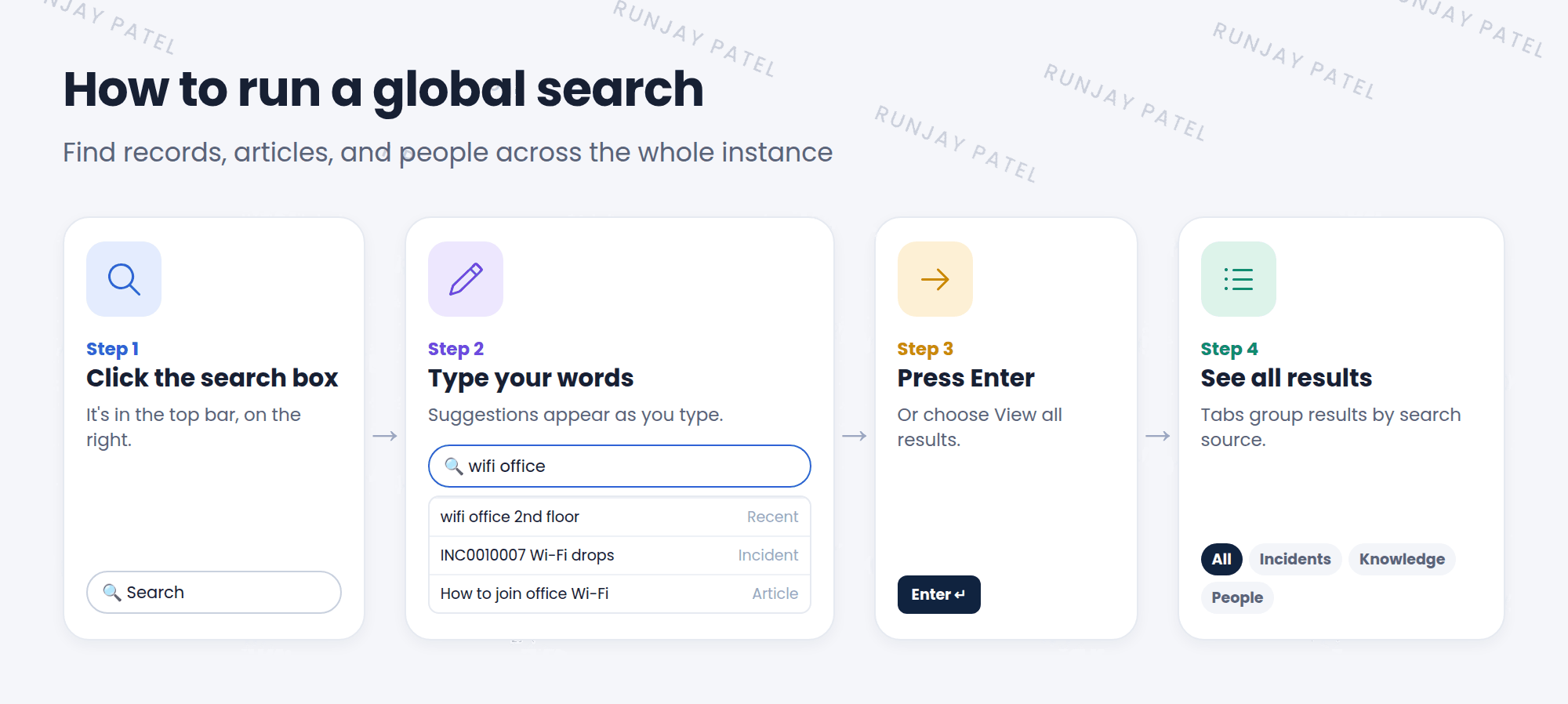
- Click the search box in the top bar.
- Type a few words, like
wifi office. As you type, suggestions appear: recent searches, pages you viewed, and matching records. - Click a suggestion to open it right away, or press Enter to see all results.
- The results page opens. You’ll learn to read it in Lesson 4.2.
💡 Good to know: Searching for an exact record number, like INC0010001, is the fastest way to find one record. It shows up as an exact match, often before you even press Enter.
4 What global search can find
Global search looks in the search sources that admins set up. In most instances, these include:
- 🎫 Tasksincidents, problems, changes
- 📚 Knowledgehelp articles
- 👥 Peopleusers and groups
- 🛒 Catalogthings you can request
- 🖥️ Configuration itemscomputers, servers
- ⚙️ And morewhatever admins add
⚠️ Heads up: Global search only shows records you are allowed to see. Two people can search for the same word and get different results. That’s security doing its job!
📝 Note: Newer instances use a search engine called AI Search. It understands everyday words and ranks the best results first. Some older instances still use an older search engine, so the results page may look a little different.
5 Let’s try it: search your PDI
- Click the search box and type
email. Look at the suggestions, then press Enter. - How many results did you get? Which tabs do you see at the top?
- Search for
INC0000001(a demo incident in most PDIs). Does it show as an exact match? - Search for a person’s name from the demo data, like
Beth. Do you find a user?
6 Quick recap
- Global search is the search box in the top bar
- It finds records and articles, not menus
- Suggestions appear as you type. Press Enter for all results
- Searching an exact number, like INC0010001, gives an exact match
- You only see results you’re allowed to see
7 Check yourself
Think of your answer first. Then tap to check.
1 You want to open the Users module. Should you use global search or the All menu filter? Show answer
The All menu filter. It finds pages and modules.
2 What’s the fastest way to find incident INC0010001? Show answer
Type the number into global search. It shows as an exact match.
3 Your teammate finds a record with search, but you don’t. Why could that be? Show answer
You aren’t allowed to see that record. Search only shows records you have access to.
Nice work! You finished this lesson. 🎉
Was this lesson helpful?
Please log in to share lesson feedback.
Have a question or doubt?
Ask here and get help from instructors and fellow learners.
Only logged-in learners can post.





