


AND/OR Conditions & Breadcrumbs
On this page
In this lesson, you will learn:
- How AND and OR change your results
- How to group conditions with New Criteria
- How to read and use breadcrumbs
1 More than one condition
In Lesson 11.2, you built filters with one condition. Real questions often need more, like “high-priority incidents that are still open”. You join conditions with AND or OR.
2 AND vs OR
Key term: AND
A record must match both conditions. AND makes the list smaller.
Key term: OR
A record can match either condition. OR makes the list bigger.
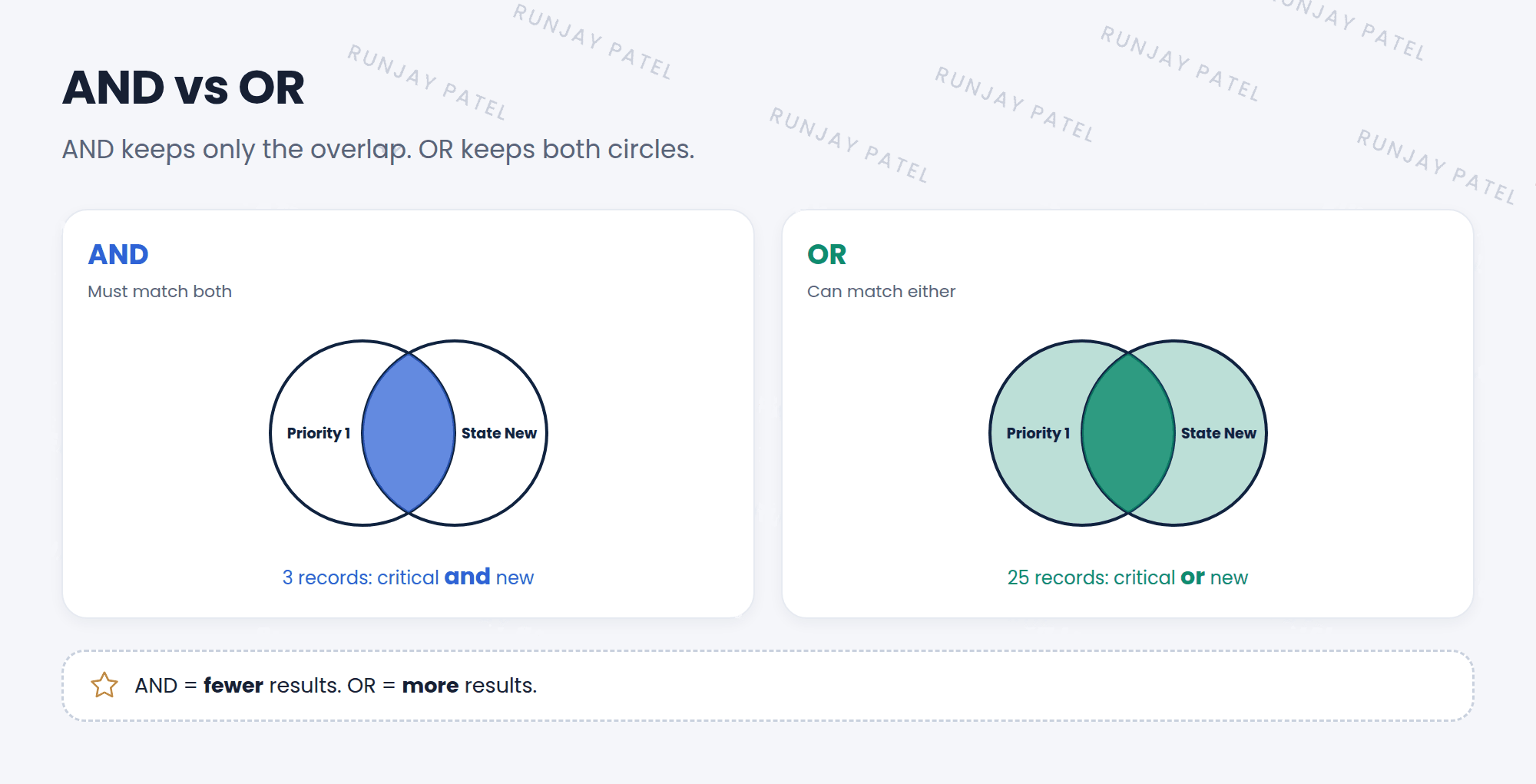
Think of ordering ice cream. 🍦 “Chocolate AND with sprinkles” is one very specific cone. “Chocolate OR vanilla” gives you more cones to choose from.
⭐ Remember: AND = fewer results. OR = more results.
3 Adding AND or OR
- Open the condition builder on a list.
- Build your first condition, like Priority is 1 – Critical.
- Click AND (or OR) at the end of that row. A new row appears.
- Build the second condition, like State is New.
- Click Run.
💡 Good to know: Need two separate groups of rules? Click New Criteria. It starts a new group that’s joined to the first one with OR. For example: (P1 AND New) or (P2 AND unassigned).
4 Breadcrumbs
After you run a filter, the conditions show at the top of the list as breadcrumbs, like this:
Key term: Breadcrumbs
The trail of conditions above a list. They show which filter is on, one step at a time.
- Click All to remove every condition.
- Click a breadcrumb to remove all the conditions after it.
- Click the small > or x next to one to remove just that condition.
- Right-click a breadcrumb for more options, like copying the query.
📝 Note: Behind the scenes, a filter is saved as a short line of text called an encoded query, like priority=1^state=1. The ^ means AND, and ^OR means OR. You saw this in URLs in Lesson 3.4.
5 Let’s try it: AND vs OR
- Open Incident > All. Filter: Priority is 1 – Critical AND State is New. Run it and write down the count.
- Change the AND to OR (rebuild with the OR button). Run it. Is the count bigger?
- Look at the breadcrumbs. Click the first condition’s breadcrumb. What happens to the second?
- Click All to clear everything.
6 Quick recap
- AND = must match both = fewer results
- OR = can match either = more results
- New Criteria starts a separate group of conditions
- Breadcrumbs show the current filter. Click them to remove conditions
- Filters are stored as encoded queries
7 Check yourself
Think of your answer first. Then tap to check.
1 Which gives more results: “State is New AND Priority is 1” or “State is New OR Priority is 1”? Show answer
The OR filter.
2 The breadcrumbs read “All > Active = true > State = New”. You click “Active = true”. What happens? Show answer
The “State = New” condition is removed. Only “Active = true” stays.
3 In an encoded query, what does ^ mean? Show answer
AND.
Nice work! You finished this lesson. 🎉
Was this lesson helpful?
Please log in to share lesson feedback.
Have a question or doubt?
Ask here and get help from instructors and fellow learners.
Only logged-in learners can post.





