


What Are Related Lists?
On this page
In this lesson, you will learn:
- What a related list is
- How related lists connect records from different tables
- What you can do inside a related list
1 Records that belong together
An incident doesn’t live alone. It might have SLAs timing it, child incidents linked to it, and approvals waiting on it. Those are records in other tables, but they belong to this incident.
At the bottom of the form, ServiceNow shows them in related lists. 🔗
Key term: Related list
A list at the bottom of a form that shows records from another table that are connected to this record.
2 How are they connected?
Most related lists work through a reference field. Remember reference fields from Lesson 13.2?
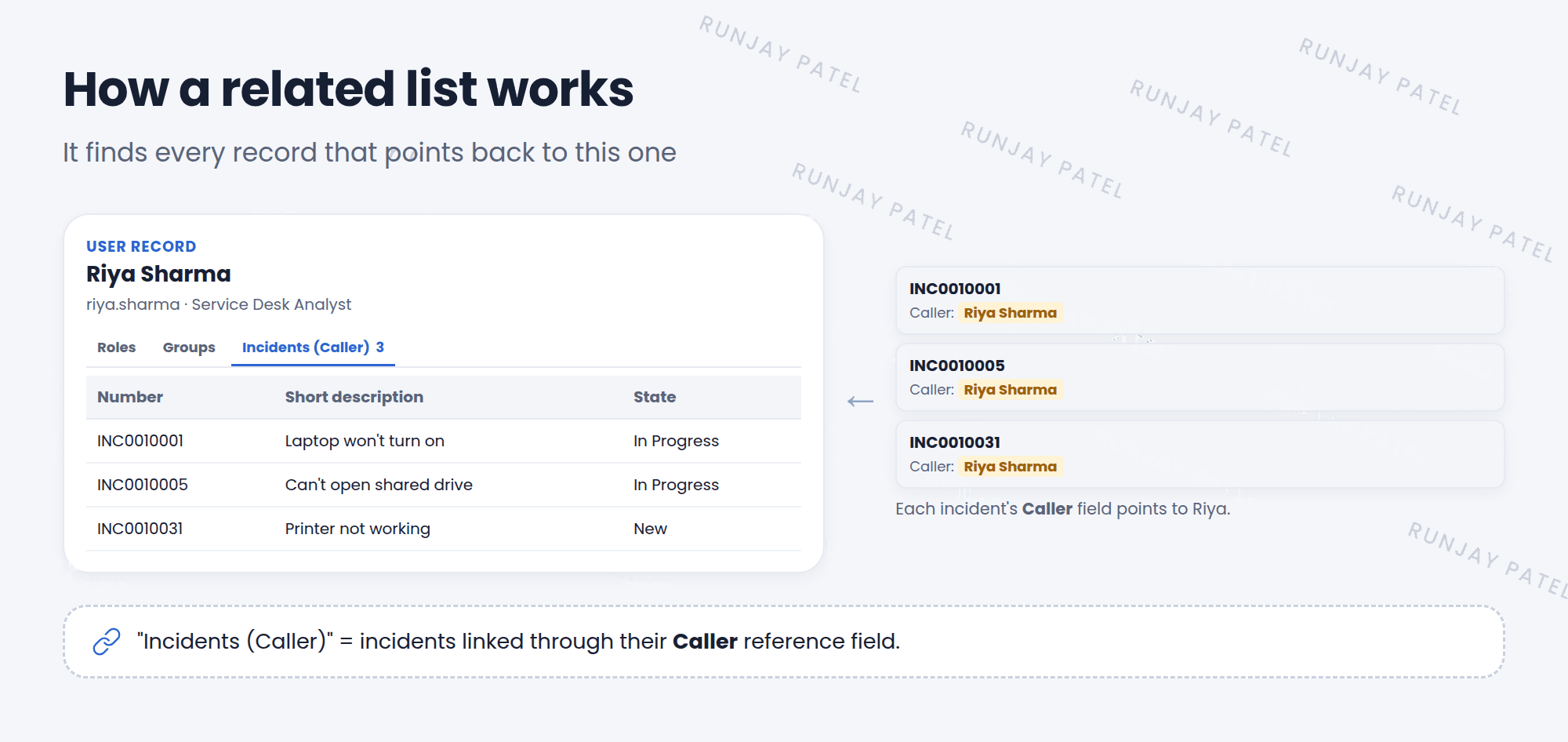
- Every incident has a Caller field that points to a user.
- Open Riya’s user record.
- The related list Incidents (Caller) finds every incident where Caller = Riya.
- So you see all of Riya’s incidents right on her user record. ✅
📝 Note: The name in brackets tells you which reference field links them. “Incidents (Caller)” means “incidents linked through the Caller field”.
3 Working in a related list
A related list works a lot like a normal list:
- Click a record to open it.
- New creates a record that’s already linked to this one.
- Edit (on some lists) lets you add or remove links to existing records.
- You can filter, sort, and even edit inline.
💡 Good to know: Related lists show as tabs at the bottom of many forms. The number on each tab tells you how many records it has.
⭐ Remember: Related lists show connected records from other tables, at the bottom of the form.
4 Let’s try it: follow the links
- Open User Administration > Users and open a demo user, like Abel Tuter.
- Scroll to the bottom. Which related lists do you see?
- Open the Groups and Roles related lists. You used these in Chapter 6!
- Open any incident. Scroll down. Find the Task SLAs related list.
5 Quick recap
- A related list shows connected records from another table
- They sit at the bottom of a form, often as tabs
- Most work through a reference field, like Caller
- You can open, create, filter, and sort records in them
6 Check yourself
Think of your answer first. Then tap to check.
1 Where do related lists appear? Show answer
At the bottom of a form.
2 What does “Incidents (Caller)” on a user record show? Show answer
All incidents whose Caller field points to that user.
3 You click New in a related list. What’s special about the new record? Show answer
It’s already linked to the record you came from.
Nice work! You finished this lesson. 🎉
Was this lesson helpful?
Please log in to share lesson feedback.
Have a question or doubt?
Ask here and get help from instructors and fellow learners.
Only logged-in learners can post.





