


User Criteria & Feedback
On this page
In this lesson, you will learn:
- What user criteria are
- How to control who can read and who can write in a knowledge base
- How readers give feedback on articles
1 Not every article is for everyone
SNWR’s HR knowledge base has articles only managers should read, like “How to handle a salary review”. And only the HR team should write articles there. How do you control this? With user criteria. 🔐
Key term: User criteria
A reusable rule that describes a set of users, by users, groups, roles, departments, locations, or companies.
Example: “HR Team” = members of the HR group. “Managers” = users with the manager role.
2 Read and contribute
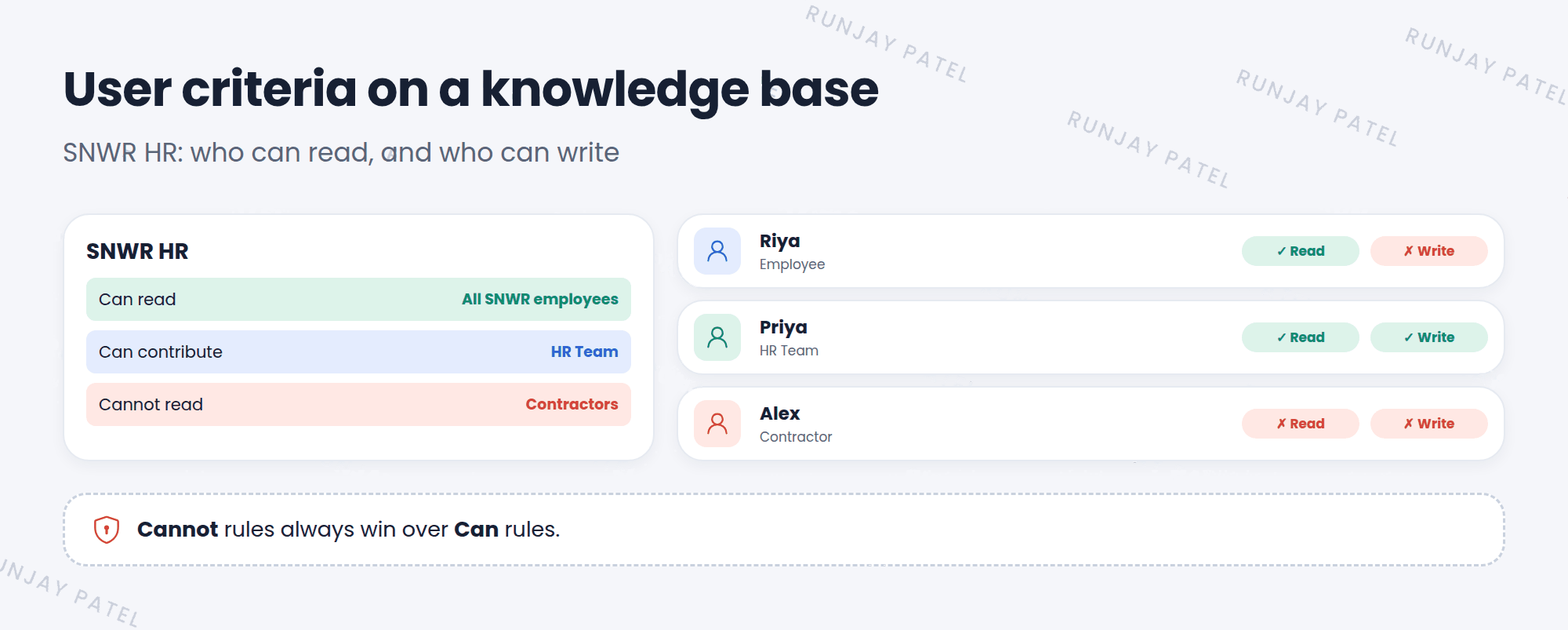
| List on the knowledge base | What it does |
|---|---|
| Can read | Who can read articles |
| Cannot read | Who can never read them, even if they match Can read |
| Can contribute | Who can create and edit articles |
| Cannot contribute | Who can never write, even if they match Can contribute |
⚠️ Heads up: “Cannot” rules always win over “Can” rules. And a knowledge base with no Can read criteria is readable by all users, so set it on purpose.
📝 Note: User criteria are reused in other places too, like the Service Catalog (Lesson 26.2). Build them once, use them many times.
3 Feedback
Readers help keep knowledge good. On an article, they can:
- ⭐ Rategive stars
- 👍 Helpful?yes or no
- 🚩 Flagreport a problem
Flags and comments can create feedback tasks for the knowledge base’s managers, so someone fixes the article.
⭐ Remember: User criteria decide who reads and who writes. Feedback tells you which articles need work.
4 Let’s try it: lock down HR
- Go to User Criteria (under Knowledge or Service Catalog administration) and create SNWR Service Desk members with the group SNWR Service Desk.
- Open your SNWR IT knowledge base. Add it to Can contribute.
- Impersonate Riya. Can she create an article in SNWR IT? End impersonation.
- Open a published article and give it a rating and a “Helpful” vote.
5 Quick recap
- User criteria describe a set of users by users, groups, roles, and more
- Knowledge bases use Can read, Cannot read, Can contribute, and Cannot contribute
- “Cannot” always wins
- Readers can rate, vote helpful, and flag articles
6 Check yourself
Think of your answer first. Then tap to check.
1 A user matches both Can read and Cannot read. Can they read the articles? Show answer
No. Cannot always wins.
2 Which list controls who can write articles? Show answer
Can contribute.
3 A reader finds a wrong step in an article. What can they do? Show answer
Flag the article, which can create a feedback task for the knowledge managers.
Nice work! You finished this lesson. 🎉
Was this lesson helpful?
Please log in to share lesson feedback.
Have a question or doubt?
Ask here and get help from instructors and fellow learners.
Only logged-in learners can post.





