


Mapping Variables to Fields
On this page
In this lesson, you will learn:
- How to create a record producer
- How to map questions to fields on the new record
- How to set fixed values the user never sees
1 Build “Report a broken printer”
Let’s build a record producer that creates an incident when someone reports a printer problem. 🖨️
- Go to Service Catalog > Catalog Definitions > Record Producers and click New.
- Name: “Report a broken printer”. Pick the catalog and category.
- Set Table name to Incident. This is what gets created.
- Save. Now add variables (Lesson 26.3), like “Which printer?” and “What’s wrong?”
2 Map variables to fields
The answers must land in the right fields on the new incident. The easiest way: give the variable the same name as the field, and turn on Map to field.
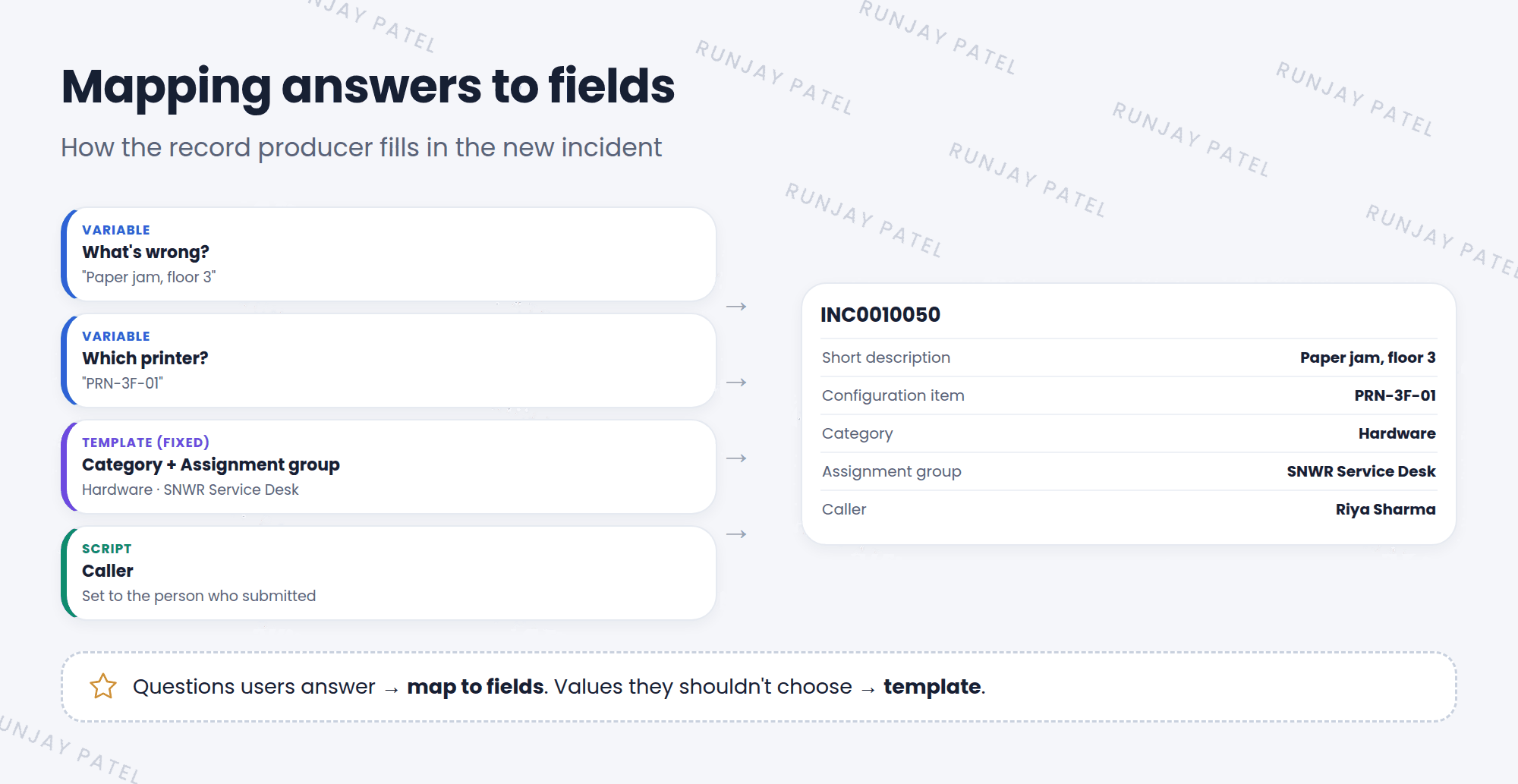
| Variable (question) | Maps to field |
|---|---|
| What’s wrong? | Short description |
| Which printer? | Configuration item |
| Anything else? | Description |
💡 Good to know: On the variable, tick Map to field and pick the Field. ServiceNow copies the answer into that field when the record is created.
3 Fixed values
Some fields should be set, but users don’t need to see them, like Category or Assignment group. Use the record producer’s Template field to set them:
- Category = Hardware
- Assignment group = SNWR Service Desk
- Contact type = Self-service
📝 Note: Record producers also have a Script field for extra logic. For example, a one-line script often sets the Caller to the person who submitted the form. Scripting is covered in the Advanced track.
⭐ Remember: Questions users answer → map to fields. Values users shouldn’t choose → template.
4 Let’s try it: build and test
- Create the record producer SNWR Report a broken printer on the Incident table.
- Add a variable “What’s wrong?” and map it to Short description.
- In the Template, set Category to Hardware and Assignment group to SNWR Service Desk.
- Click Try It, fill it in, and submit.
- Open the new incident. Are the fields filled correctly?
5 Quick recap
- Set the Table name to choose what’s created
- Use Map to field to copy answers into fields
- Use the Template to set fixed values
- Test with Try It
6 Check yourself
Think of your answer first. Then tap to check.
1 Which field on a record producer decides what table the record is created in? Show answer
Table name.
2 How does a user’s answer end up in Short description? Show answer
The variable is mapped to the Short description field with Map to field.
3 Every printer incident should go to SNWR Service Desk. Where do you set that? Show answer
In the record producer’s Template.
Nice work! You finished this lesson. 🎉
Was this lesson helpful?
Please log in to share lesson feedback.
Have a question or doubt?
Ask here and get help from instructors and fellow learners.
Only logged-in learners can post.





