


Theme, Language & Time Zone
On this page
In this lesson, you will learn:
- How to open your Preferences
- How to change your theme, language, and time zone
- Where ServiceNow saves your choices
- Why time zones matter so much at work
1 What are preferences?
Preferences are settings that change how ServiceNow looks and works for you only. Nobody else is affected. 🙂
Think of your phone’s settings. You can pick dark mode or a bigger font, and it doesn’t change your friend’s phone.
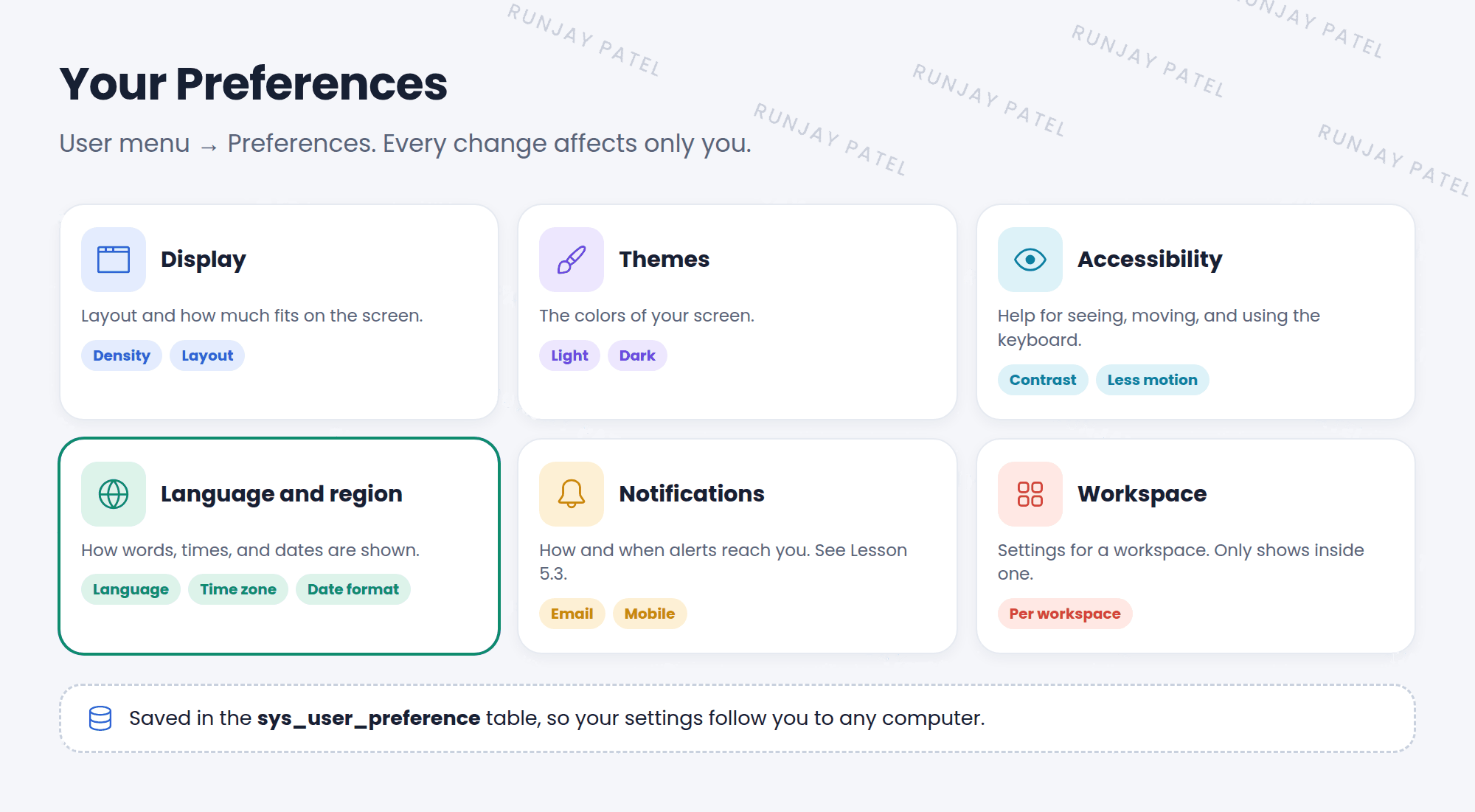
To open them: click your picture (top right) and choose Preferences. A window opens with a list of categories on the left.
2 Theme and display
- Themes: pick the colors of your screen. Many instances offer a light and a dark option. Admins decide which themes you can pick.
- Display: change how much fits on the screen, like how tightly lists and forms are packed.
- Accessibility: turn on options like higher contrast, less motion, or extra keyboard help.
💡 Good to know: If you work long hours in ServiceNow, try a dark theme or higher contrast. Small changes can make your eyes much happier. 👀
3 Language and region
| Setting | What it changes |
|---|---|
| Language | The language of menus, labels, and buttons |
| Time zone | The times you see on records, like “Opened at” |
| Date and time format | How dates look, like 2026-09-25 or 25/09/2026 |
📝 Note: The Language option only appears if the company has installed a language plugin, like French or Japanese. Your PDI shows only English until you install one. You’ll learn about plugins in Chapter 7.
4 Why time zones matter
ServiceNow saves every date and time in one standard time behind the scenes. Then it shows it to each person in their own time zone.
- Priya in India opens an incident at 10:00 AM her time.
- ServiceNow saves the time in its standard format.
- Sam in London opens the same incident. He sees 5:30 AM, his time.
- Both are right! They’re looking at the same moment from different places. 🌍
⚠️ Heads up: If a user’s time zone is wrong, every time they see is wrong too. That causes confusion about deadlines. When a user says “the times are off”, check their time zone first.
5 Where are preferences saved?
Key term: User preference
A saved setting for one user. They’re stored in the User Preference table (sys_user_preference).
That’s why your preferences follow you. Log in from another computer, and your theme and time zone are still the same.
⭐ Remember: Preferences = personal. They change things for one user. Admin settings that change things for everyone are called system properties (Chapter 8).
6 Let’s try it: make it yours
- Click your picture and choose Preferences.
- Open Themes and try a different theme. Switch back if you don’t like it.
- Open Language and region. Set the time zone to where you live.
- Open any incident. Do the times now match your clock?
- Change the date and time format and see how the dates change.
7 Quick recap
- Preferences change ServiceNow for you only
- Open them from your user menu
- Main categories: Display, Themes, Accessibility, Language and region, Notifications
- The Language option needs a language plugin
- ServiceNow shows each person times in their own time zone
- Preferences are saved in the
sys_user_preferencetable
8 Check yourself
Think of your answer first. Then tap to check.
1 You switch to a dark theme. Does your teammate’s screen change too? Show answer
No. Preferences only change things for you.
2 Why can’t you pick French as your language in your PDI? Show answer
The French language plugin isn’t installed.
3 A user says all the times on incidents are 5 hours off. What do you check first? Show answer
Their time zone preference.
Nice work! You finished this lesson. 🎉
Was this lesson helpful?
Please log in to share lesson feedback.
Have a question or doubt?
Ask here and get help from instructors and fellow learners.
Only logged-in learners can post.





