


Approvals
On this page
In this lesson, you will learn:
- What an approval is and where it’s stored
- The states an approval can be in
- How approvers approve or reject
- How admins set up approvals
1 Asking for a “yes”
Some work needs permission first. Before SNWR buys Sam a new laptop, his manager has to say yes. Before a big change goes live, the change board has to agree. These are approvals. ✅
Key term: Approval
A request for one person or group to approve or reject a task. Each approval is a record in the sysapproval_approver table.
Key term: Approver
The person who must decide: approve or reject.
2 How an approval flows
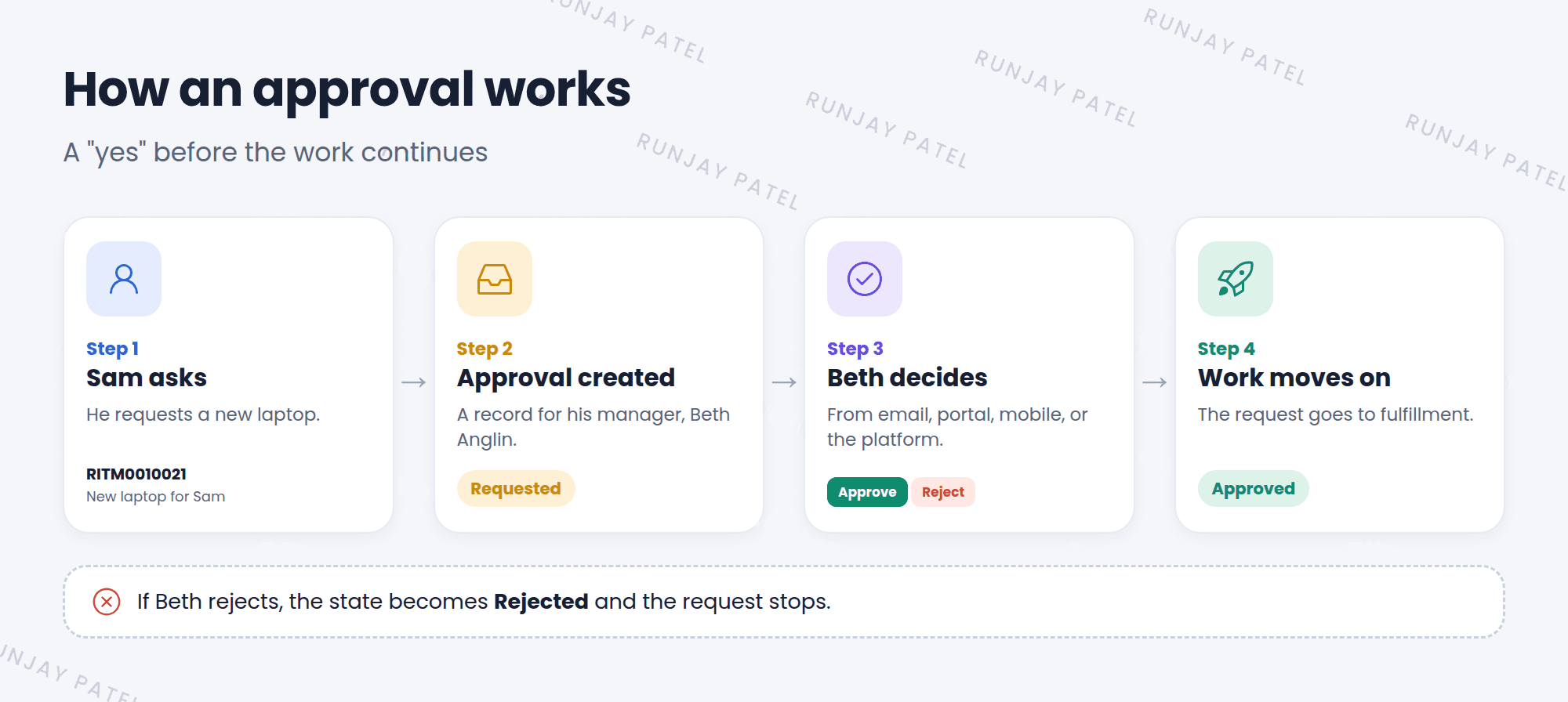
| Approval state | What it means |
|---|---|
| Requested | Waiting for the approver to decide |
| Approved | The approver said yes |
| Rejected | The approver said no |
| No longer required | The approval isn’t needed anymore, for example the request was cancelled |
3 How approvers decide
Approvers can say yes or no from almost anywhere:
- 📧 Emailreply or click a link
- 🌐 PortalMy Approvals
- 📱 Mobileone tap
In the platform, they can go to Self-Service > My Approvals, open the approval, and click Approve or Reject. It’s good practice to add a comment, especially when rejecting.
4 The admin’s side
- Most approvals today are created by flows in Workflow Studio, with an “Ask for Approval” step (Chapter 28).
- Approvals can go to a person (like the requester’s manager) or a group.
- Rules decide what counts as approved: for example, “anyone in the group” or “everyone must approve”.
💡 Good to know: Managers often approve requests. That’s why the Manager field on user records must be correct (Lesson 6.1).
⭐ Remember: Approvals live in sysapproval_approver. States: Requested, Approved, Rejected, No longer required.
5 Let’s try it: find approvals
- Type
sysapproval_approver.listin the All menu filter and press Enter. - Group the list by State. How many are Requested?
- Open one that’s Requested. Look at the Approver and Approving fields.
- Open Self-Service > My Approvals. Do you have any?
6 Quick recap
- An approval asks someone to approve or reject a task
- Approvals are stored in
sysapproval_approver - States: Requested, Approved, Rejected, No longer required
- Approvers can decide by email, portal, mobile, or in the platform
- Flows usually create approvals
7 Check yourself
Think of your answer first. Then tap to check.
1 Which table stores approval records? Show answer
sysapproval_approver.
2 An approval is waiting for a decision. What’s its state? Show answer
Requested.
3 Approvals keep going to the wrong manager. What should you check? Show answer
The Manager field on the requester’s user record.
Nice work! You finished this lesson. 🎉
Was this lesson helpful?
Please log in to share lesson feedback.
Have a question or doubt?
Ask here and get help from instructors and fellow learners.
Only logged-in learners can post.





