


Order Guides
On this page
In this lesson, you will learn:
- What an order guide is
- How it bundles many catalog items into one request
- How rule bases decide which items are included
1 One form, many items
When a new person joins SNWR, they need a laptop, a phone, email, and a desk. Ordering each item one by one is slow and easy to forget. An order guide asks a few questions once, then orders everything they need. 🧺
Key term: Order guide
A catalog feature that asks some questions, then adds the right catalog items to one request. Stored in sc_cat_item_guide.
2 How an order guide works
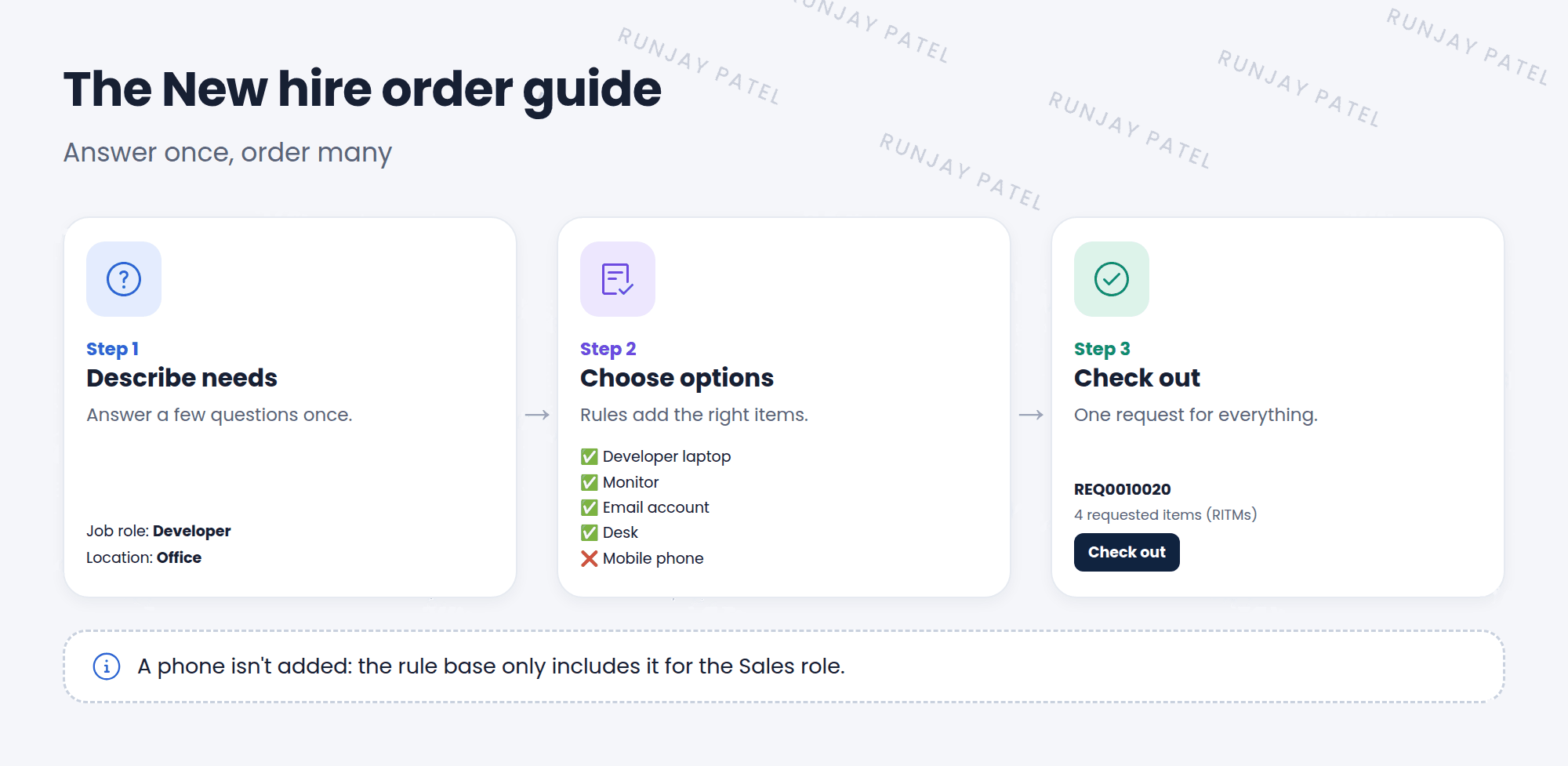
- Describe needs: the user answers a few questions, like job role and location.
- Choose options: ServiceNow adds catalog items based on rules. The user fills in each item’s own questions.
- Check out: everything is submitted as one REQ, with one RITM per item. ✅
3 Rule bases
The order guide’s rule base says which items to include. Each rule is a condition plus an item:
| If… | Include… |
|---|---|
| Always | Email account, Desk |
| Job role is Developer | Developer laptop, Monitor |
| Job role is Sales | Standard laptop, Mobile phone |
💡 Good to know: Turn on cascade variables so answers from the first page (like “Requested for”) are passed into each item automatically. Users don’t have to type them again.
📝 Note: An order guide doesn’t have its own fulfillment. Each included catalog item uses its own flow.
⭐ Remember: Order guide = answer once, order many. Rule base = which items to add.
4 Let’s try it: explore an order guide
- Go to Service Catalog > Catalog Definitions > Order Guides.
- Open a demo order guide, like one for new employees.
- Look at its Rule base related list. Which items have conditions?
- Click Try It. Answer the questions differently and see how the items change.
5 Quick recap
- An order guide orders many catalog items in one go
- Three steps: describe needs, choose options, check out
- A rule base decides which items to include
- Cascade variables pass answers into each item
- Each item keeps its own fulfillment flow
6 Check yourself
Think of your answer first. Then tap to check.
1 New hires need 5 items. What’s the best catalog tool? Show answer
An order guide.
2 What decides which items an order guide adds? Show answer
Its rule base.
3 An order guide adds 4 items. How many REQs and RITMs are created? Show answer
One REQ and four RITMs.
Nice work! You finished this lesson. 🎉
Was this lesson helpful?
Please log in to share lesson feedback.
Have a question or doubt?
Ask here and get help from instructors and fellow learners.
Only logged-in learners can post.





