


Change Management
On this page
In this lesson, you will learn:
- Why changes need to be managed
- The three types of change: standard, normal, and emergency
- The states a change moves through
- What the CAB does
1 Changes can break things
Many outages are caused by changes: a new router, a software update, a new setting. Change management makes sure each change is planned, checked, and approved before it happens. 🛡️
Key term: Change request
A record that describes a planned change to IT: what, why, when, the risk, and how to undo it. Stored in the change_request table.
2 Three types of change
| Type | What it is | Example |
|---|---|---|
| Standard | Low risk, done often, pre-approved | Add memory to a laptop |
| Normal | Needs to be assessed and approved each time | Replace the floor 3 Wi-Fi router |
| Emergency | Must happen right away to fix a big outage | Fix the email server during an outage |
📝 Note: Standard changes come from a standard change catalog of approved templates. Because they’re pre-approved, they skip the normal approval steps.
3 The life of a normal change
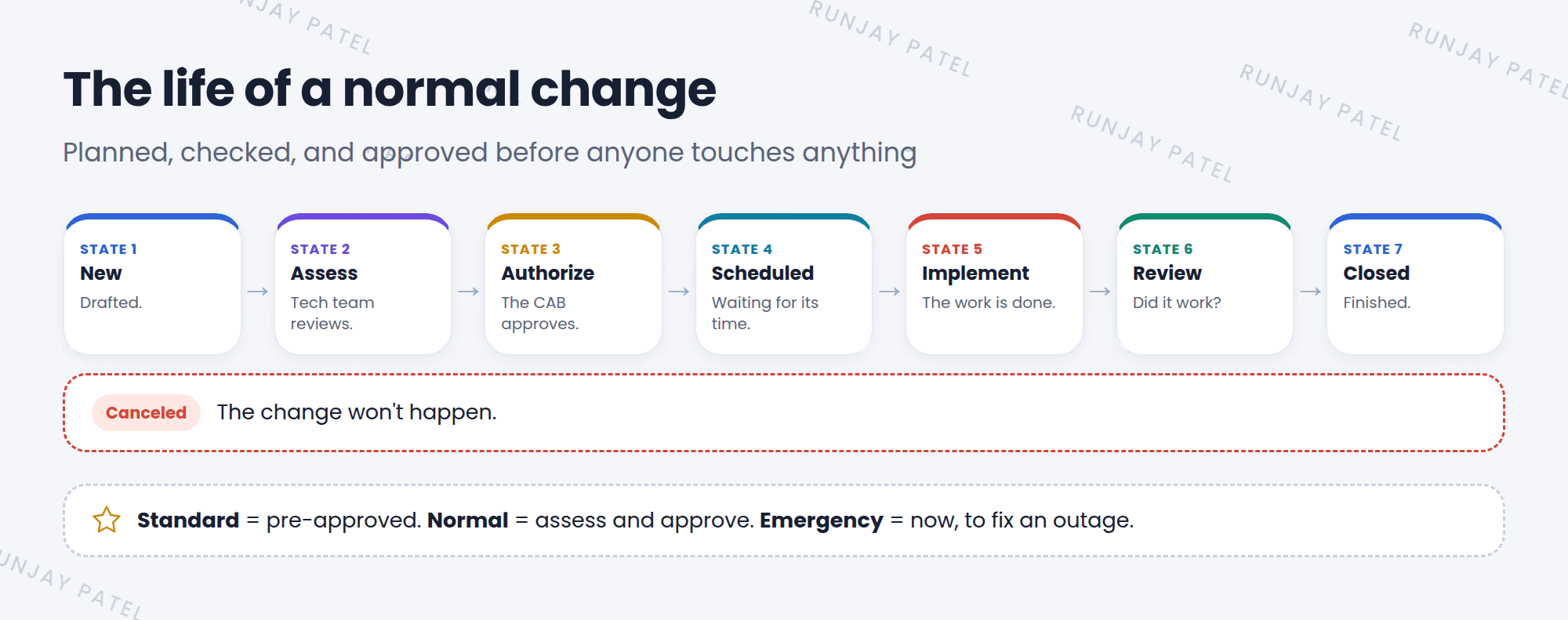
| State | What happens |
|---|---|
| New | The change is drafted |
| Assess | The technical team reviews the plan and risk |
| Authorize | The CAB (Change Advisory Board) approves it |
| Scheduled | Approved, waiting for its planned time |
| Implement | The work is done |
| Review | Check that it worked as planned |
| Closed | Finished |
4 The CAB and good planning
Key term: CAB
Change Advisory Board. A group of people who review bigger changes and decide if they can go ahead.
A good change request answers these questions:
- What are we changing, and why?
- When will it happen? (Planned start and end dates)
- What’s the risk, and who is affected?
- How will we test it?
- How do we undo it if it goes wrong? (Backout plan)
⚠️ Heads up: Even as an admin, changes to a company’s Prod instance usually need a change request too. Change management applies to ServiceNow itself!
⭐ Remember: Standard = pre-approved. Normal = assess and approve. Emergency = now, to fix an outage.
5 Let’s try it: plan a change
- Go to Change > Create New. Look at the choices. Pick Normal.
- Short description: “Replace floor 3 Wi-Fi router”. Fill in planned start and end dates.
- Look at the Planning tab: find the implementation plan, backout plan, and test plan fields.
- Save it. Which state is it in? Look for the button that moves it to the next state.
- Go back to your problem from Lesson 20.3 and link this change to it.
6 Quick recap
- Change management plans, checks, and approves changes to lower risk
- Types: Standard, Normal, and Emergency
- Normal states: New, Assess, Authorize, Scheduled, Implement, Review, Closed
- The CAB approves bigger changes
- Every change needs a plan, a test, and a backout plan
7 Check yourself
Think of your answer first. Then tap to check.
1 Adding memory to laptops is low risk and done often. Which change type? Show answer
Standard.
2 What does CAB stand for? Show answer
Change Advisory Board.
3 What’s a backout plan? Show answer
The steps to undo the change if it goes wrong.
Nice work! You finished this lesson. 🎉
Was this lesson helpful?
Please log in to share lesson feedback.
Have a question or doubt?
Ask here and get help from instructors and fellow learners.
Only logged-in learners can post.





