


Email Templates & Layouts
On this page
In this lesson, you will learn:
- What email templates and email layouts are
- How they keep emails consistent
- How to use variables in emails
1 Don’t write every email from scratch
SNWR has dozens of notifications. If each one has its own look and its own footer, emails look messy, and changing the footer means editing 40 notifications. 😫
Two tools fix this: email layouts and email templates.
Key term: Email layout
The frame around every email: the logo at the top, the colors, and the footer.
Key term: Email template
Reusable content: a subject and message that many notifications can share.
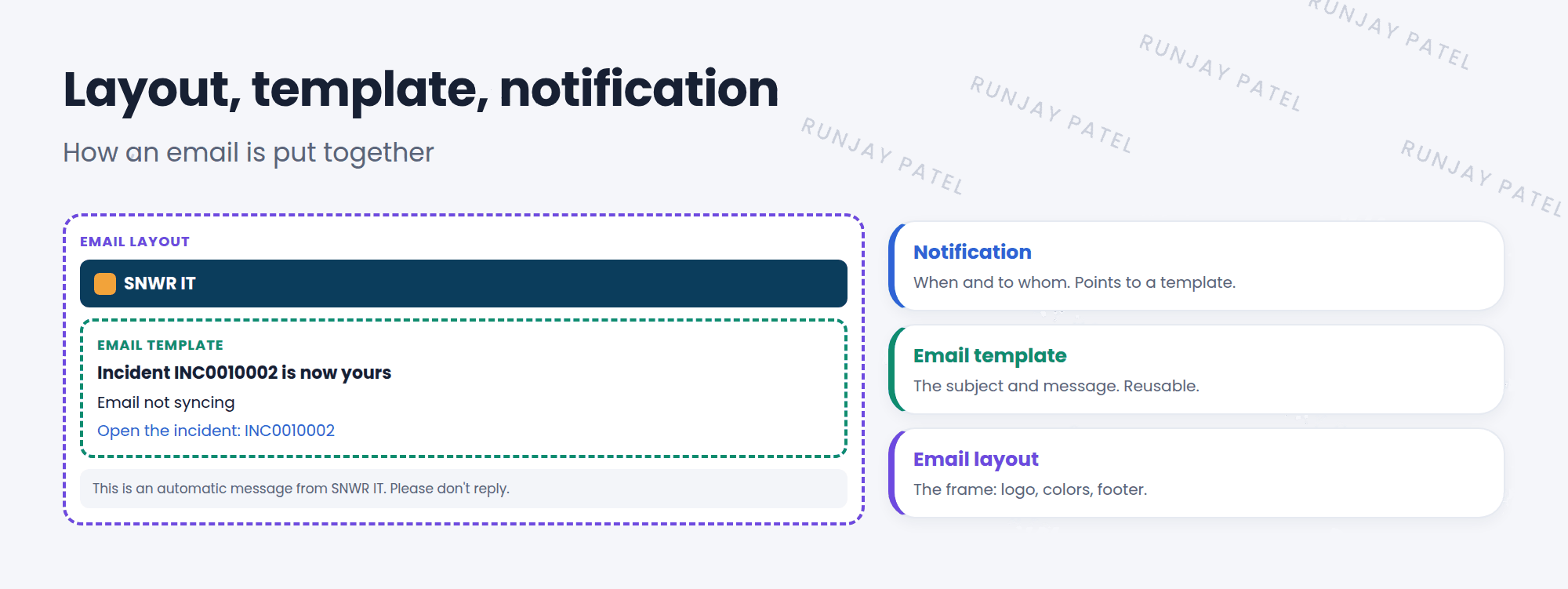
2 How they fit together
- The notification decides when and to whom (Lesson 24.1).
- It points to an email template for the subject and message.
- The template uses an email layout for the frame, like the header and footer.
- Change the layout once, and every email that uses it changes. ✅
| Where to find it | Menu |
|---|---|
| Email templates | System Notification > Email > Templates |
| Email layouts | System Notification > Email > Layouts |
3 Variables
Variables put record details into the email. They look like ${field_name}.
| Variable | Shows |
|---|---|
${number} |
The record number, like INC0010002 |
${short_description} |
The short description |
${caller_id} |
The caller’s name |
${URI_REF} |
A clickable link to the record |
💡 Good to know: In the notification or template editor, there’s a list of fields you can pick from. Click one, and it adds the variable for you, so you don’t have to type it.
⚠️ Heads up: Don’t put sensitive data, like passwords, in emails. Emails can be forwarded to anyone.
⭐ Remember: Layout = frame. Template = content. Variables = details from the record.
4 Let’s try it: make a template
- Go to System Notification > Email > Templates and click New.
- Name: SNWR Incident assigned. Table: Incident.
- Subject:
Incident ${number} is now yours. Message:${short_description}and${URI_REF}. Submit. - Open your notification from Lesson 24.1. Set its Email template to the new template. Update and preview it.
5 Quick recap
- Email layouts are the frame: header, colors, footer
- Email templates are reusable subject and message content
- Notifications point to templates, and templates use layouts
- Variables like
${number}add record details
6 Check yourself
Think of your answer first. Then tap to check.
1 SNWR changes its logo. What do you update so every email shows it? Show answer
The email layout.
2 Which variable adds a link to the record? Show answer
${URI_REF}
3 Five notifications need the same message. What’s the best way? Show answer
Put the message in one email template and point all five notifications to it.
Nice work! You finished this lesson. 🎉
Was this lesson helpful?
Please log in to share lesson feedback.
Have a question or doubt?
Ask here and get help from instructors and fellow learners.
Only logged-in learners can post.





