


Roles & Role Inheritance
On this page
In this lesson, you will learn:
- What a role is and what it controls
- Why roles should go to groups, not single users
- How roles can contain other roles
- How to see which roles a user has, and where they came from
1 What is a role?
A role is like a key. 🔑 Each key opens certain doors in ServiceNow: menus, tables, fields, and buttons.
Key term: Role
A set of permissions. It decides what a user can see and do. Stored in the Role table, sys_user_role.
| Role | What it lets you do |
|---|---|
itil |
Work on incidents, problems, and changes (fulfillers) |
catalog_admin |
Manage the Service Catalog |
knowledge_admin |
Manage knowledge bases |
report_admin |
Manage reports for everyone |
admin |
Almost everything in the instance |
📝 Note: A user with no roles can still log in. They can use self-service, like the portal, to ask for help. Roles are for people who work in ServiceNow.
2 Give roles to groups, not users
You can give a role straight to a user. But the best practice is to give roles to a group. Every member of the group then gets the role automatically.
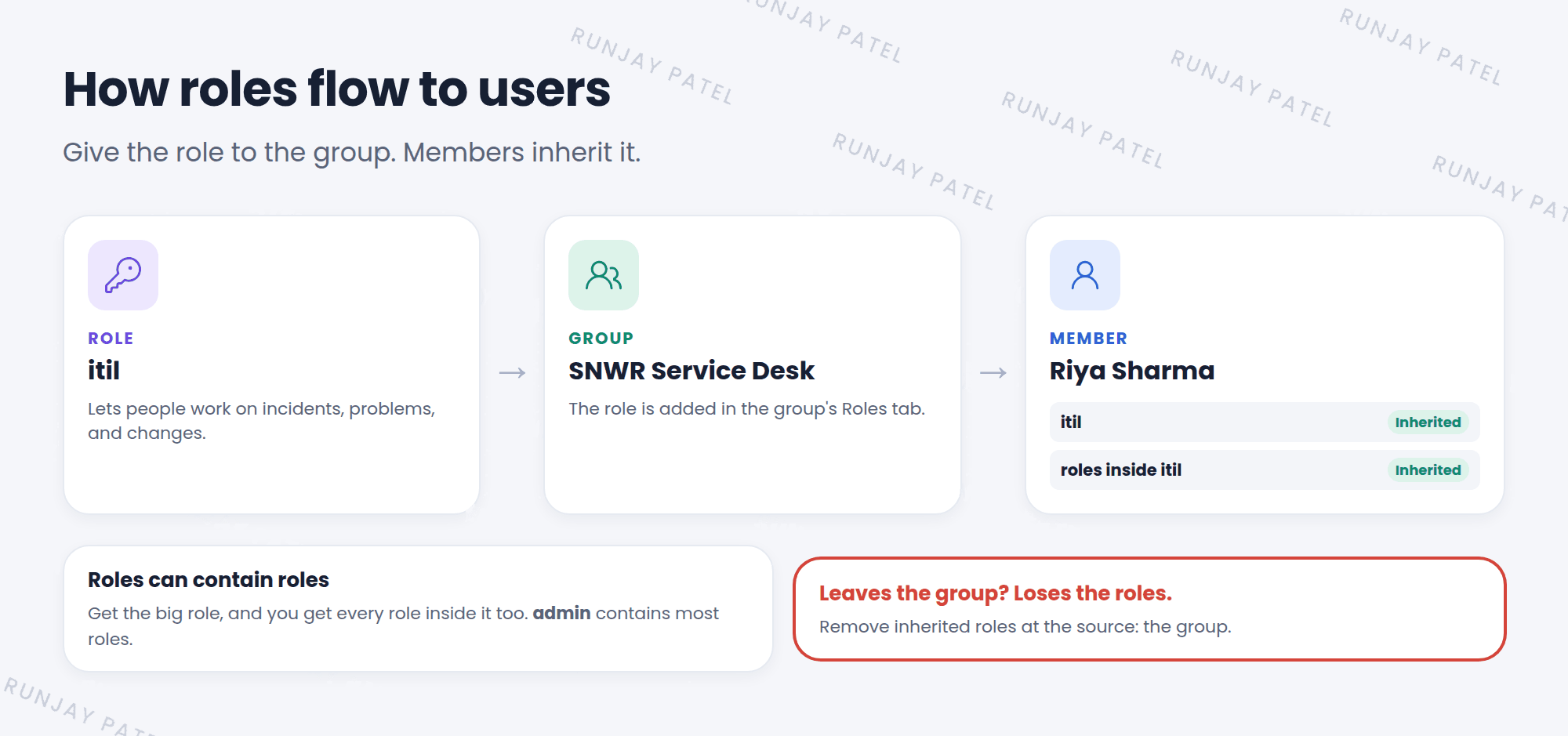
- Joining a team? Add them to the group. They get all the right roles at once.
- Leaving a team? Remove them from the group. The roles go away too.
- Checking access? Look at the group, not at 200 users one by one.
⭐ Remember: Roles → groups → users. This keeps access clean and easy to manage.
3 Roles inside roles
A role can contain other roles. When you get the big role, you also get every role inside it. This is called role inheritance.
Key term: Contains roles
A list on a role record that shows the other roles it includes.
Key term: Inherited
A role a user got from a group or from inside another role, instead of directly.
For example, admin contains most other roles. That’s why an admin can do what a fulfiller does, and more.
4 Adding a role to a group
- Open User Administration > Groups and open your group.
- Scroll down to the Roles tab and click Edit.
- Find the role, like
itil, and move it to the right side. - Click Save. Every member now has the role. ✅
5 Where did this role come from?
Open a user’s record and scroll to the Roles tab. Look at the Inherited column:
- Inherited = false: the role was given to the user directly.
- Inherited = true: it came from a group, or from inside another role.
- The Inheritance count shows how many ways the user got it.
⚠️ Heads up: You can’t remove an inherited role from the user’s own record. You have to remove it at the source: take the user out of the group, or take the role off the group.
💡 Good to know: Some very powerful roles, like security_admin, are elevated roles. Even if you have them, you must turn them on with Elevate role for a short time. You’ll learn more in Chapter 42.
6 Let’s try it: give Riya the itil role
- Open the SNWR Service Desk group from Lesson 6.2.
- In the Roles tab, click Edit, add
itil, and save. - Open Riya Sharma’s user record. Scroll to the Roles tab. Do you see
itil? Is it inherited? - Look for other roles too. Where did they come from?
7 Quick recap
- A role decides what a user can see and do (
sys_user_role) - Best practice: give roles to groups, not users
- Roles can contain other roles
- The Inherited column shows if a role came from a group or another role
- Remove inherited roles at the source
8 Check yourself
Think of your answer first. Then tap to check.
1 Which role do fulfillers usually need to work on incidents? Show answer
itil.
2 Why give roles to groups instead of single users? Show answer
It’s easier to manage. People get or lose the roles just by joining or leaving the group.
3 Riya’s itil role shows Inherited = true. How do you remove it? Show answer
Remove Riya from the group that gives the role, or remove the role from that group.
Nice work! You finished this lesson. 🎉
Was this lesson helpful?
Please log in to share lesson feedback.
Have a question or doubt?
Ask here and get help from instructors and fellow learners.
Only logged-in learners can post.





