


Catalogs & Categories
On this page
In this lesson, you will learn:
- What the Service Catalog is
- How catalogs, categories, and items are organized
- Where requesters and admins find the catalog
1 An online shop for work
When Sam needs a new laptop, software, or access to a shared folder, he doesn’t send an email. He opens the Service Catalog, picks what he needs, and clicks Order. Just like shopping online! 🛒
Key term: Service Catalog
An online “shop” where users request goods and services, like laptops, software, and access.
2 How it’s organized
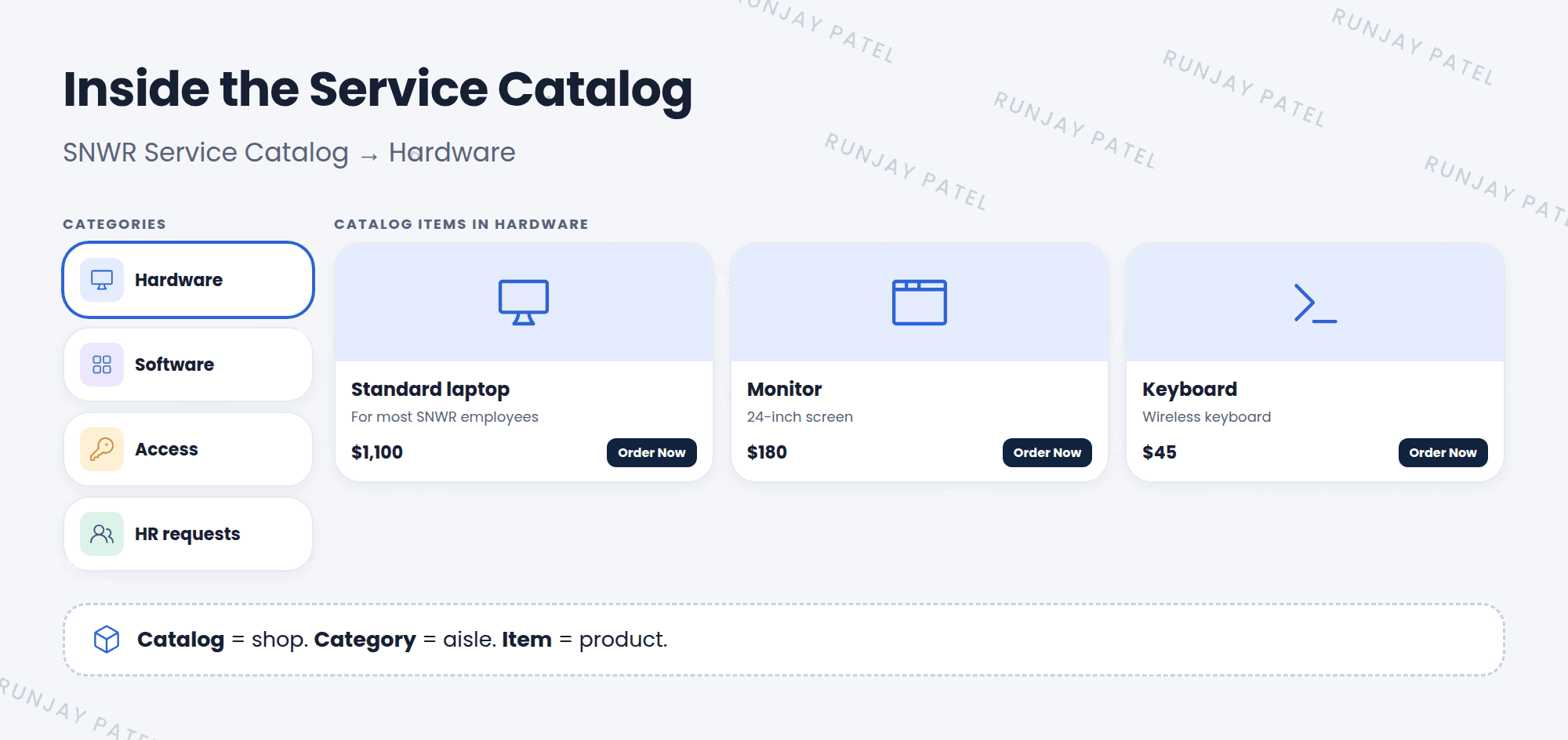
| Level | What it is | Example |
|---|---|---|
| Catalog | The whole shop | SNWR Service Catalog |
| Category | A section of the shop | Hardware, Software, Access |
| Catalog item | One thing you can order | Standard laptop |
📝 Note: A company can have more than one catalog, like one for IT and one for HR. An item can appear in more than one category, and even more than one catalog.
3 Where people find it
- Requesters: the portal (
/sp) or Employee Center, under “Request something”. - Admins and agents: Self-Service > Service Catalog in the platform.
- Admins who build it: Service Catalog > Catalog Definitions (Maintain Catalogs, Maintain Categories, Maintain Items).
💡 Good to know: The catalog_admin role lets someone manage the catalog without being a full admin.
⭐ Remember: Catalog = shop. Category = aisle. Item = product.
4 Let’s try it: go shopping
- Open Self-Service > Service Catalog. Look at the categories.
- Open Hardware and pick an item. What does the item page show?
- Open Service Catalog > Catalog Definitions > Maintain Categories. Find Hardware in the list.
5 Quick recap
- The Service Catalog is an online shop for work requests
- It’s organized as catalogs → categories → items
- Requesters use the portal. Admins build it in Catalog Definitions
- The
catalog_adminrole manages the catalog
6 Check yourself
Think of your answer first. Then tap to check.
1 “Standard laptop” is a catalog, a category, or an item? Show answer
An item.
2 Can one item appear in two categories? Show answer
Yes.
3 Which role manages the catalog without full admin? Show answer
catalog_admin.
Nice work! You finished this lesson. 🎉
Was this lesson helpful?
Please log in to share lesson feedback.
Have a question or doubt?
Ask here and get help from instructors and fellow learners.
Only logged-in learners can post.





