


What Update Sets Capture
On this page
In this lesson, you will learn:
- What an update set is
- What update sets capture, and what they don’t
- Where captured changes are stored
1 Moving your work between instances
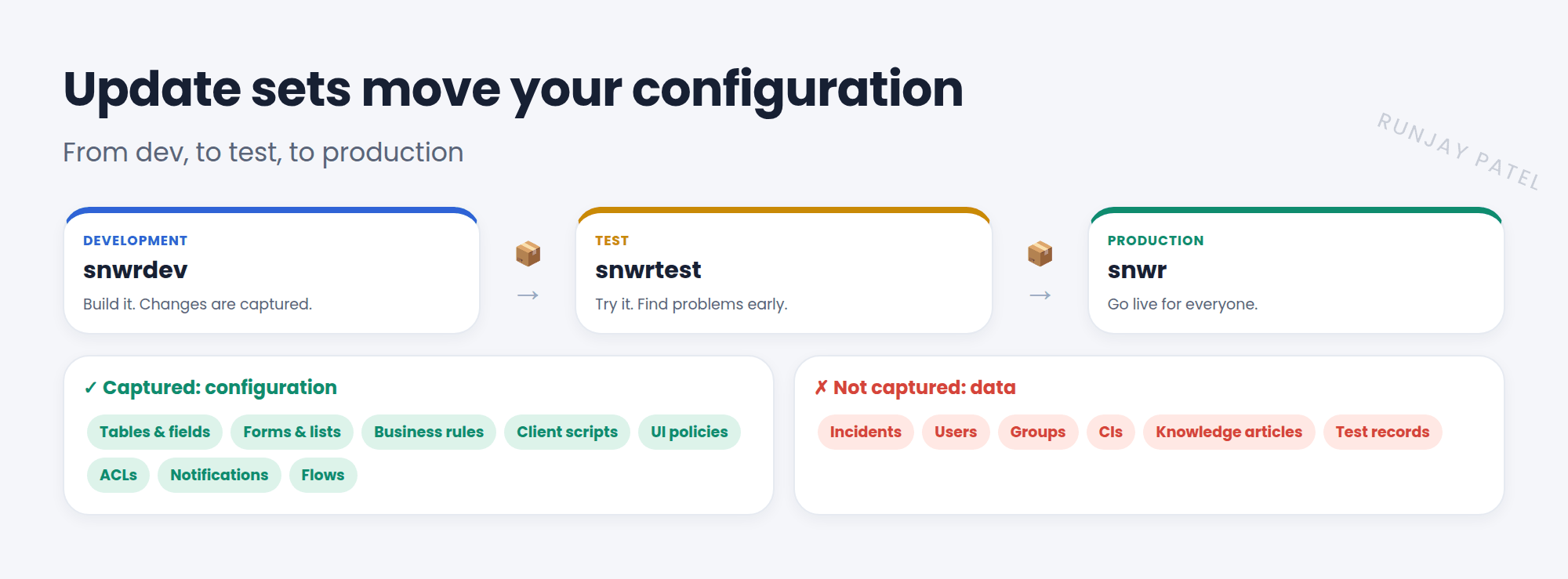
You built a UI policy and a business rule in snwrdev. They work! Now they need to go to snwrtest, then to snwr (production). You won’t rebuild them by hand. You’ll move them in an update set. 📦
Key term: Update set
A container that records your configuration changes as you make them, so you can move them to another instance. Stored in sys_update_set.
2 What gets captured
| ✅ Captured (configuration) | ❌ Not captured (data) |
|---|---|
| Tables, fields, choices, dictionary changes | Incidents, problems, changes, requests |
| Form and list layouts, views | Users, groups, and group members |
| Business rules, client scripts, script includes | CIs in the CMDB |
| UI policies, UI actions, ACLs | Knowledge articles |
| Notifications, flows, catalog items | Records you create for testing |
💡 Good to know: Simple rule: if it changes how the instance works, it’s usually captured. If it’s a record people work on, it isn’t. Move data with import sets or XML instead.
3 Where changes are stored
- Each changed item becomes a Customer Update record (
sys_update_xml), linked to the current update set. - If you change the same business rule five times, only the latest version is kept in that update set.
- Open an update set and look at its Customer Updates related list to see everything inside.
⚠️ Heads up: Some things, like certain dashboards and homepages, aren’t captured automatically. Always check the Customer Updates list before you move an update set.
⭐ Remember: Update sets move configuration, not data. Each change is a Customer Update (sys_update_xml).
4 Let’s try it: peek inside
- Open System Update Sets > Local Update Sets.
- Open the Default update set. Look at its Customer Updates related list.
- Do you recognize the UI policies and business rules you built in earlier lessons?
- Now open an incident you created. Is it in the list? (It shouldn’t be. It’s data!)
5 Quick recap
- An update set records configuration changes to move them
- Captured: tables, fields, forms, scripts, policies, ACLs, notifications, flows
- Not captured: data like incidents, users, and CIs
- Each change is a Customer Update in
sys_update_xml - Only the latest version of each item is kept
6 Check yourself
Think of your answer first. Then tap to check.
1 You create a new group in dev. Is it captured in your update set? Show answer
No. Groups are data, not configuration.
2 Which table stores each captured change? Show answer
sys_update_xml (Customer Updates).
3 You edit one client script three times. How many versions are in the update set? Show answer
One: the latest version.
Nice work! You finished this lesson. 🎉
Was this lesson helpful?
Please log in to share lesson feedback.
Have a question or doubt?
Ask here and get help from instructors and fellow learners.
Only logged-in learners can post.





