


What Is Application Scope?
On this page
In this lesson, you will learn:
- What application scope is
- How scope names and prefixes work
- How to switch your current application
1 A fence around an app
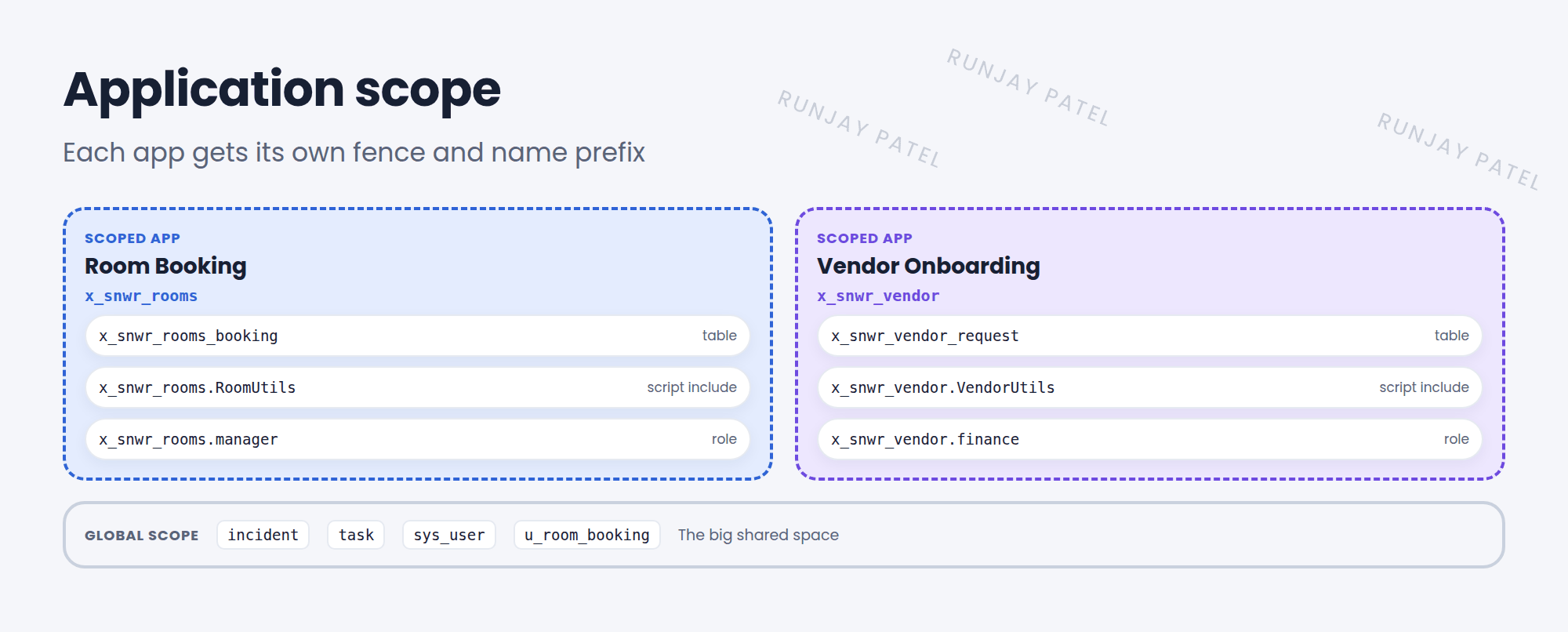
Imagine two teams build apps on the same instance. Both make a table called “Request”. Both write a script called “Utils”. Chaos! 😵 Application scope puts a fence around each app, so its parts have their own names and are protected from other apps.
Key term: Application scope
A namespace that groups an app’s files (tables, scripts, forms, and more) and controls what other apps can do with them.
2 Scope names
A scope name looks like x_snwr_rooms:
| Part | Means |
|---|---|
x_ |
A custom (not ServiceNow) app |
snwr |
The company code (vendor prefix) set for your instance |
rooms |
A short name for the app |
Everything the app creates starts with that prefix. A table becomes x_snwr_rooms_booking. A script include’s API name becomes x_snwr_rooms.RoomUtils.
📝 Note: ServiceNow’s own apps have scopes too, often starting with sn_, like sn_hr_core for HR Service Delivery.
3 Your current application
Just like the update set picker (Lesson 45.2), the header has an application picker. New files are created in the current application.
- Open the picker (the globe icon) and choose the Application scope.
- Building in the wrong scope is a common mistake. Check it before you start.
- If you open a file from another scope, a banner tells you it’s read only in your current scope.
⚠️ Heads up: The Application field on a file can’t simply be changed later. Pick the right scope before you build.
⭐ Remember: Scope = a fence + a name prefix, like x_snwr_rooms. Check the application picker before you build.
4 Let’s try it: explore scopes
- Open the application picker in the header. Which application is current?
- Go to System Applications > My Company Applications. Are there any custom apps?
- Open System Definition > Tables and filter Name starts with
x_. Which scoped tables exist?
5 Quick recap
- Application scope groups and protects an app’s files
- Scope names look like
x_<company>_<app> - Everything in the app uses that prefix
- New files go into the current application in the picker
6 Check yourself
Think of your answer first. Then tap to check.
1 What does the x_ at the start of a scope name mean? Show answer
It’s a custom app, not one made by ServiceNow.
2 In scope x_snwr_rooms, what would a table called “booking” be named? Show answer
x_snwr_rooms_booking.
3 Where do you choose the application you’re building in? Show answer
The application picker in the header.
Nice work! You finished this lesson. 🎉
Was this lesson helpful?
Please log in to share lesson feedback.
Have a question or doubt?
Ask here and get help from instructors and fellow learners.
Only logged-in learners can post.





