


Client-Callable Script Includes (GlideAjax)
On this page
In this lesson, you will learn:
- What GlideAjax is
- How to write a client-callable script include
- How to call it from a client script and use the answer
1 The browser needs server data
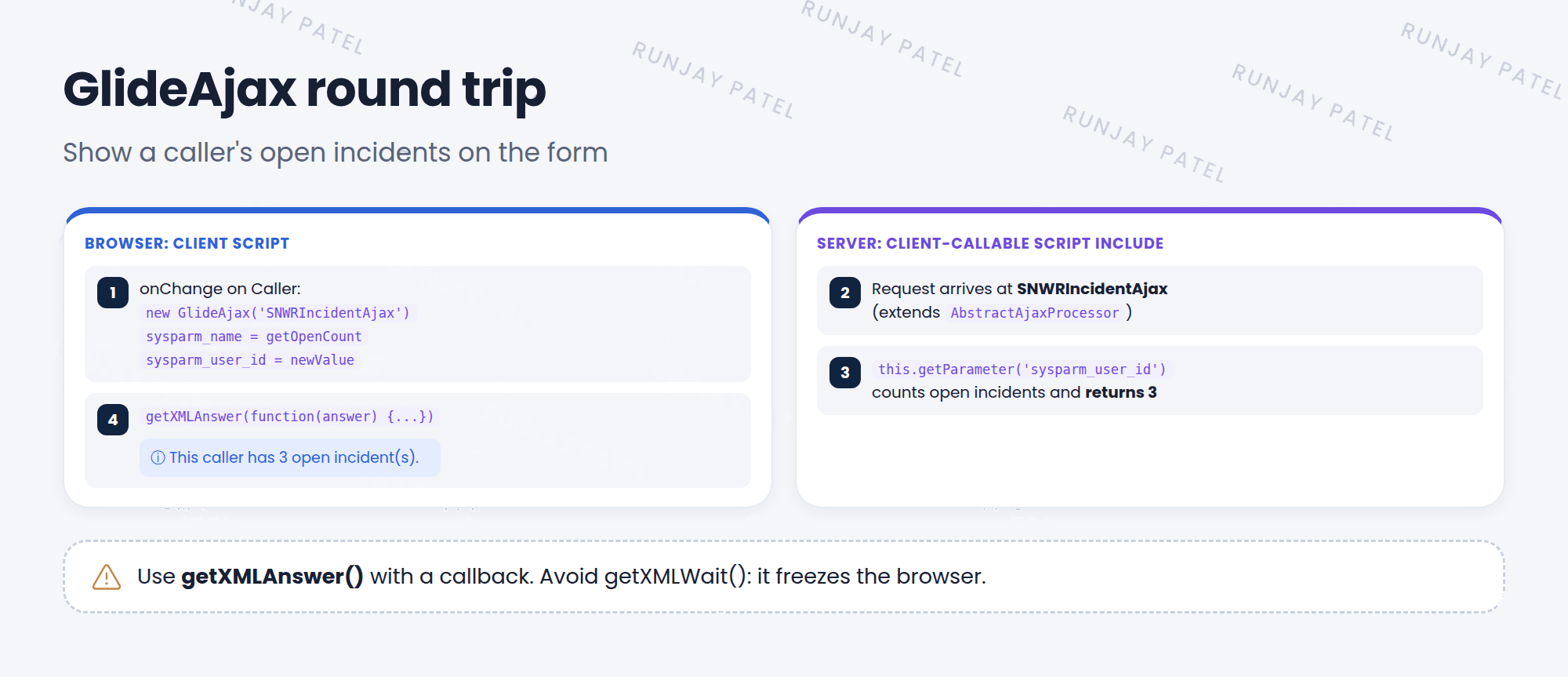
When an agent picks a Caller, SNWR wants the form to show how many open incidents that person already has. The client script knows the caller, but only the server can count incidents. GlideAjax lets the browser ask the server. 📨
Key term: GlideAjax
A client-side helper that calls a client-callable script include on the server and gets an answer back, without reloading the form.
2 The server part
Create a script include with Client callable checked (called Glide AJAX enabled in newer releases). It extends AbstractAjaxProcessor.
var SNWRIncidentAjax = Class.create();
SNWRIncidentAjax.prototype = Object.extendsObject(global.AbstractAjaxProcessor, {

  getOpenCount: function() {
    var userId = this.getParameter('sysparm_user_id');
    return new SNWRIncidentUtils().getOpenCount(userId);
  },

  type: 'SNWRIncidentAjax'
});
3 The client part
An onChange client script on Caller:
function onChange(control, oldValue, newValue, isLoading) {
  if (isLoading || newValue === '') {
    return;
  }
  var ga = new GlideAjax('SNWRIncidentAjax');     // script include name
  ga.addParam('sysparm_name', 'getOpenCount');   // method name
  ga.addParam('sysparm_user_id', newValue);      // your own parameter
  ga.getXMLAnswer(function(answer) {             // runs when the answer arrives
    g_form.showFieldMsg('caller_id',
      'This caller has ' + answer + ' open incident(s).', 'info');
  });
}| Piece | What it does |
|---|---|
sysparm_name |
Which method to run on the server |
sysparm_... |
Your own parameters. Names must start with sysparm_ |
this.getParameter() |
Reads a parameter on the server |
getXMLAnswer(callback) |
Sends the request and runs the callback with the answer |
⚠️ Heads up: Use getXMLAnswer() with a callback (asynchronous). Avoid getXMLWait(). It freezes the browser while waiting, and doesn’t work in Service Portal.
📝 Note: Newer releases can protect client-callable script includes with an ACL (type client_callable_script_include). If it works for you but not for other users, check that ACL.
⭐ Remember: Server: client callable + AbstractAjaxProcessor + getParameter(). Client: new GlideAjax() + sysparm_name + getXMLAnswer().
4 Let’s try it: show open incidents
- Create the SNWRIncidentAjax script include above. Check Client callable. Submit.
- Create an onChange client script on Incident, Field name Caller. Paste the client part. Submit.
- Open a new incident and pick a Caller. Do you see the message with a count?
5 Quick recap
- GlideAjax lets client scripts get data from the server
- The script include must be client callable and extend
AbstractAjaxProcessor sysparm_namepicks the method. Other parameters start withsysparm_- Use
getXMLAnswer()with a callback, notgetXMLWait()
6 Check yourself
Think of your answer first. Then tap to check.
1 Which parameter tells GlideAjax which method to run? Show answer
sysparm_name.
2 Which class must a client-callable script include extend? Show answer
AbstractAjaxProcessor.
3 Why avoid getXMLWait()? Show answer
It freezes the browser while it waits, and it doesn’t work in Service Portal.
Nice work! You finished this lesson. 🎉
Was this lesson helpful?
Please log in to share lesson feedback.
Have a question or doubt?
Ask here and get help from instructors and fellow learners.
Only logged-in learners can post.





