


Client vs Server UI Actions
On this page
In this lesson, you will learn:
- The difference between server and client UI actions
- How the Client checkbox and Onclick field work
- How one UI action can run on both sides
1 Where does the click run?
So far, your UI action ran on the server. But what if you want to ask the user something first, like “Are you sure?” That has to happen in the browser. 🤔
| Server UI action | Client UI action | |
|---|---|---|
| Client checkbox | Unchecked | Checked |
| Runs in | ServiceNow server | The browser |
| Can use | current, gs, action, GlideRecord |
g_form, g_user, confirm() |
| Good for | Changing data | Checking the form, asking the user |
2 A client UI action
Check Client. Then put a function name in Onclick, like confirmCancel(), and write that function in the Script.
function confirmCancel() {
  if (!confirm('Cancel this incident?')) {
    return false;   // user clicked Cancel: stop
  }
  g_form.setValue('state', '8');   // 8 = Canceled
  g_form.save();
}
3 Both sides in one action
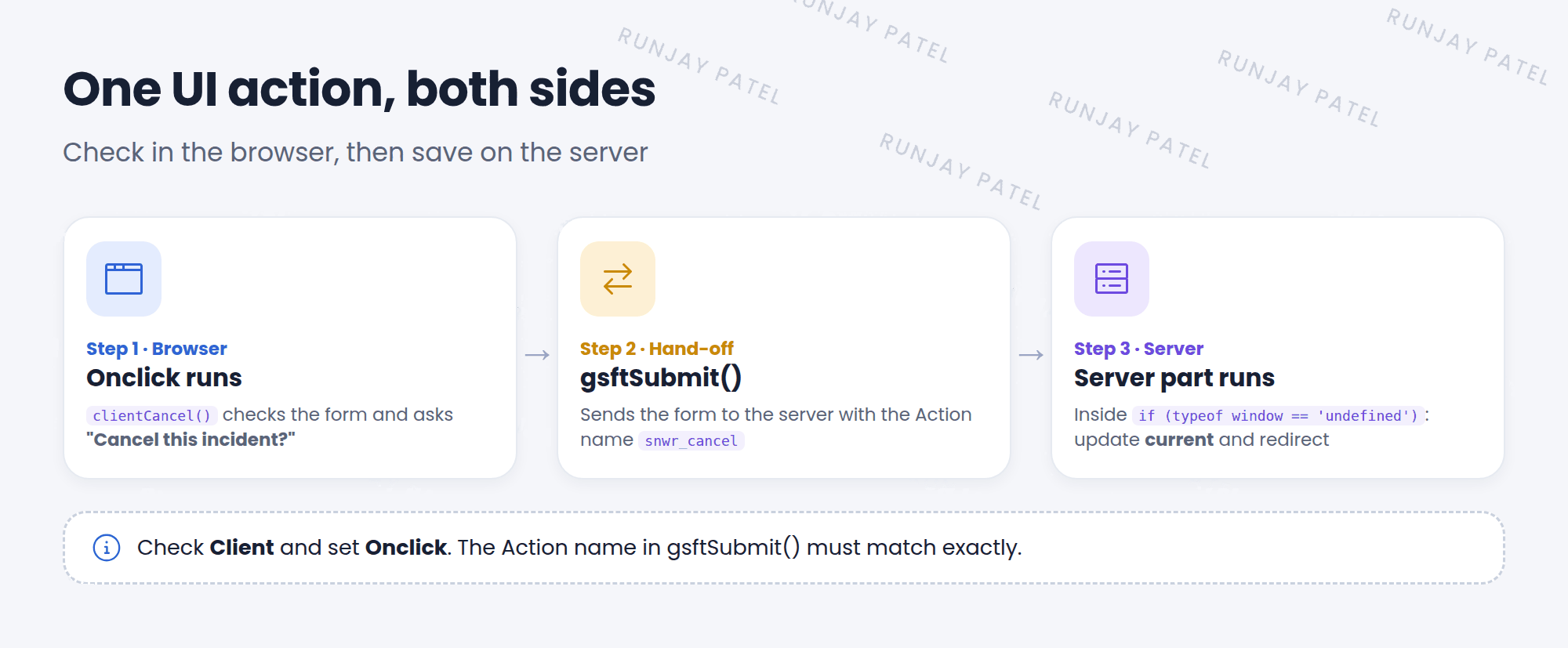
Often you want a client check, then a server change. One UI action can do both!
// Client part (Onclick: clientCancel())
function clientCancel() {
  if (!confirm('Cancel this incident?')) {
    return false;
  }
  gsftSubmit(null, g_form.getFormElement(), 'snwr_cancel');  // Action name
}

// Server part: runs only on the server
if (typeof window == 'undefined') {
  current.state = 8;
  current.update();
  action.setRedirectURL(current);
}
📝 Note: gsftSubmit() needs the UI action’s Action name. The check typeof window == 'undefined' is true only on the server, because the server has no browser window.
⚠️ Heads up: The Action name in gsftSubmit() must match exactly. A typo means the server part never runs.
⭐ Remember: Client checked + Onclick = browser. gsftSubmit() hands off to the server. typeof window == 'undefined' = server part.
4 Let’s try it: a safe Cancel button
- Create a UI action on Incident. Name: Cancel incident. Action name:
snwr_cancel. Check Form button and Show update. - Check Client. Onclick:
clientCancel(). - Paste the “both sides” script. Submit.
- Open a test incident and click the button. Click Cancel in the pop-up. Nothing happens. Click it again and choose OK. Is the incident Canceled?
5 Quick recap
- Server UI actions change data with
current - Client UI actions use Client + Onclick and run in the browser
gsftSubmit()sends the form to the server with the Action nametypeof window == 'undefined'marks the server part
6 Check yourself
Think of your answer first. Then tap to check.
1 Which checkbox makes a UI action run in the browser? Show answer
Client.
2 Which field holds the function name for a client UI action? Show answer
Onclick.
3 What does gsftSubmit() need so the server part runs? Show answer
The UI action’s Action name.
Nice work! You finished this lesson. 🎉
Was this lesson helpful?
Please log in to share lesson feedback.
Have a question or doubt?
Ask here and get help from instructors and fellow learners.
Only logged-in learners can post.





