


Creating Fields & Field Types
On this page
In this lesson, you will learn:
- Three ways to create a new field
- The most common field types, and when to use each
- What to check before you create a field
1 Why add a field?
SNWR’s Room Booking table needs a new field: Needs projector. Admins add fields all the time. But first, pick the right type. You can’t easily change it later! 🧩
Key term: Field type
The kind of data a field holds, like text, a number, a date, or a link to another record. It decides how the field looks and what you can type in it.
2 Common field types
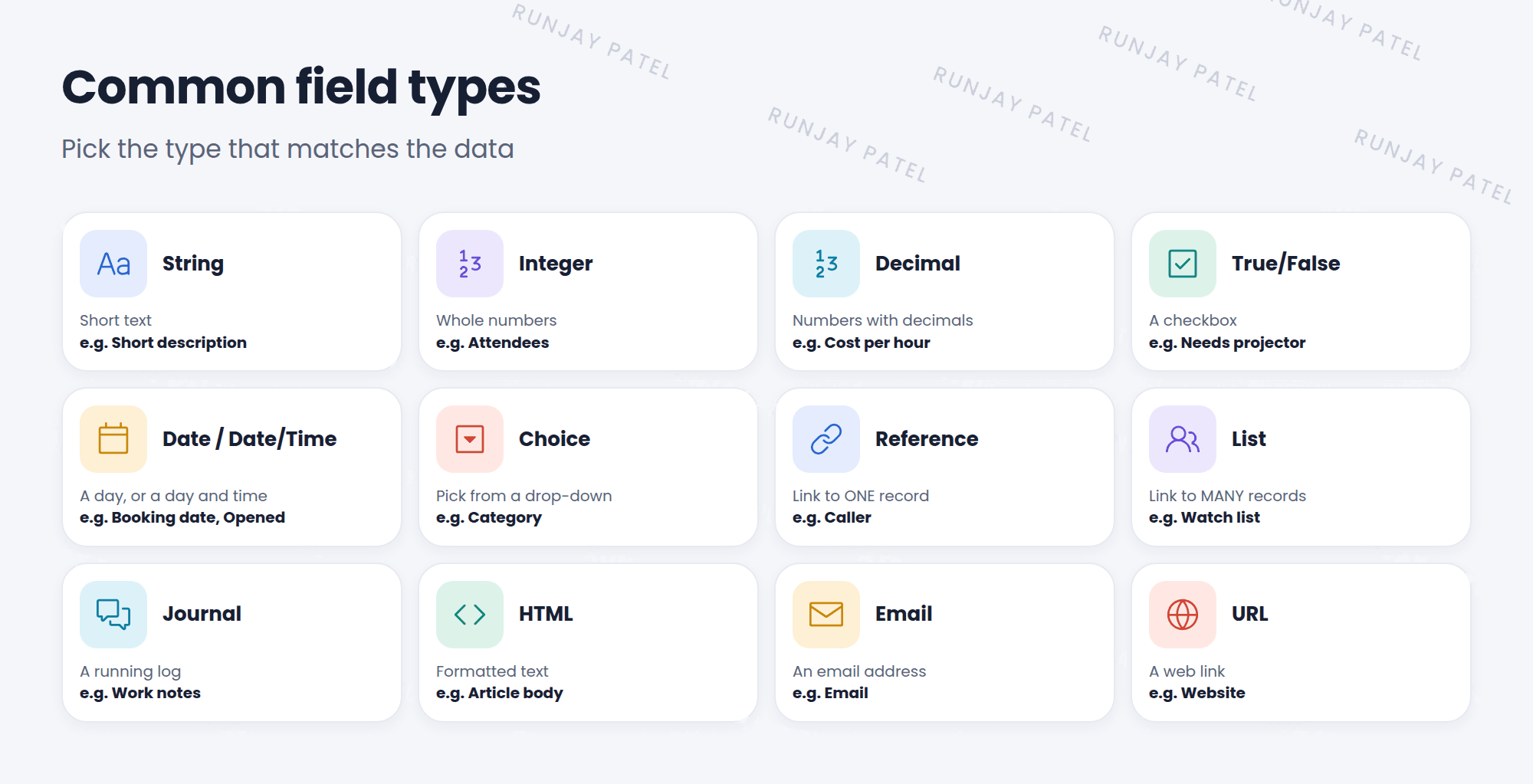
💡 Good to know: Use a Choice field instead of free text when there’s a fixed set of answers. It keeps data clean and makes reports easy.
3 Three ways to create a field
| Way | How |
|---|---|
| Form Builder | Open a form, then Configure > Form Builder. Drag a field type from the Field Types tab onto the form |
| Form Layout | Configure > Form Layout. Use the Create new field section at the bottom |
| Table record | System Definition > Tables, open the table, and click New in the Columns related list |
📝 Note: In the global scope, custom fields get the u_ prefix. “Needs projector” becomes u_needs_projector.
4 Before you create a field
- Check if it already exists. Look at the table, and its parent tables (use the schema map from Lesson 31.4).
- Pick the right table. A field on Task shows on every child table. A field on Incident shows only on incidents.
- Pick the right type. Changing the type later can lose data.
- Use a clear label. People read labels. Scripts use names.
⚠️ Heads up: Don’t add fields straight to production. Build them in snwrdev, and move them with an update set (Chapter 45).
⭐ Remember: Right table + right type + clear label. Custom global fields start with u_.
5 Let’s try it: add two fields
- Open a Room Booking record (from Lesson 29.3). Choose Configure > Form Layout.
- In Create new field, enter Name Needs projector, Type True/False. Click Add.
- Add another: Meeting type, Type Choice. Click Add, then Save.
- Check the form. Right-click each new label and open Configure Dictionary. What are the column names?
6 Quick recap
- The field type decides what data a field holds
- Common types: String, Integer, True/False, Date, Choice, Reference, List, Journal
- Create fields with Form Builder, Form Layout, or the table’s Columns list
- Check first: does it exist, and is it the right table?
7 Check yourself
Think of your answer first. Then tap to check.
1 Which type would you use for a yes-or-no checkbox? Show answer
True/False.
2 You add a field called “Floor” in the global scope. What’s its column name? Show answer
u_floor.
3 You add a field to the Task table. Where will it show up? Show answer
On Task and every table that extends it, like Incident, Problem, and Change.
Nice work! You finished this lesson. 🎉
Was this lesson helpful?
Please log in to share lesson feedback.
Have a question or doubt?
Ask here and get help from instructors and fellow learners.
Only logged-in learners can post.





