


Base, Parent & Child Tables
On this page
In this lesson, you will learn:
- What base, parent, and child tables are
- How a child table inherits fields
- How to see a table’s family with the Tables module
1 Tables have families
In Lesson 19.1, you saw that Incident extends Task. Now let’s name the whole family properly. 👪
Key term: Parent table
A table that other tables extend. Its fields are shared with its children. Task is the parent of Incident.
Key term: Child table
A table that extends another. It inherits all the parent’s fields, and adds its own. Incident is a child of Task.
Key term: Base table
A table at the top of a family, that doesn’t extend anything else. Task and CMDB CI (cmdb_ci) are base tables.
2 How inheritance works
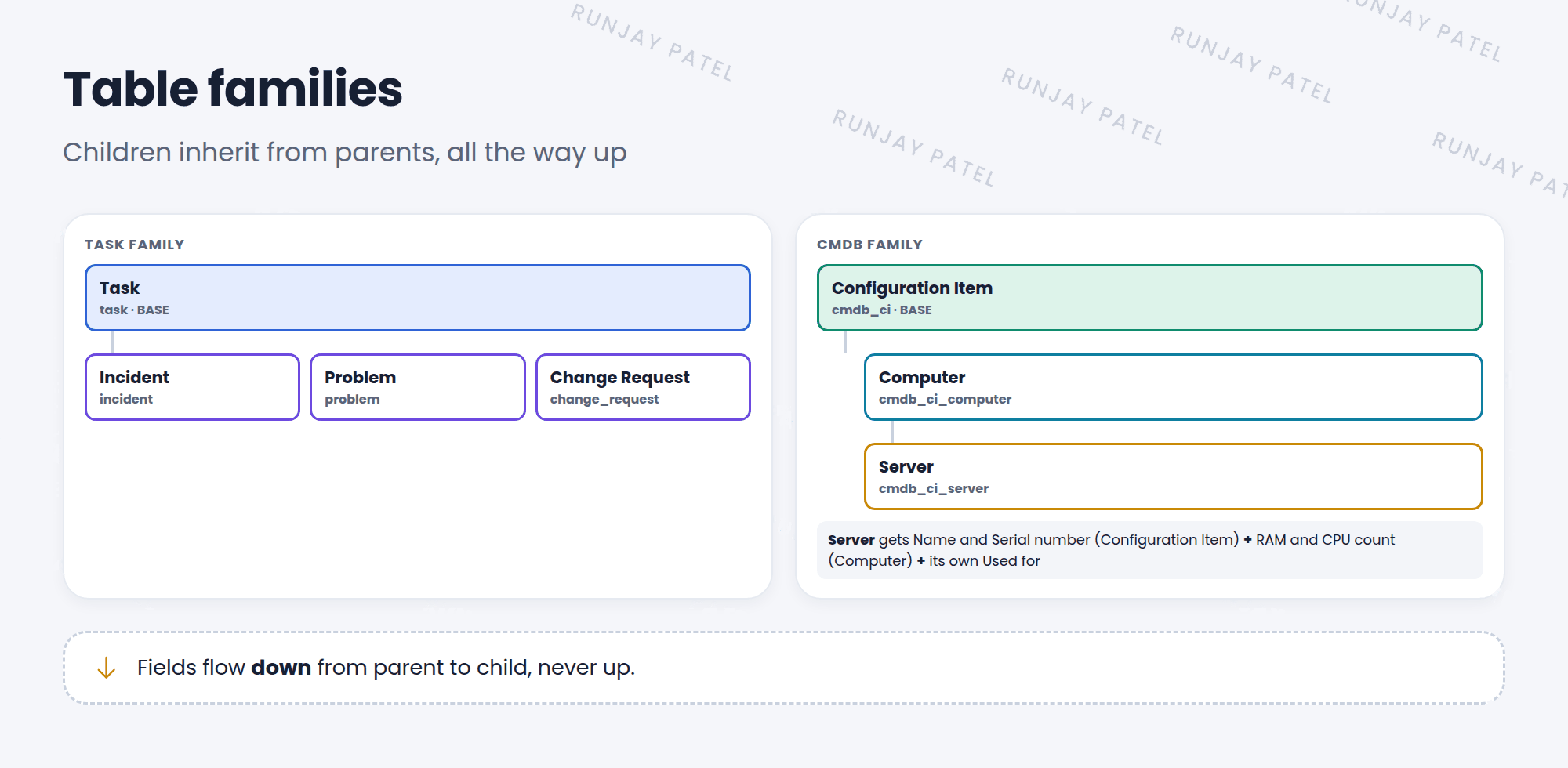
- A child gets every field of its parent, and its parent’s parent, all the way up.
- A child can add its own fields. The parent doesn’t get them.
- A record in a child table also shows up when you list the parent table. An incident appears in
task.list.
📝 Note: Each record has a sys_class_name field. It says which table the record really belongs to, like “incident”, even when you see it in the Task list.
3 Seeing the family
- Go to System Definition > Tables.
- Open a table, like Incident.
- Look at the Extends table field. It shows the parent (Task).
- Related links like Show Schema Map draw the family for you (Lesson 31.4).
⚠️ Heads up: A field added to a parent appears on every child. Adding a field to Task adds it to incidents, problems, changes, and more. Think carefully before you do it.
⭐ Remember: Parent → child = fields flow down, never up.
4 Let’s try it: follow the family
- Open System Definition > Tables. Find Change Request. What does it extend?
- Find Server (
cmdb_ci_server). What does it extend? And that table? - Open
task.list, add the Task type (Class) column, and group by it.
5 Quick recap
- A parent table shares its fields with its child tables
- A base table is at the top and extends nothing
- Fields flow down, never up
- Child records also show in the parent’s list
sys_class_nametells you a record’s real table
6 Check yourself
Think of your answer first. Then tap to check.
1 Is Task a base table or a child table? Show answer
A base table. It doesn’t extend another table.
2 You add a field to Incident. Does Task get it? Show answer
No. Fields flow down from parent to child, never up.
3 Which field tells you the real table of a record in the Task list? Show answer
sys_class_name (Task type or Class).
Nice work! You finished this lesson. 🎉
Was this lesson helpful?
Please log in to share lesson feedback.
Have a question or doubt?
Ask here and get help from instructors and fellow learners.
Only logged-in learners can post.





