


Catalog Client Scripts
On this page
In this lesson, you will learn:
- What a catalog client script is
- Which types are available
- How to read and change variables with g_form
1 Client scripts for catalog items
Catalog UI policies handle mandatory, visible, and read only. For anything else, like showing a message or setting a value, use a catalog client script. 🧑💻
Key term: Catalog client script
JavaScript that runs in the browser on a catalog item or variable set. It works with variables, using the same g_form methods you already know.
2 Types and key fields
| Field | What it does |
|---|---|
| Applies to | A Catalog Item, or A Variable Set |
| Type | onLoad, onChange, or onSubmit |
| Variable name | For onChange: which variable to watch |
| UI Type | Desktop, Mobile / Service Portal, or All |
| Applies on… | Where it runs: item view, RITM, catalog task, target record (Lesson 37.3) |
📝 Note: There’s no onCellEdit type. Variables aren’t edited in lists.
3 Working with variables
Use the variable’s name (not its question text) in g_form.
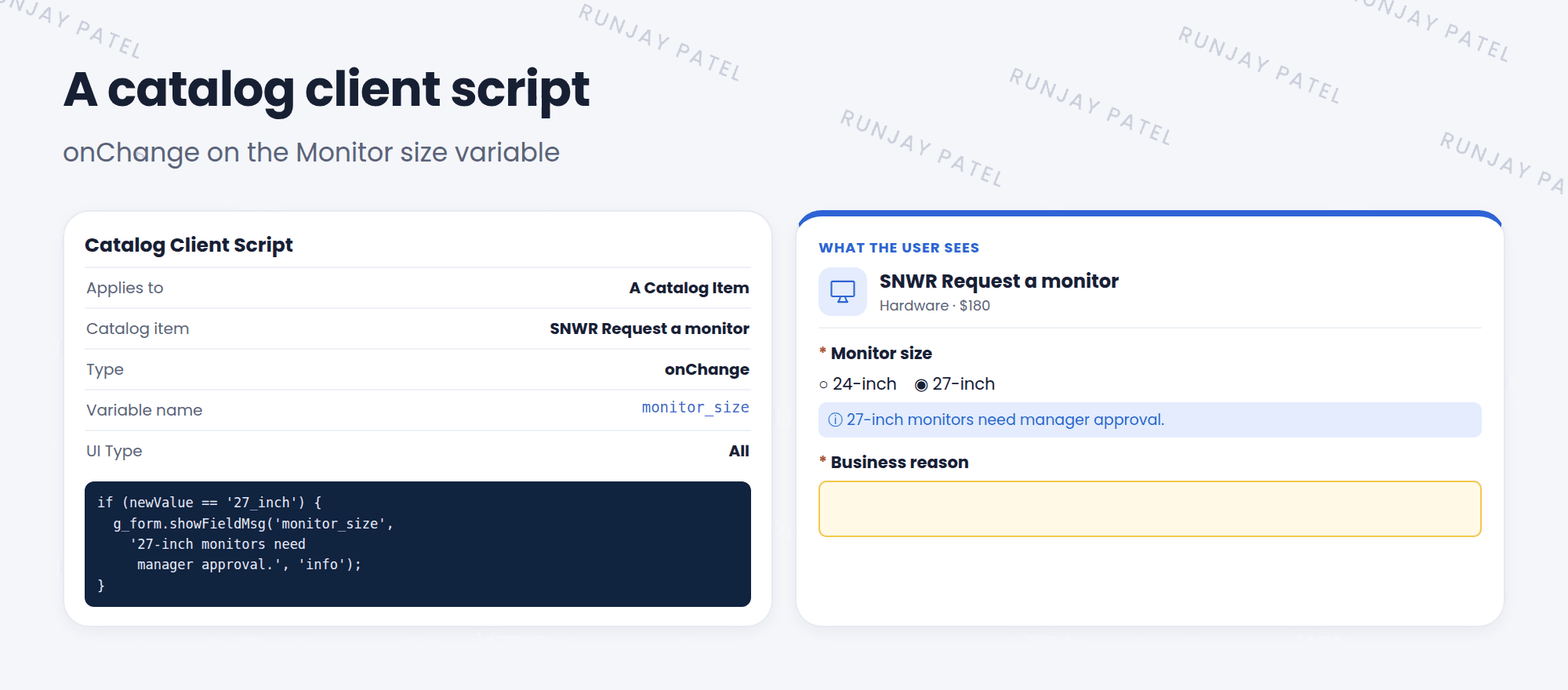
function onChange(control, oldValue, newValue, isLoading) {
  if (isLoading || newValue == '') {
    return;
  }
  if (newValue == '27_inch') {        // the choice's value
    g_form.showFieldMsg('monitor_size',
      '27-inch monitors need manager approval.', 'info');
  } else {
    g_form.hideFieldMsg('monitor_size');
  }
}
💡 Good to know: Use g_form.setValue('business_reason', '') to clear a variable, or g_form.getValue('monitor_size') to read one. It’s the same g_form you used in Chapter 36.
⚠️ Heads up: Service Portal and mobile don’t support every browser trick. Stick to g_form methods, avoid touching the page HTML, and test the item in the portal too.
⭐ Remember: Catalog client scripts = onLoad, onChange, onSubmit on variables. Use the variable name in g_form.
4 Let’s try it: approval hint
- Open SNWR Request a monitor. In the Catalog Client Scripts related list, click New.
- Name: Monitor approval hint. UI Type: All. Type: onChange. Variable name: monitor_size.
- Check your 27-inch choice’s value, then paste the script above (fix the value if needed). Save.
- Click Try It. Pick 27-inch. Do you see the message?
5 Quick recap
- A catalog client script runs in the browser on catalog variables
- Types: onLoad, onChange, onSubmit (no onCellEdit)
- It applies to a catalog item or a variable set
- Use
g_formwith the variable name - Test in Service Portal as well as the desktop
6 Check yourself
Think of your answer first. Then tap to check.
1 Which client script type is NOT available for catalog client scripts? Show answer
onCellEdit.
2 In g_form, do you use the variable’s question text or its name? Show answer
Its name, like monitor_size.
3 You need to set a variable’s value when another changes. Catalog UI policy or catalog client script? Show answer
A catalog client script (or a catalog UI policy with a script).
Nice work! You finished this lesson. 🎉
Was this lesson helpful?
Please log in to share lesson feedback.
Have a question or doubt?
Ask here and get help from instructors and fellow learners.
Only logged-in learners can post.





