


GlideRecord Basics
On this page
In this lesson, you will learn:
- What GlideRecord is
- The steps to query records
- How to read, update, and insert records with a script
1 Talking to the database
A list filter shows records on screen. GlideRecord does the same thing in a server-side script. It’s the most used tool in ServiceNow scripting! 🗄️
Key term: GlideRecord
A server-side helper for reading and writing records in a table. It lets you query, loop through, update, insert, and delete records without SQL.
2 The five steps
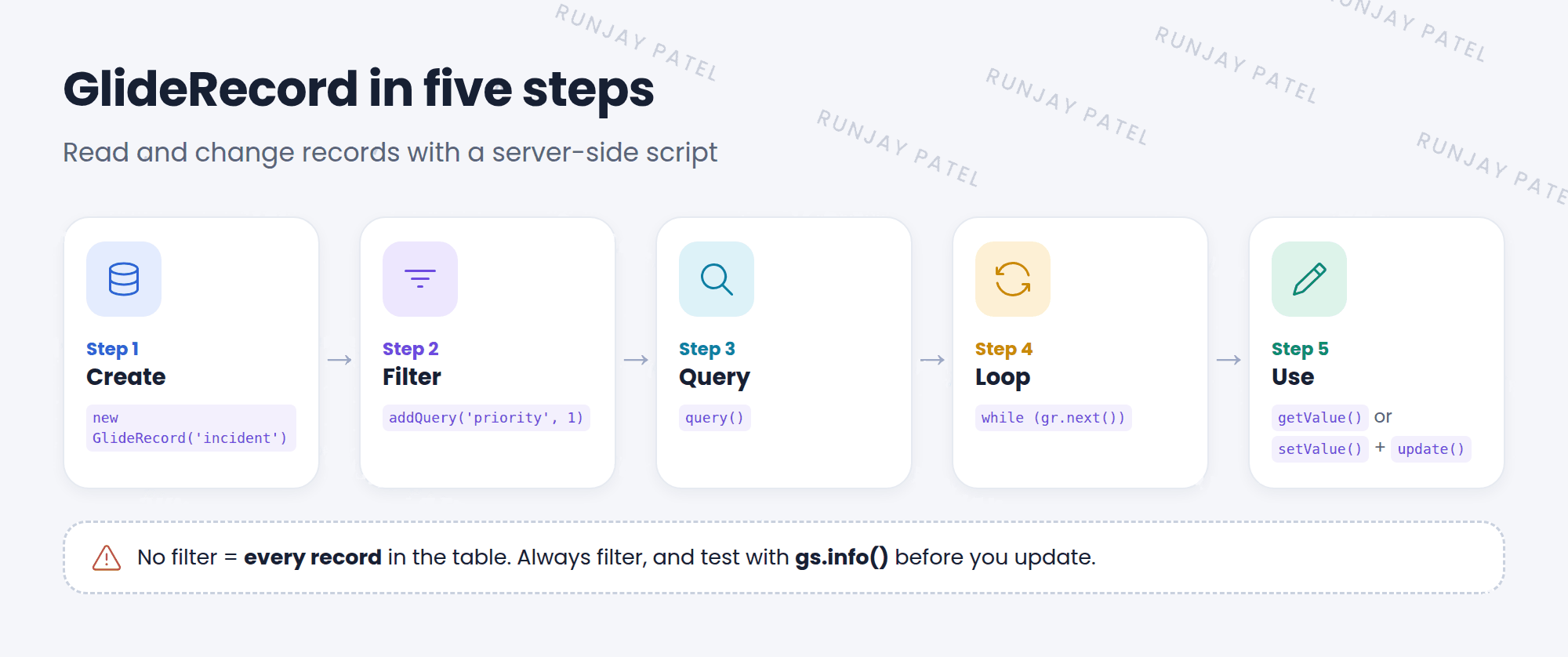
var gr = new GlideRecord('incident');     // 1. which table
gr.addQuery('active', true);              // 2. filters
gr.addQuery('priority', 1);
gr.query();                               // 3. run it
while (gr.next()) {                       // 4. loop
  gs.info(gr.getValue('number') + ': ' + gr.getValue('short_description'));  // 5. use it
}
3 Handy GlideRecord methods
| Method | What it does |
|---|---|
addQuery('field', value) |
Adds a filter (field equals value) |
addEncodedQuery('active=true^priority=1') |
Adds a filter copied from a list (right-click the breadcrumb > Copy query) |
query() |
Runs the query |
next() |
Moves to the next record. Returns false when there are no more |
get(sys_id) |
Gets one record by its sys_id |
getValue('field') |
Reads a field’s value as a string |
setValue('field', value) |
Changes a field’s value |
update() / insert() |
Saves changes / creates a new record |
getRowCount() |
How many records matched |
setLimit(10) |
Returns only the first 10 records |
4 Creating a record
var inc = new GlideRecord('incident');
inc.initialize();
inc.setValue('short_description', 'Test from a script');
inc.setValue('caller_id', gs.getUserID());
var newId = inc.insert();   // returns the new sys_id
gs.info('Created ' + newId);
⚠️ Heads up: A query with no filter gets every record in the table. If you then call update(), you change them all! Always add filters, and test with gs.info() before you update.
💡 Good to know: Use getValue() to read values. It returns a clean string, which avoids strange bugs when comparing values.
⭐ Remember: new GlideRecord → addQuery → query() → while (next()) → use it.
5 Let’s try it: list your P1s
- Open Scripts – Background in snwrdev or your PDI.
- Paste the five-step example above and run it. Do you see numbers and short descriptions?
- Change the filter to
addQuery('category', 'network'). Run it again. - Run the “Creating a record” example. Find the new incident in the incident list.
6 Quick recap
- GlideRecord reads and writes records on the server
- Steps: create, filter, query, loop, use
getValue()reads,setValue()+update()changesinitialize()+insert()creates a new record- Always filter before you update
7 Check yourself
Think of your answer first. Then tap to check.
1 Which method actually runs the query? Show answer
query().
2 How do you loop through every matching record? Show answer
while (gr.next()) { … }
3 You have a list filter you like. How can you use it in GlideRecord? Show answer
Copy the query from the breadcrumb and use addEncodedQuery().
Nice work! You finished this lesson. 🎉
Was this lesson helpful?
Please log in to share lesson feedback.
Have a question or doubt?
Ask here and get help from instructors and fellow learners.
Only logged-in learners can post.





